
PowerShell Scripts
The PowerShell Scripts page is where you'll find all in-built and custom Powershell scripts for Account Discoveries, Password Resets and Password Validations.
You can also add in your own Blacklisted Code and Code Snippets which can be used with the Job Scheduling Engine.
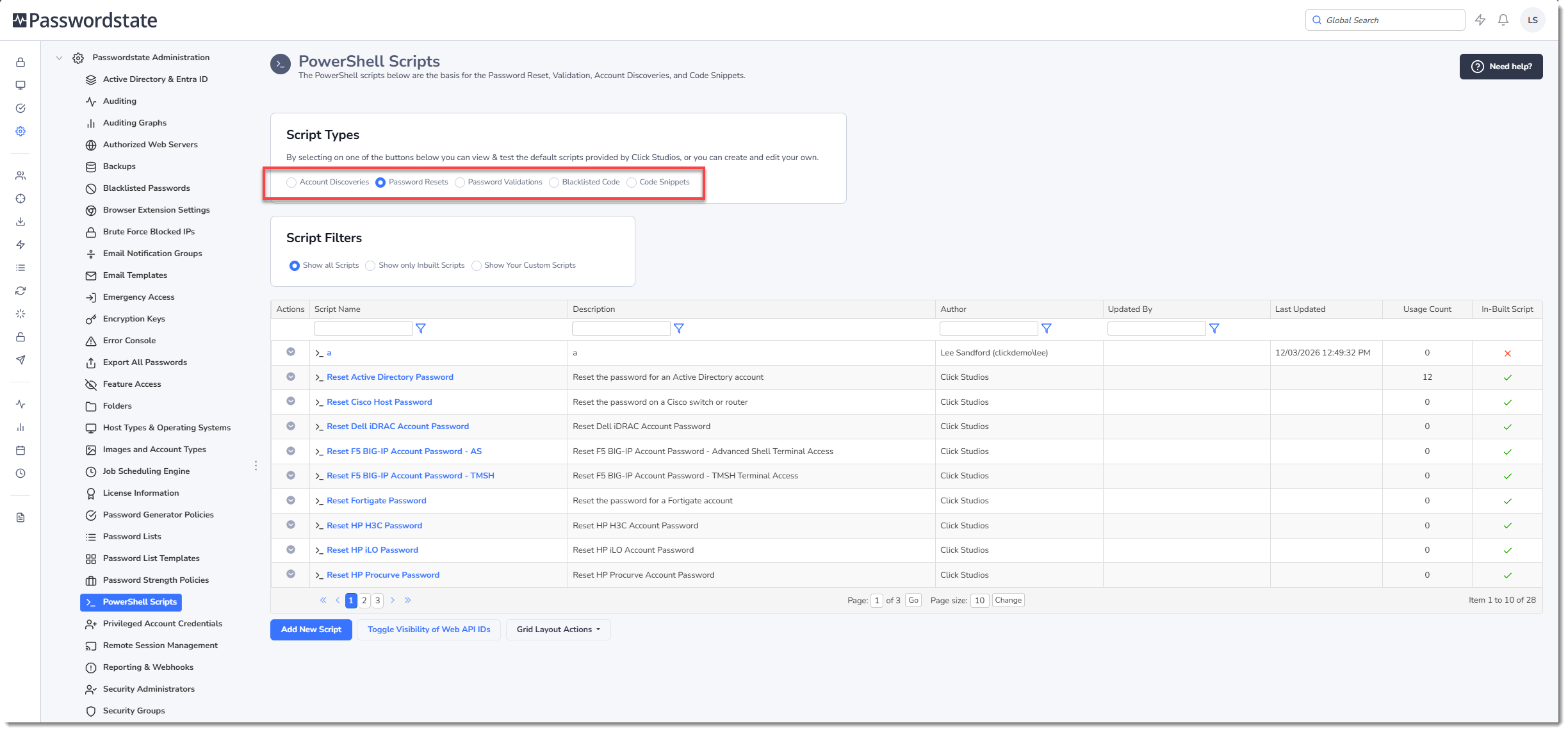
Custom Scripts
In addition to these default scripts, you can also add your own Password Reset or Password validation scripts for your own infrastructure, or applications that aren't natively supported in Passwordstate.
See the Images and Account Types section of this manual for information about how to add in a custom Managed Account. Adding in your own custom Managed Account allows you to set your custom Powershell scripts on Password Records.
Powershell scripts can also be assigned to Password Records as a Dependency, which means upon a successful reset of a password record, you can have your custom Powershell script execute. Examples of these Password Dependency scripts could be emailing a distribution list of a successful reset, or maybe updating a ticketing system.
For more information about Password Reset Dependencies, see Password Reset Dependency Records section of the Privileged Account Management manual.
Blacklisted Code
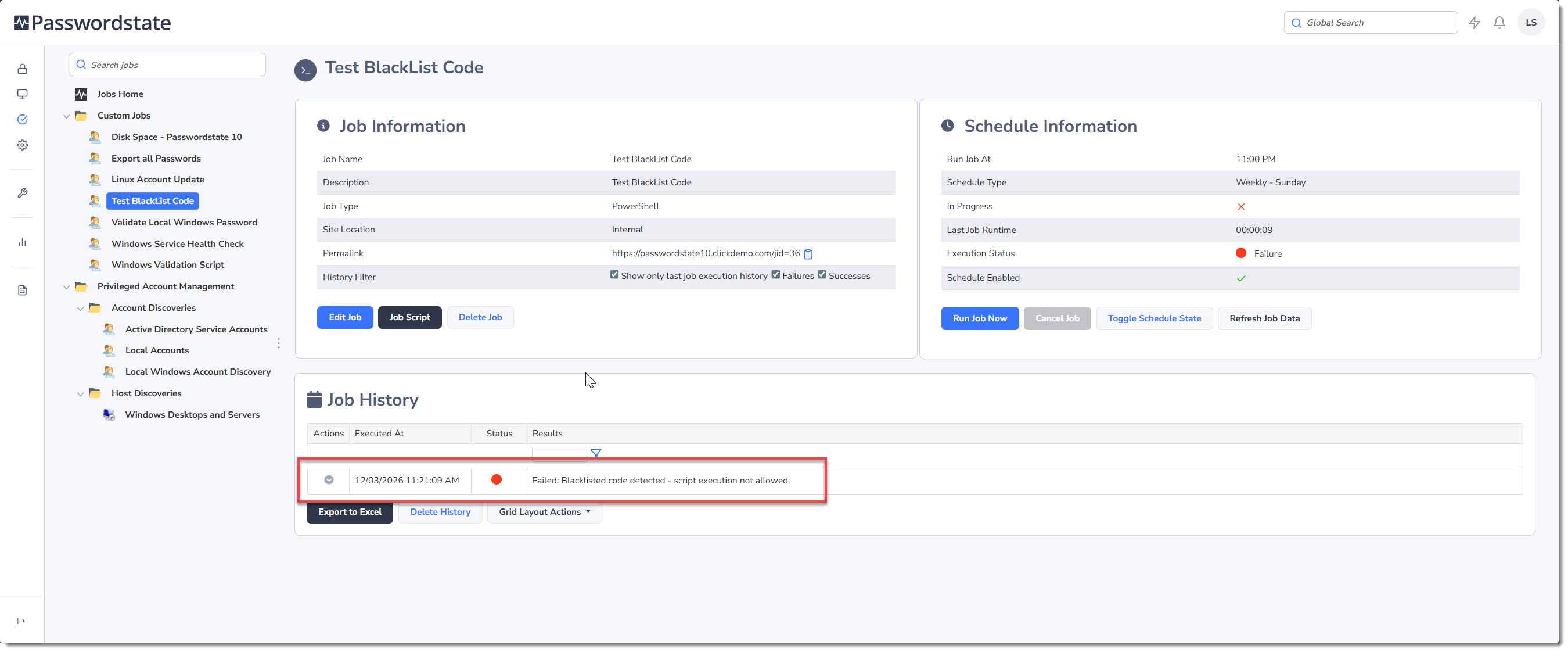
Blacklisted Code is an area where you can set any keywords or code examples of your choice. Before any Powershell script gets executed in Passwordstate, this Blacklisted Code repository is queried. If the code exists in the Blacklisted table, then the Powershell script simply will not run.
This feature will affect any Powershell script that executes from Passwordstate, whether it be a custom dependency script on a Password Record, or if a custom Powershell script is executed from the Job Scheduling Engine feature. Below is an example of running a script that contains Blacklisted Code:
Code Snippets
Code Snippets are specifically used in conjunction with the Job Scheduling Engine. When adding a Code Snippet into this page, then you can simply drag and drop that Code Snippet into a custom Powershell script you build with the Job Scheduling Engine. The idea being you create Powershell Functions or code blocks that you will use repetitively across multiple scripts, or multiple times within the same script.
More information about how to use Code Snippets within your scripts can be found in the Powershell section of the User Manual
The Code Snippets page already has a lot of built-in examples you can use in your scripts, ranging from templates for Powershell Remoting Sessions, to Passwordstate API examples for every action that the Standard and User Based API supports.
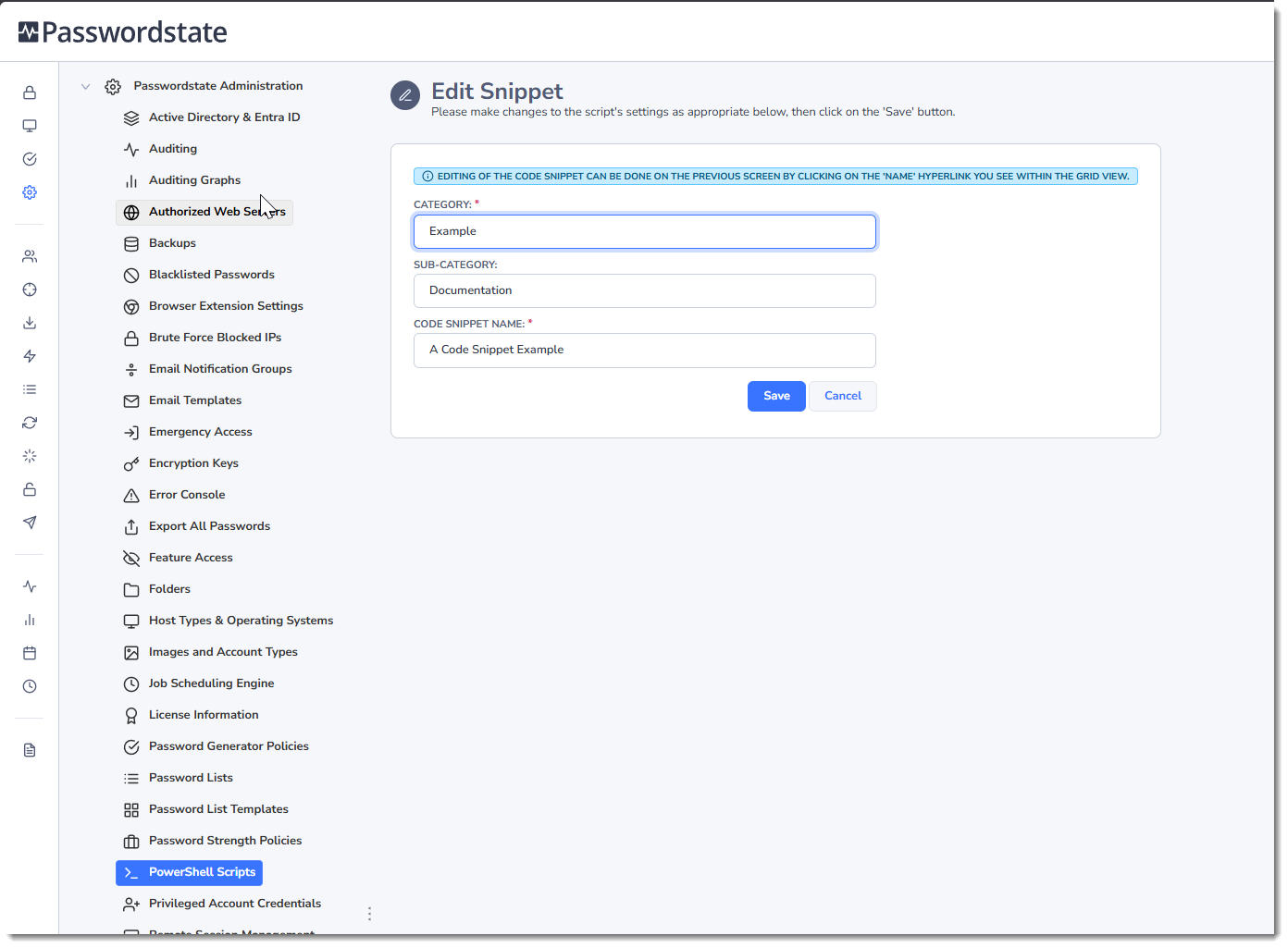
When adding a new Code Snippet, you'll initially be prompted to give it a Name, a Category and a Sub-Category of your choice. These categories just allow you to filter on your Code Snippets more easily:
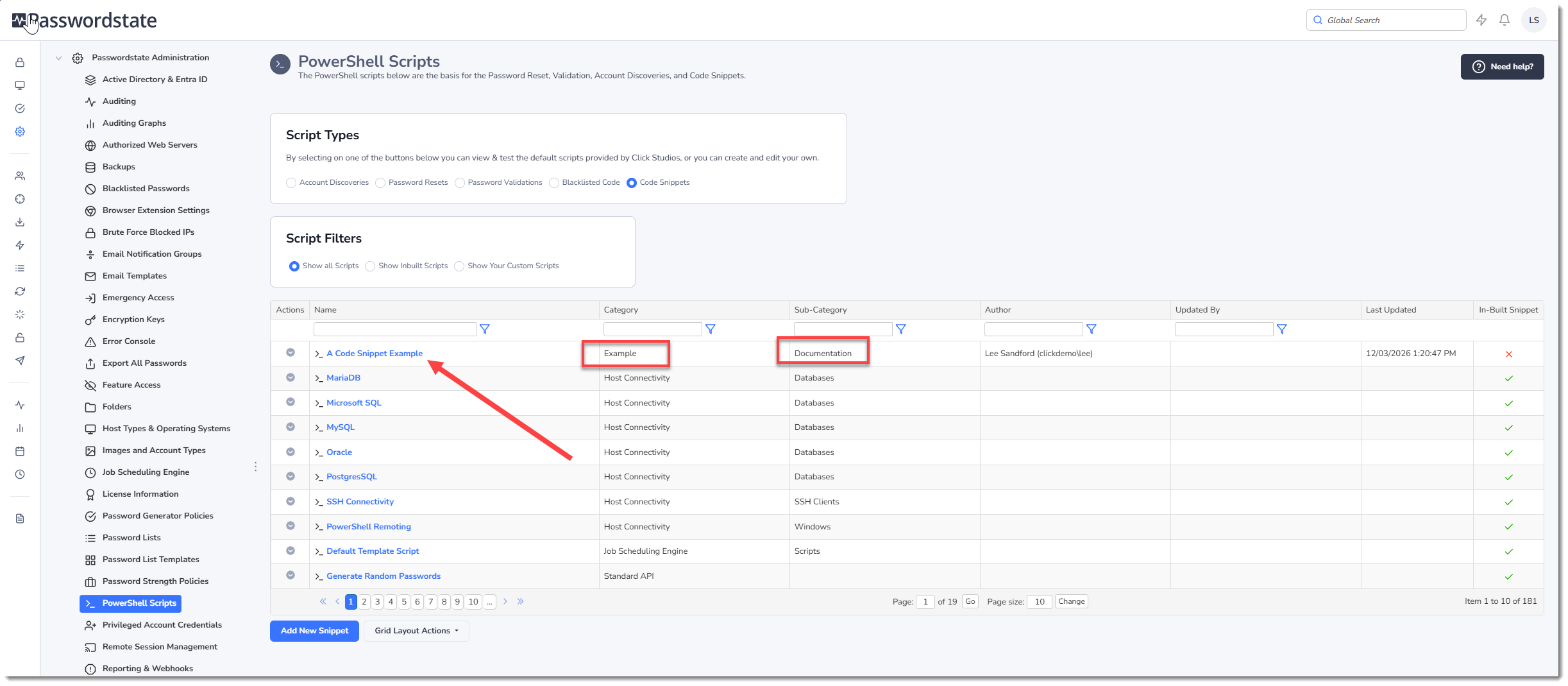
To enter code into your Code Snippet, simply click in the hyperlink as per the below screenshot:
Testing Scripts
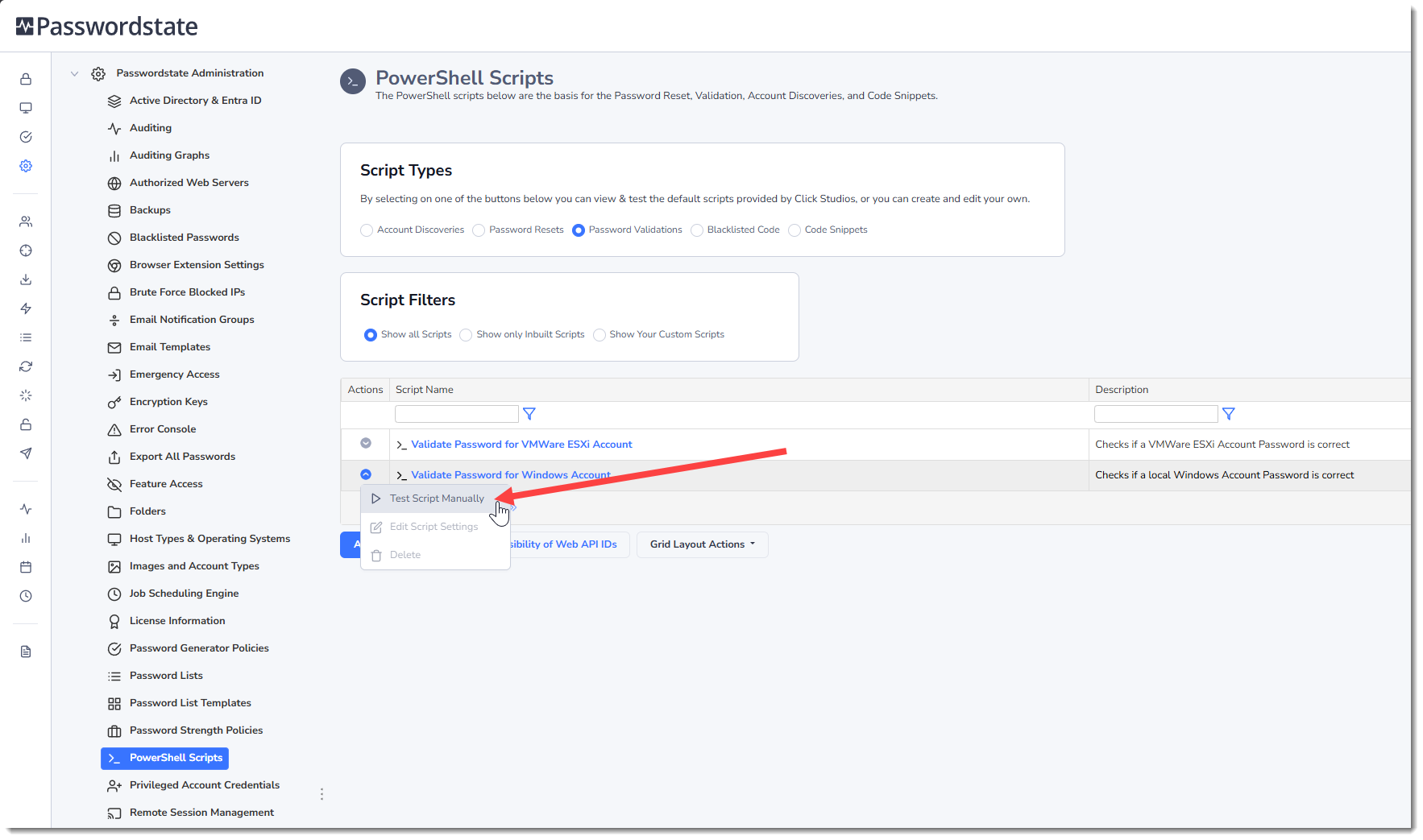
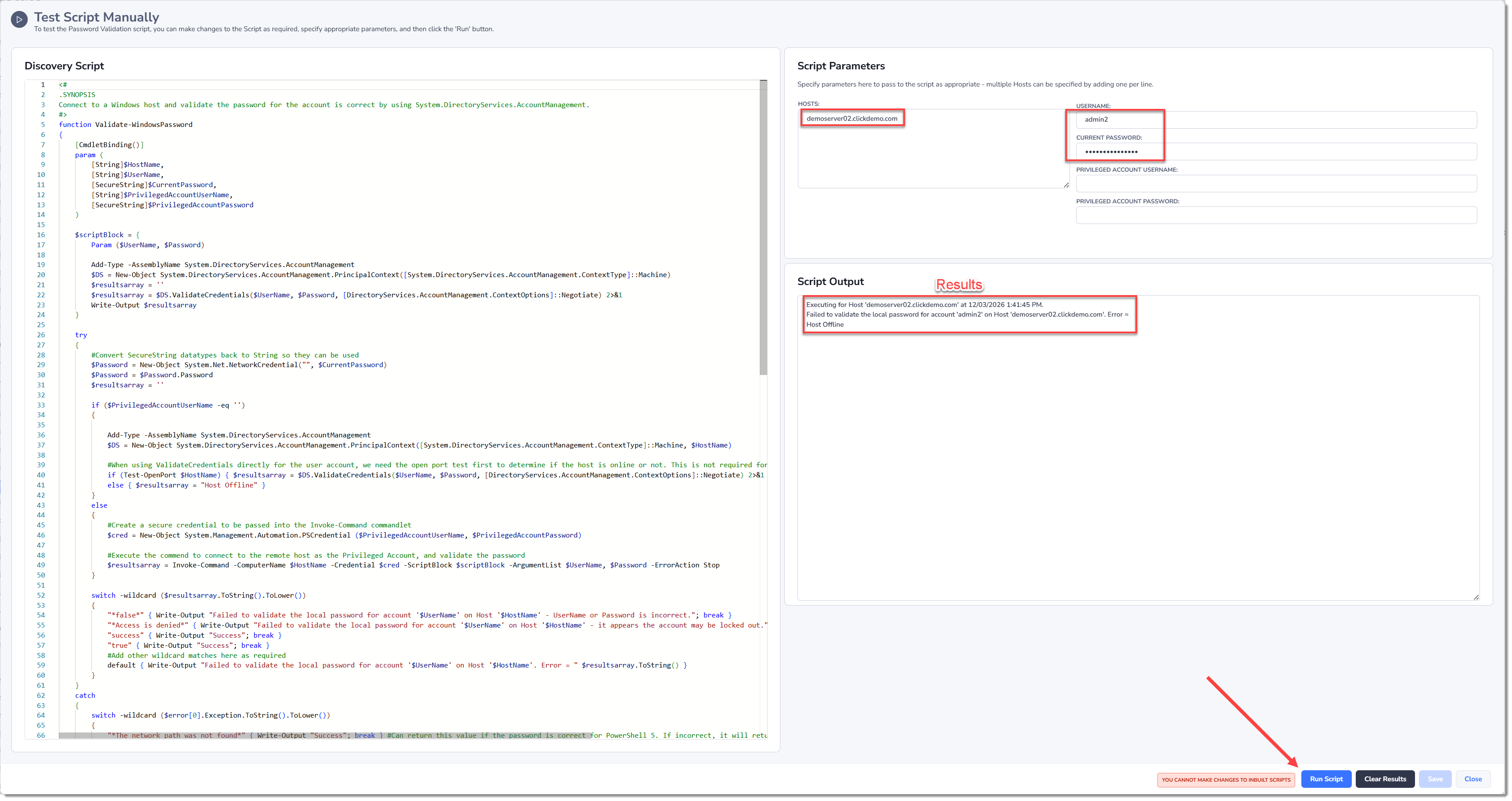
Testing Powershell scripts manually can be performed via the Actions menu, and this feature could be used for troubleshooting purposes. This is primarily designed to test Password Reset, Validation or Discovery scripts. Testing could involve commenting out the custom error capturing so a failure returns the actual Powershell error instead.
When testing a script, you should populate the appropriate fields and then click the Run Script button. You will either get a successful result, or an error.
Code Signing PowerShell Scripts
Powershell has optional security to only allow scripts that have been digitally signed to be executed. Under normal circumstances, setting the policy on the machine via the Set_executionPolicy AllSigned option will deny scripts from being run unless they are signed with a trusted certificate. Passwordstate does not execute its Powershell scripts directly from the file system, so the "AllSigned" policy does not affect the scripts that Passwordstate executes. Rather, it loads the script directly from the Passwordstate database and executes in memory.
For this reason, you can still set your Passwordstate server execution policy to any value you like, and this will not affect Powershell operations within Passwordstate.
SSH Template Scripts
If you are hoping to build scripts that connect to devices using the SSH protocol, then there is a feature you can use called SSH Templates which are predefined scripts built in to Passwordstate. With these scripts, all you need to do is set some SSH commands you wish to issue to your SSH device, and then also set some Error Capturing commands. This makes building custom scripts for SSH devices very easy, and more information about how to build these scripts can be found in Passwordstate Privileged Account Management Manual