
Provide Copy of Database Schema to Click Studios
Instructions for providing Click Studios with some sample database schema information for troubleshooting purposes.
Generating Database Schema for Click Studios
Please use the following instructions as a guide for providing Click Studios with a copy of your database schema for troubleshooting purposes.
Generating the Schema
- Open SQL Server Management Studio, and mak a connection to your database server
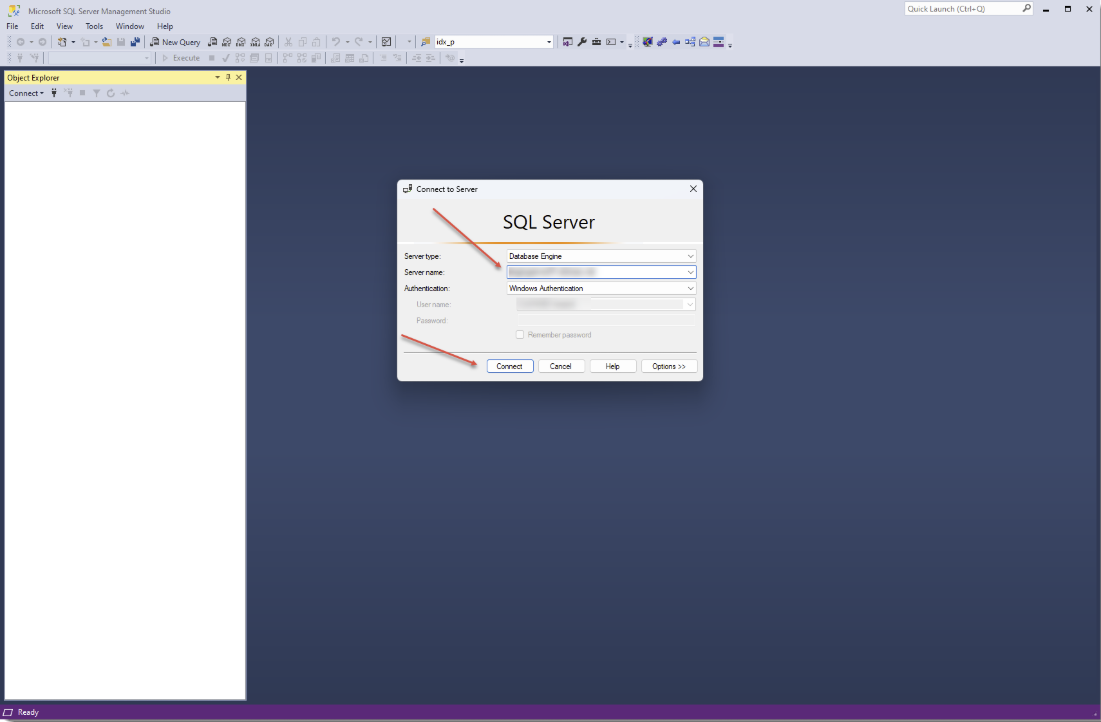
- Expand the list of databases in the 'Object Explorer' until you find the Passwordstate database
- Right-click on the passwordstate database and select Tasks -> Generate Scripts
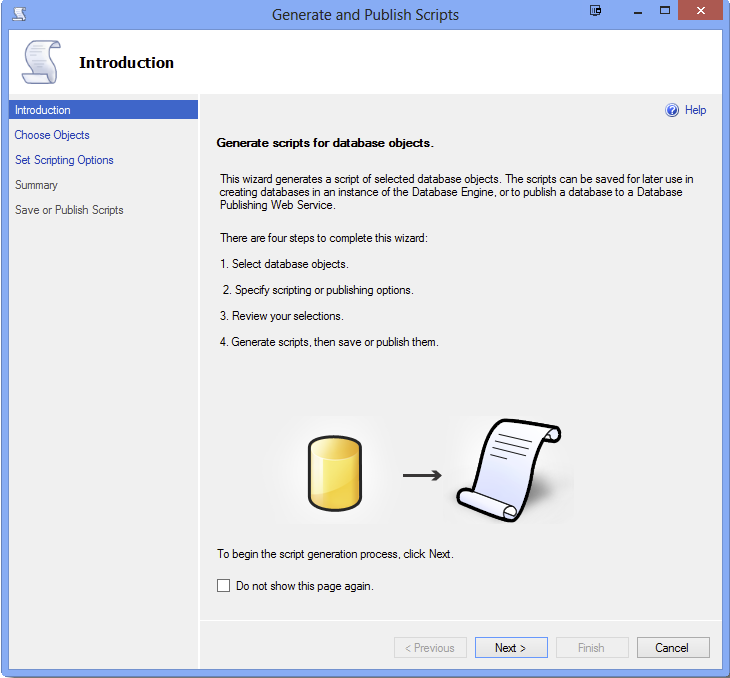
- At the 'Introduction' screen, click on the 'Next' button
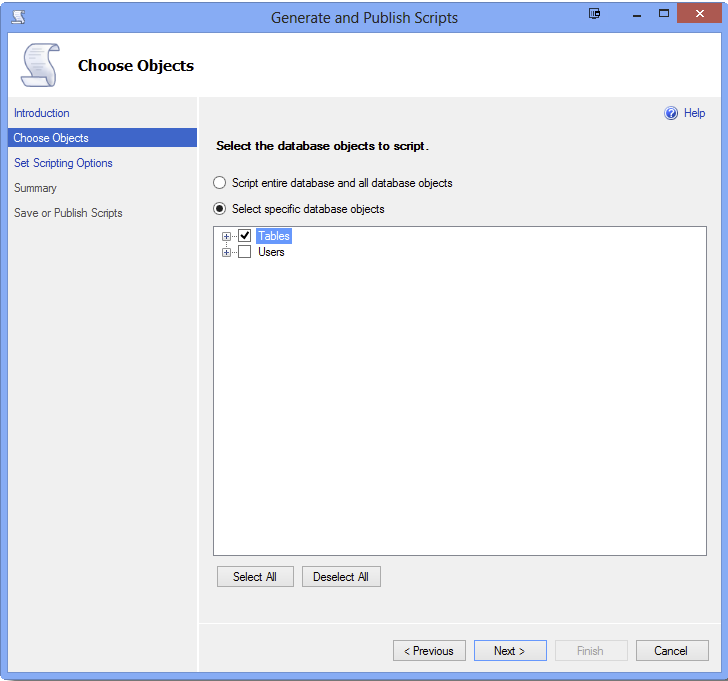
- At the 'Choose Objects' screen, select all Tables and then click on the 'Next' button
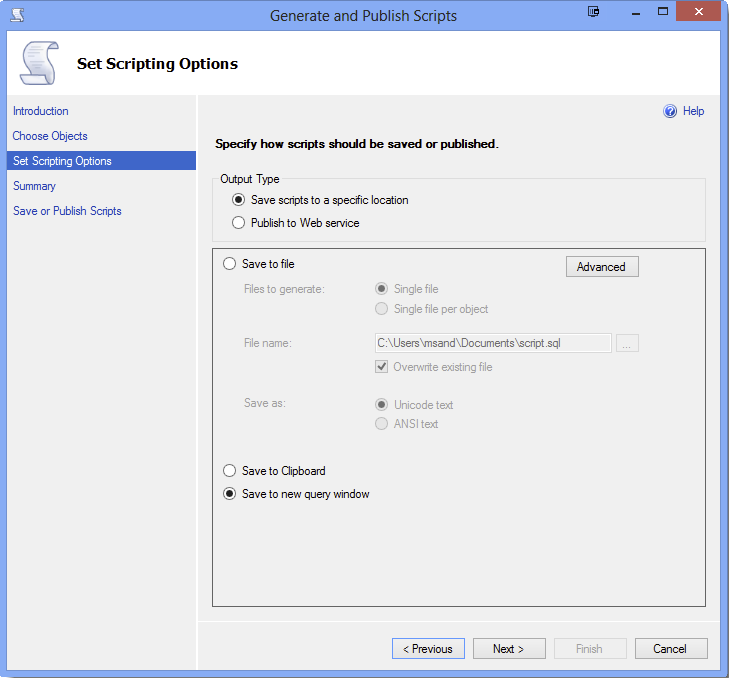
- At the 'Set Scripting Options' screen, click on 'Save' to new query window' and click on the 'Next' button
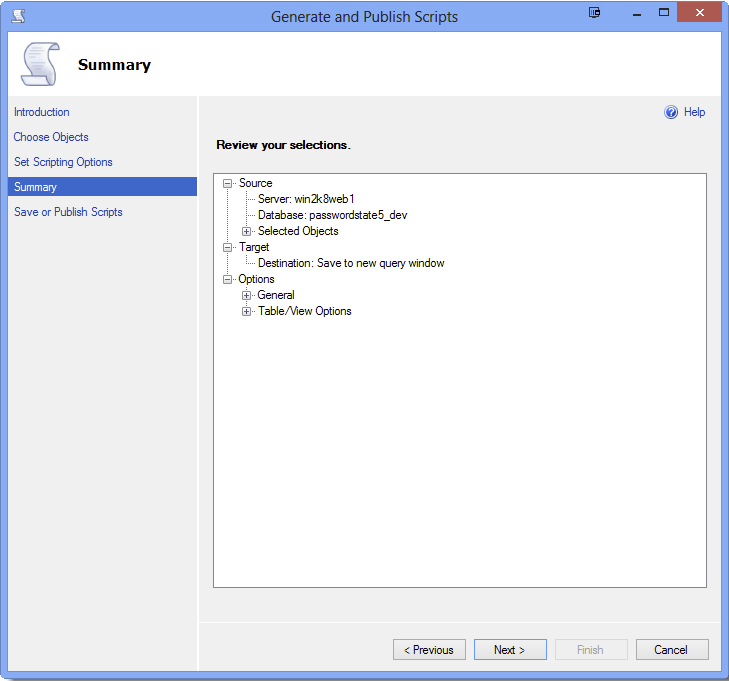
- At the 'Summary' screen, click on the 'Next' button
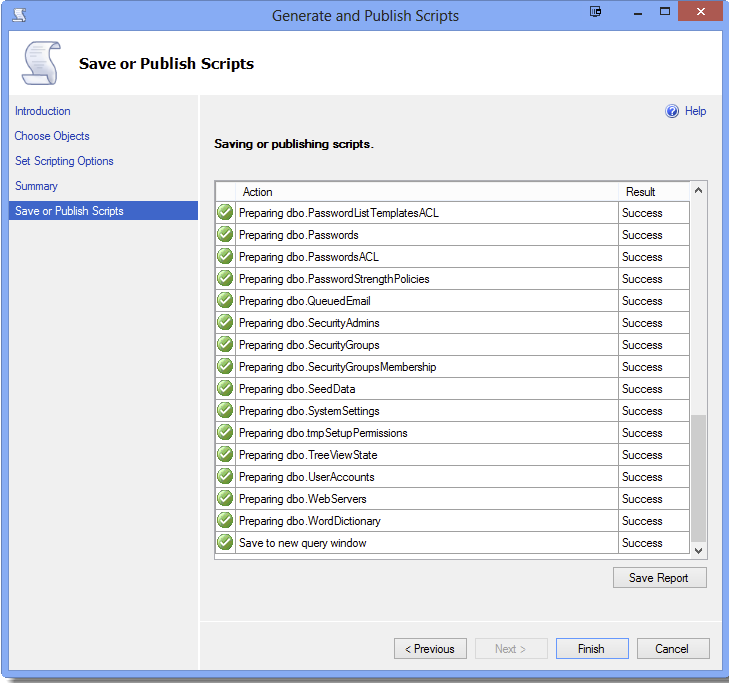
- At the 'Save or Publish Scripts' screen, click on the 'Finish' button
- Copy and paste the results into a text file, and email the text file to Click Studios