Job Scheduling Engine
The Job Scheduling Engine is a feature in Passwordstate where users can set up Account and Host Discovery jobs, and all custom Powershell Jobs, and they can be run on demand, or on a schedule.
All Jobs are created under the Jobs menu, but can also be managed under the Job Scheduling Engine page by Passwordstate Security Administrators if needed.
All information about all jobs can be found as per the screenshot below, which shows different information about each Job, such as whether is it is enabled or not, the schedule and how long the last job took to complete:
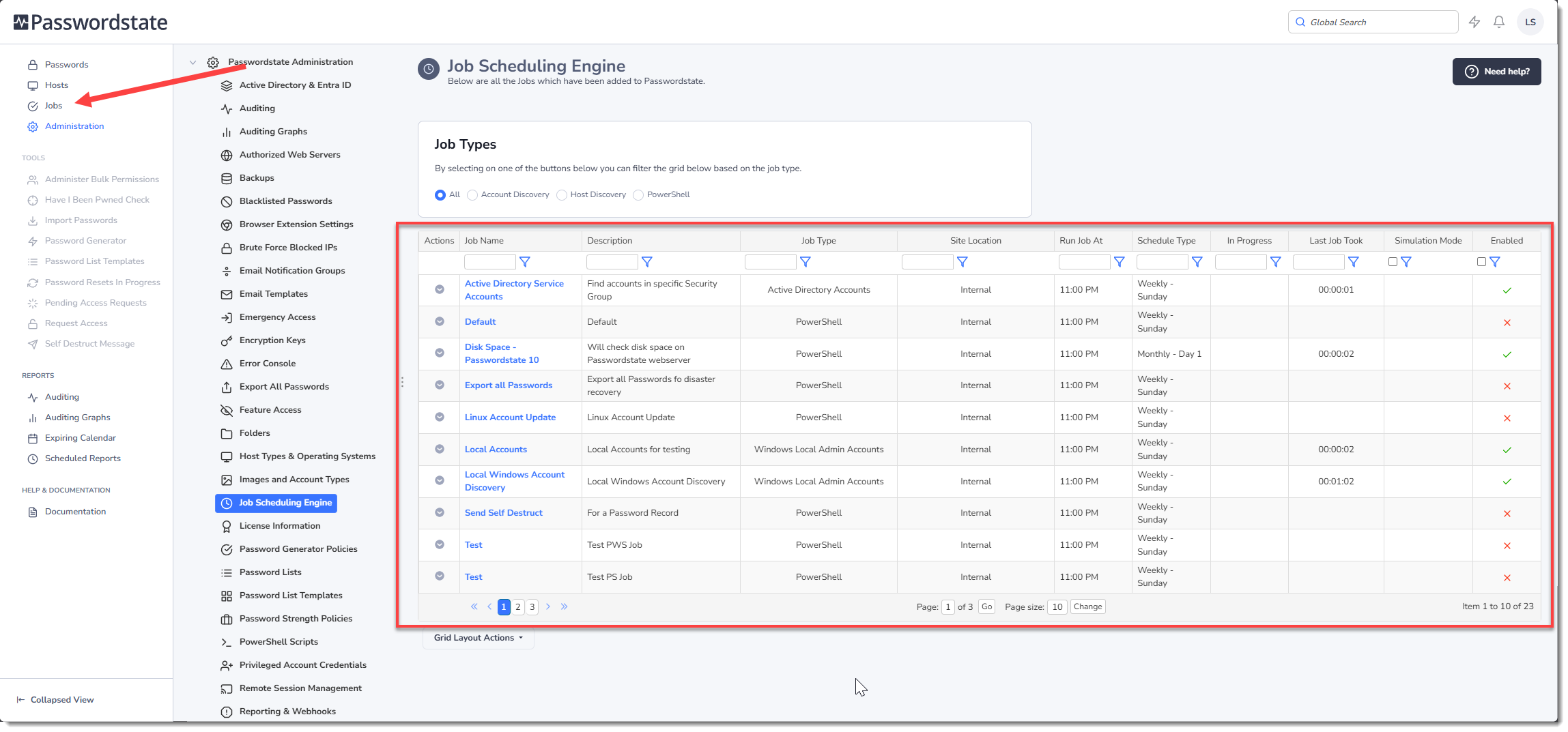
From this screen you can:
- Edit the settings for any job by clicking the hyperlink title
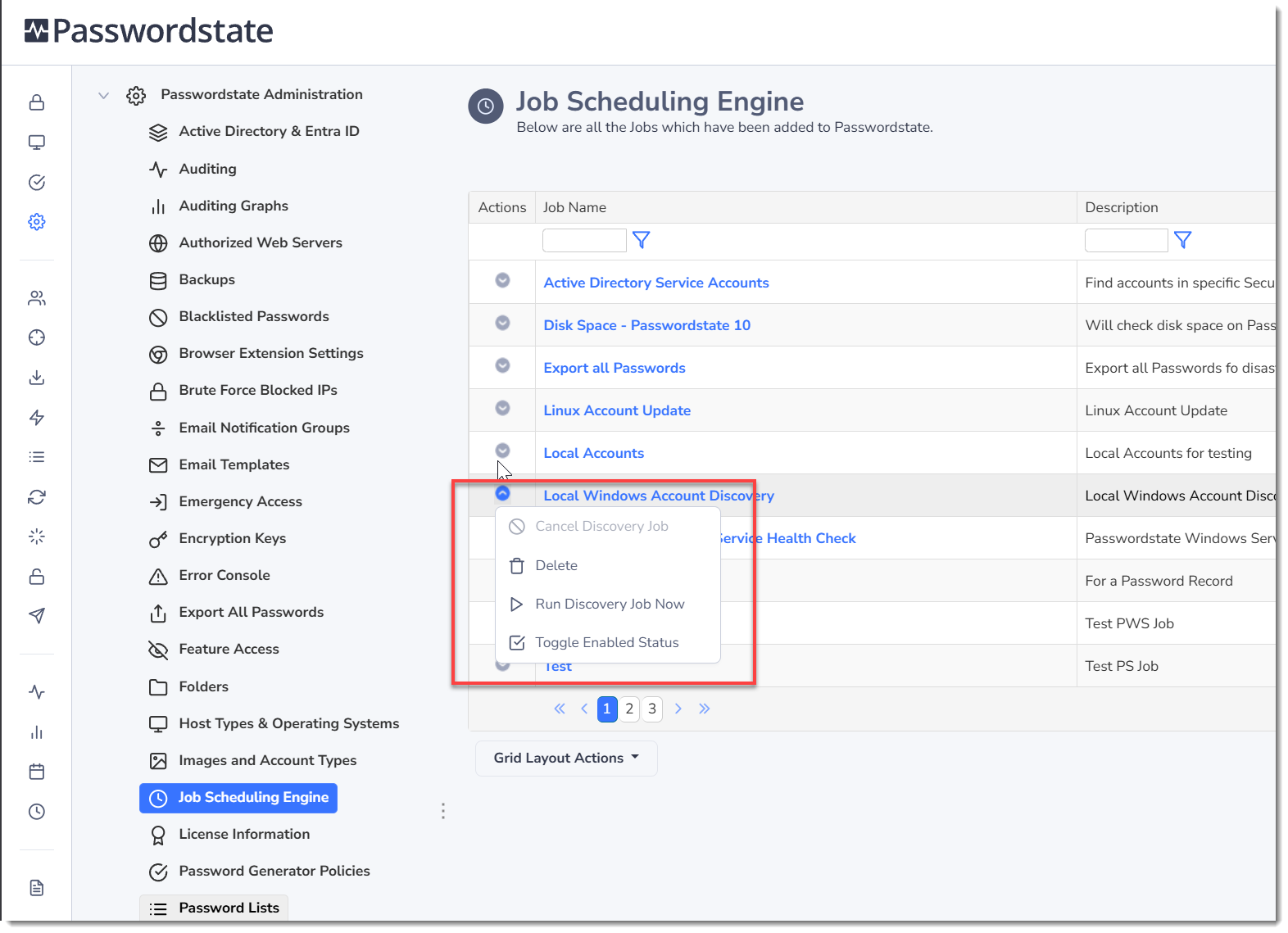
- Delete jobs
- Run Account or Host Discovery jobs immediately
- Enable or disable any Job
- Cancel a job that may be in progress
Script Snapshots
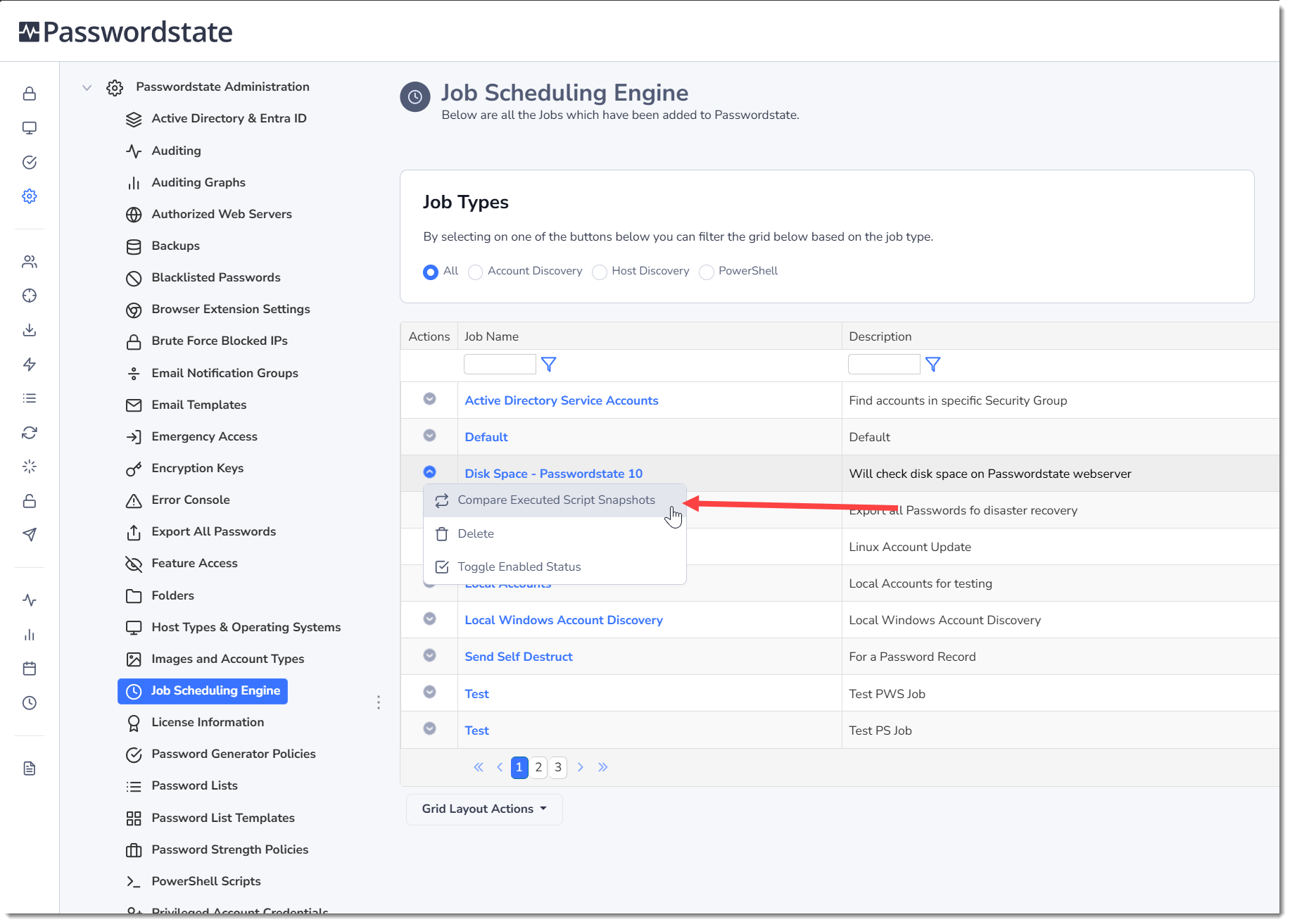
Whenever any custom Powershell jobs is run, Passwordstate will take a Snapshot of the code that was run. This allows you to go back and see what code was run at any given time. Using this option below on the Powershell Job allows yout to compare any differnces between these snapshots: