
Emergency Access
Passwordstate has a built-in Emergency Access account that you can use to gain access to the Administration are, and would typically be used if there was an issue with users logging in for any reason.
The Emergency Access URL is HTTPS://<Your Passwordstate URL>/Emergency
An example of this could be you have an internet outage, so your SAML provider is not accessible. In this scenario, you'd log in with your Emergency Account and disable SAML authentication temporarily, until you can restore your internet.
The Emergency Access screen allows you to specify a password for Emergency Account, and potentially set up two-factor authentication for it. The details you configure on this page should be kept safely and securely outside of Passwordstate.
Click Studios Support can assist in recovering this password, but for immediate access, you should always know the value of this Emergency password.
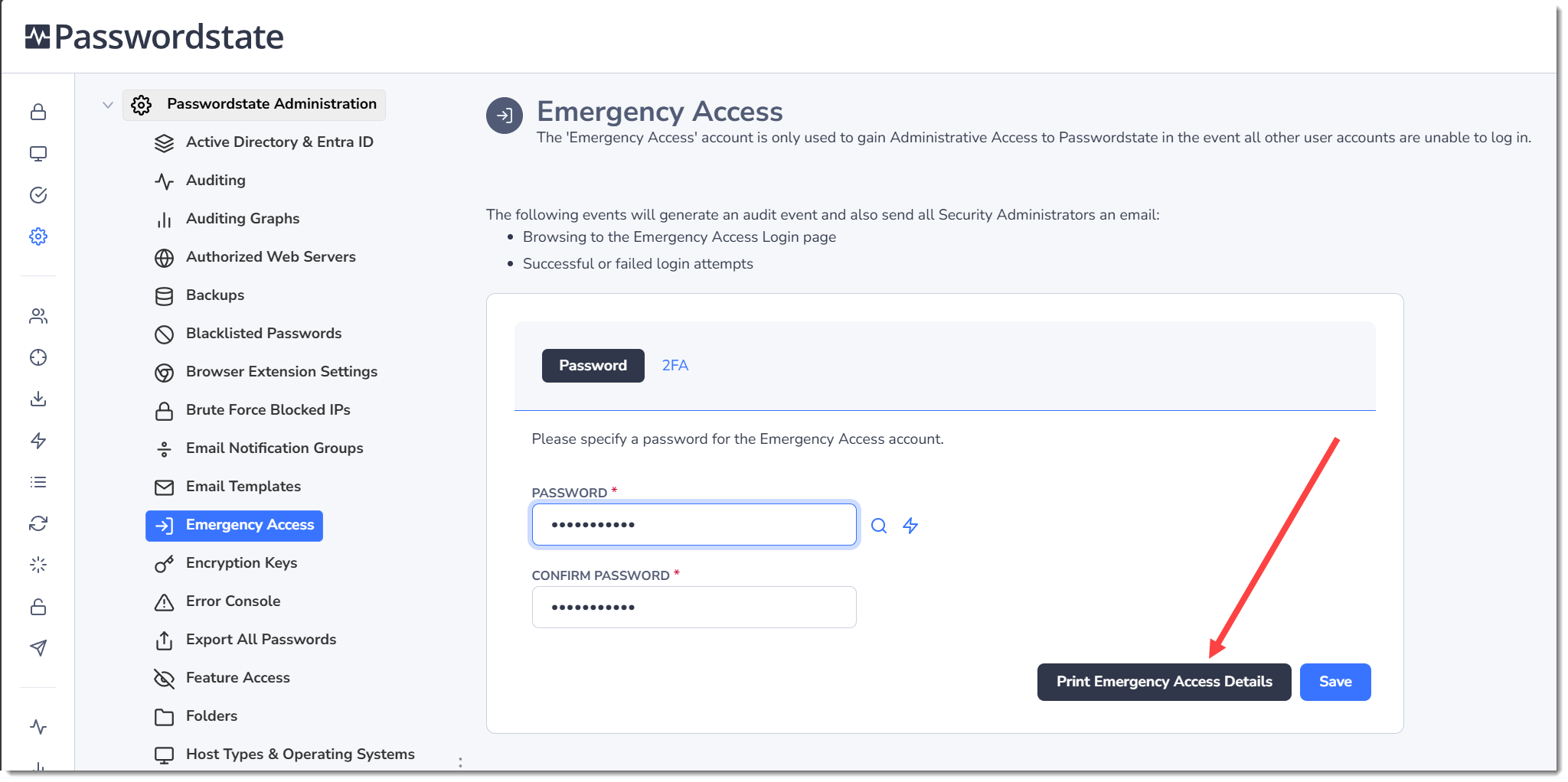
Note 1: Simply browsing to the Emergency Access URL will generate audit records, and notify Security Administrators via email.
Note 2: You must specify a reason why you need to access the Emergency Access Login, and this reason is added to the auditing data.
Note 3: Once you've logged in with this account, you will have access to the Administration area of Passwordstate.
Note 4: An option is also provided to enable Two-Factor Authentication for the Emergency Access login account as well.