Email Notification Groups
Passwordstate has a live email notification system that can send email alerts out to end users, when a specific event occurs within the software. All 50 plus live email event categories can be found under the Email Templates
With this amount of live notifications being enabled by default, Email Notification Groups are designed to block certain notifications, for specific users. You can configure Email Notification Groups to be applied to one or more individual users accounts, or security groups.
A real world example of using Email Notification Groups could be as follows:
- Passwordstate Security Administrators need to know when Backups have failed, or the Emergency Access page has been accessed. You set up an Email Notification Group to only allow these types of events, and apply this only to your Passwordstate Administrators.
- Standard Passwordstate Users may need to be alerted to things like when Access to a Password has been requested, or when a Passwordstate Outage is planned. The group you set up for this example should be applied to all normal users of Passwordstate, with only the Access Request and Passwordstate Outage Notifications enabled.
Note 1: Any system-wide Email Templates which are disabled will cause any settings here to be ignored.
Note 2: If a user has specified their own Email Notification Settings as part of their Preferences, any permissions you apply here for the user will override their personal settings.
Note 3: If you have more than one Notification Group created for a user, any disabled email categories will over-ride any enabled ones (be careful applying duplicates for a user).
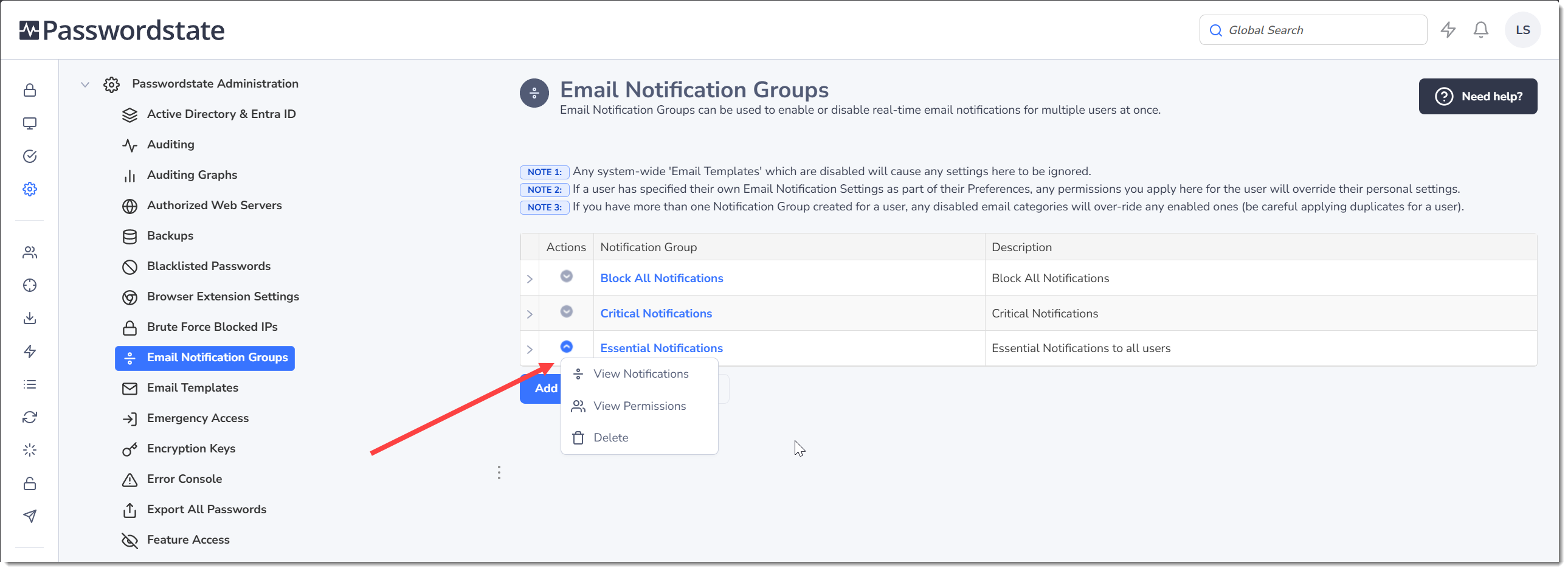
Once you have created an Email Notification Group, you can then assign permissions and choose which emails are either enabled or disabled, by clicking on the appropriate menu item in the 'Actions' drop-down menu.
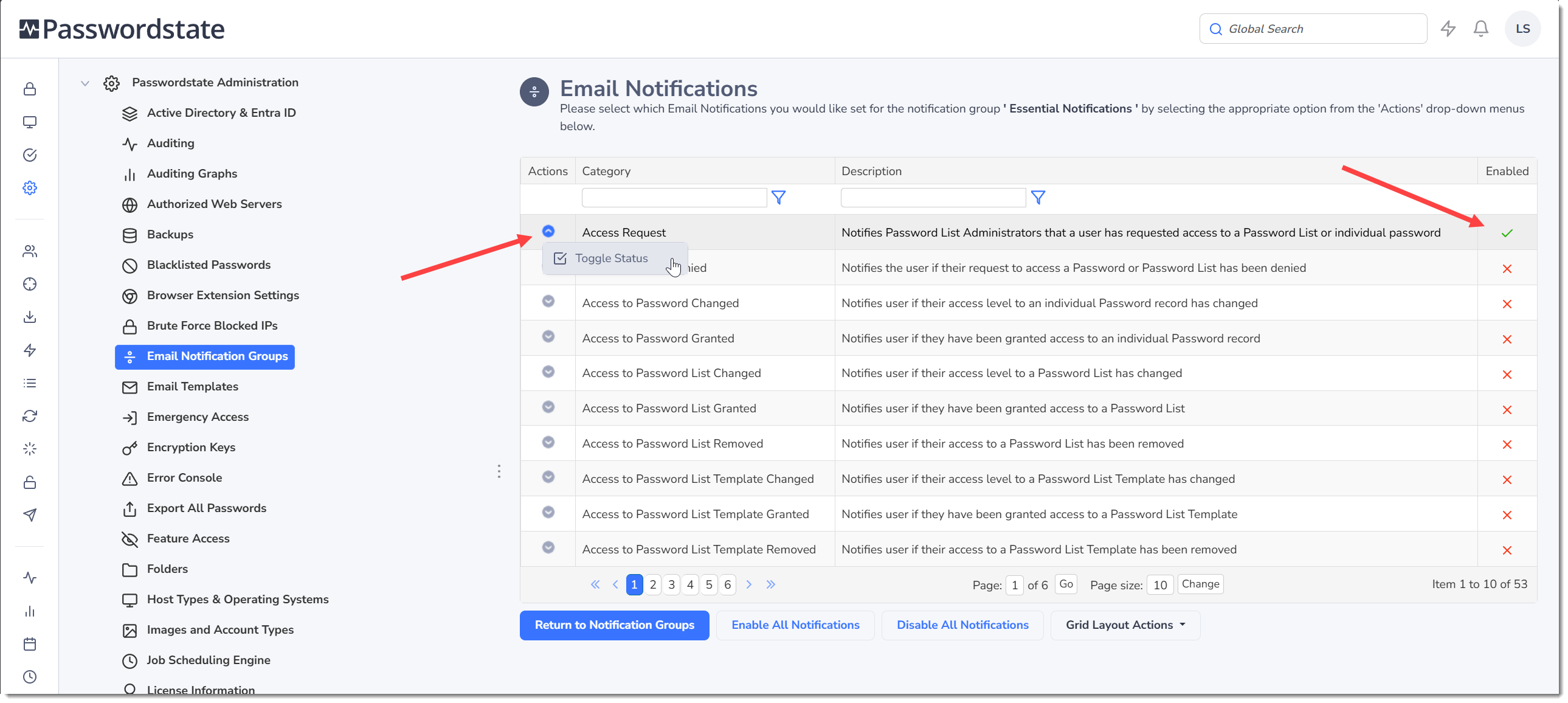
Toggling the status of individual notifications can be achieved via the Actions Menu: