Password Strength Policies
Password Strength Policies are a set of rules for determining the strength of a password, which are then used on Password Lists to force compliance of passwords within those lists. Passwordstate comes with a default Password Strength Policy, but it's possible to create more policies with stricter or lenient rules, depending on the systems they will be governing.
Policy Settings Tab
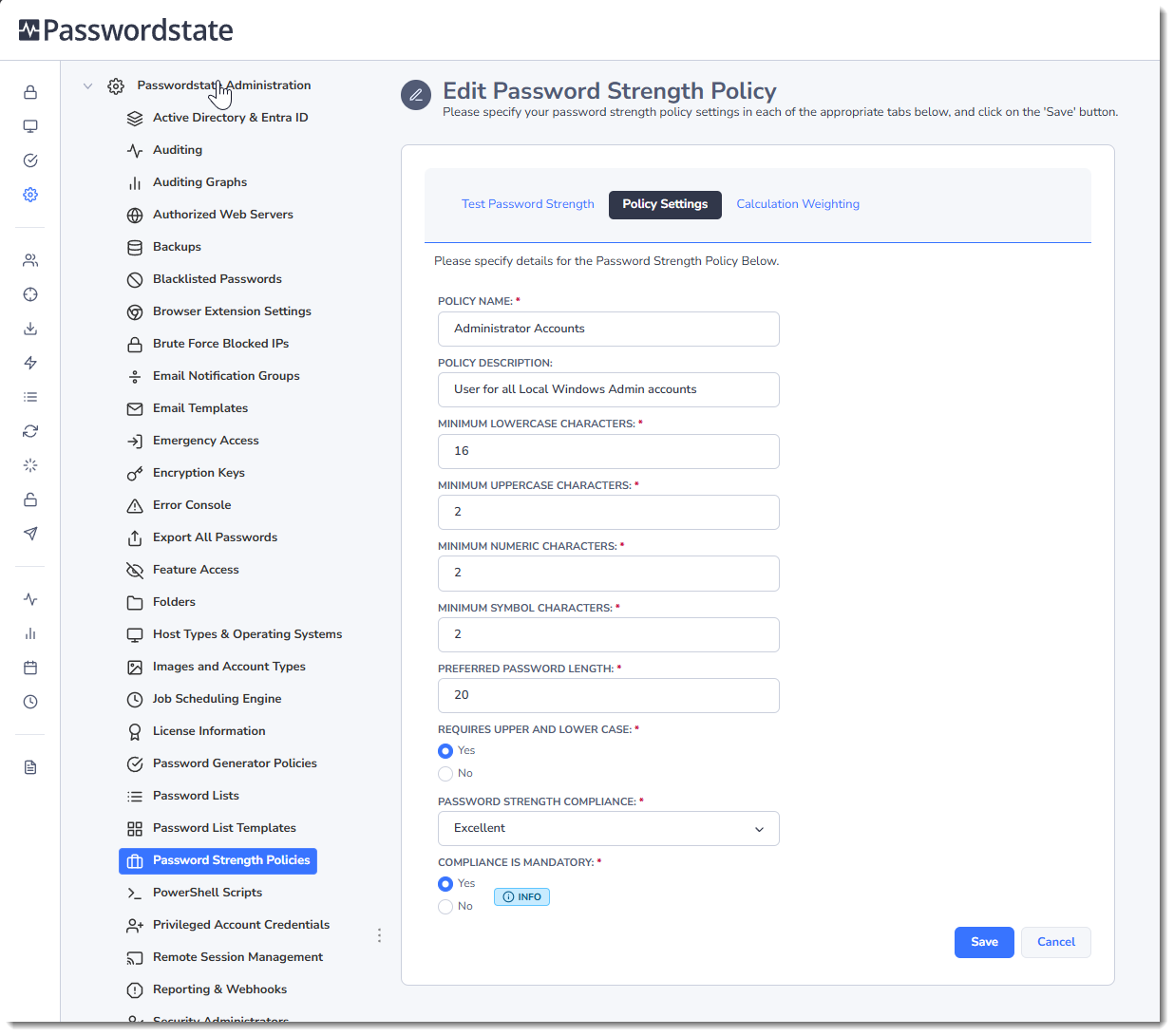
The Policy Settings Tab allows you to provide a name and description for the policy, plus the following settings:
- Minimum LowerCase Characters - specifies how many lowercase characters are required as a minimum (abcd, etc)
- Minimum UpperCase Characters - specifies how many uppercase characters are required as a minimum (ABCD, etc)
- Minimum Numeric Characters - specifies how many numeric characters are required as a minimum (1,2,3,etc)
- Minimum Symbol Characters - specifies how many symbol characters are required as a minimum (%@:!, etc)
- Preferred Password Length - specifies the minimum number of total characters the password should have
- Requires Upper And Lower Case - indicates if the passwords string must have both lower and uppercase characters. If this option is set to No, then the Minimum Uppercase setting above is disregarded.
- Password Strength Compliance - indicates the desired Password Strength Complexity (Very Poor, Weak, Average, Strong or Excellent). With the following graphic when editing/adding a password, the 'Compliance Strength' indicator shows the user what password complexity is desired for the applied policy
- Compliance is Mandatory - if this option is set to Yes, the user will not be able to save the password record if the password they're creating does not meet the Password Strength Compliance setting above
Calculated Weighting Tab
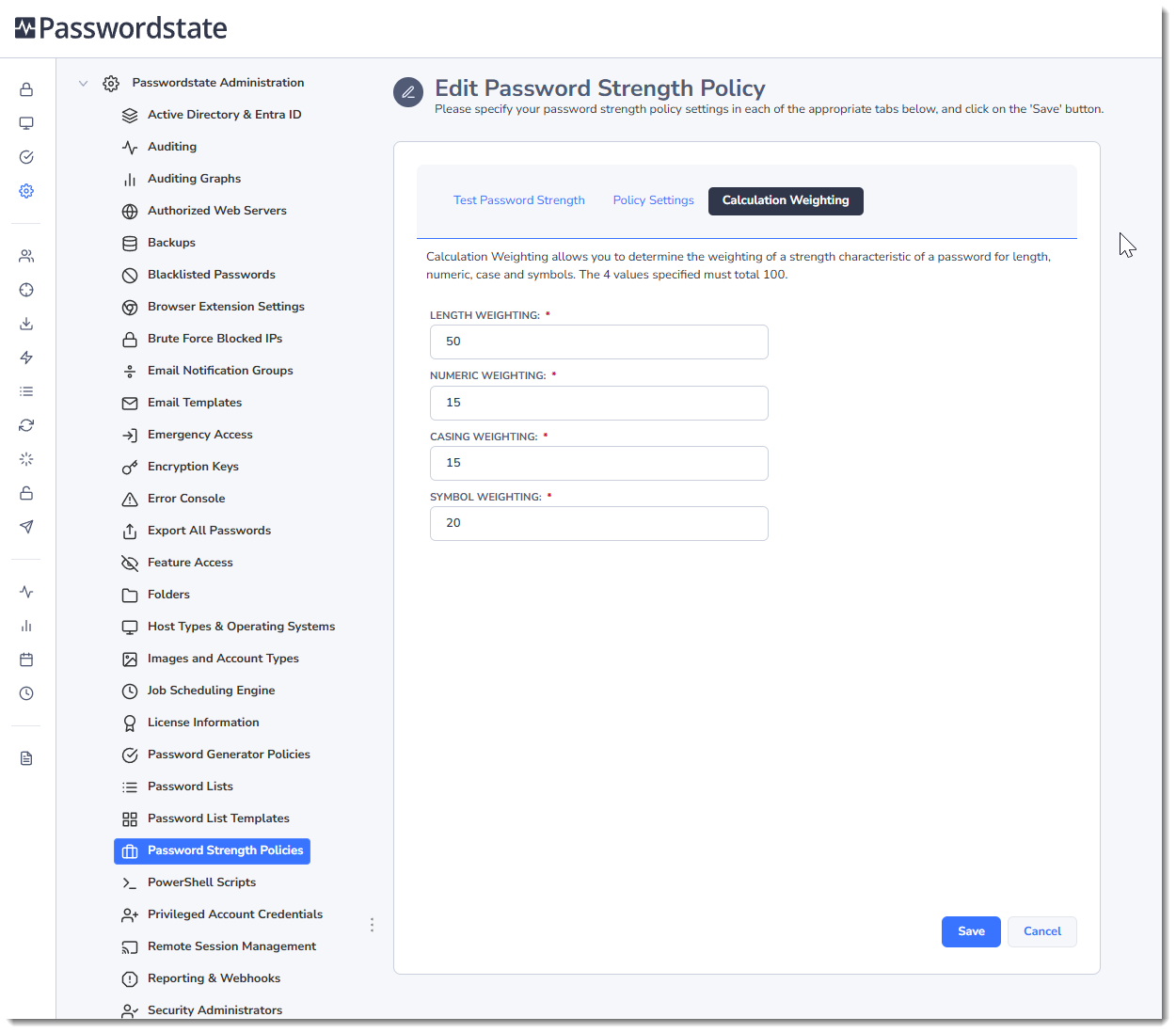
The Calculated Weighting tab allows you to specify the weighting of a strength characteristic of a password for length, numeric, case and symbols. The higher the weighting, the more important the category is deemed to be.
Test Password Strength Tab
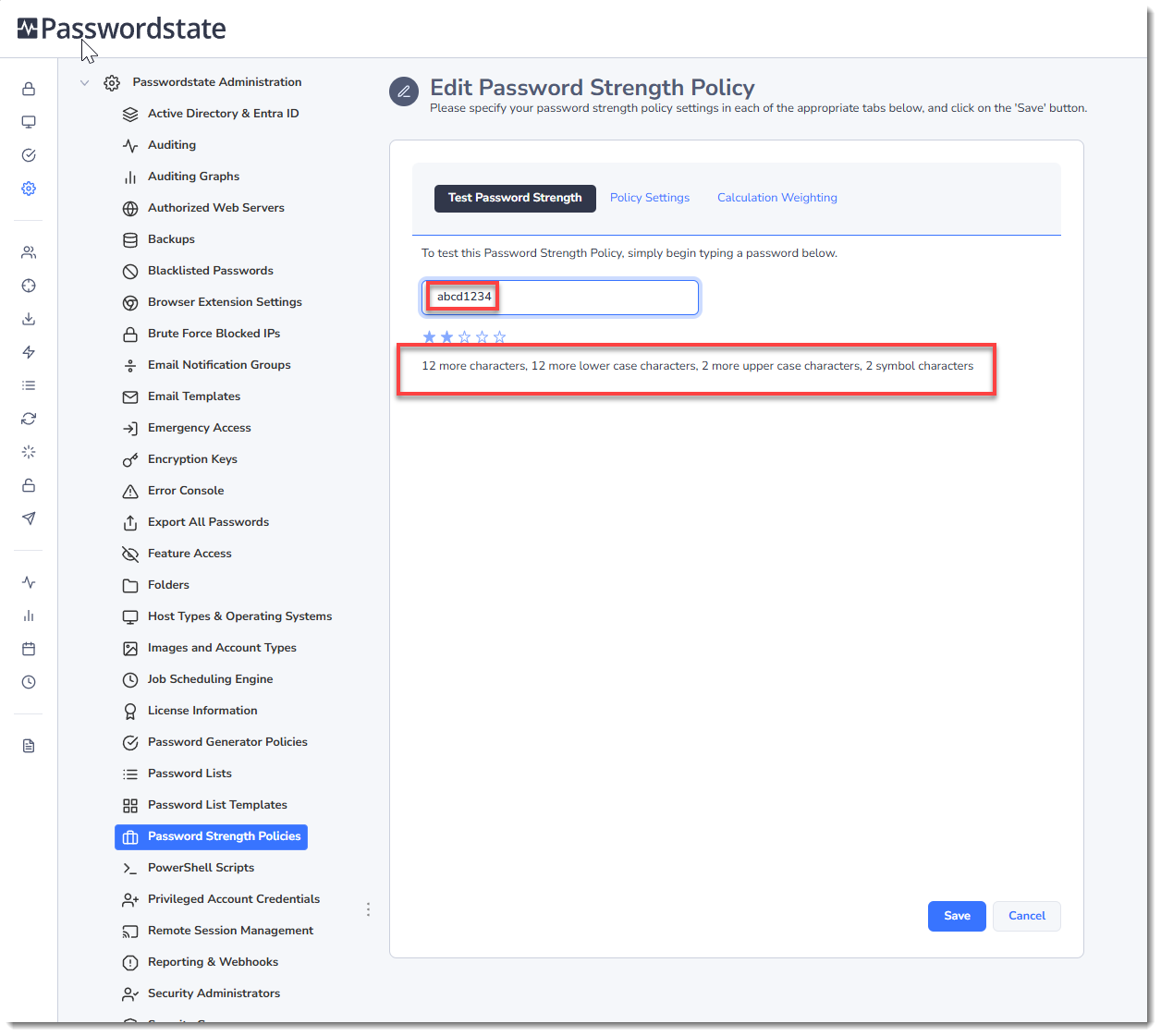
The Test Password Strength tab allows you to test the policy settings you've specified on the other two tabs, and shows you a graphical representation of the strength of the password you type, based on the policy settings you've specified.
The example screenshot below recommendations change dynamically as you type.