
Authorized Web Servers
Authorized Webservers Explained
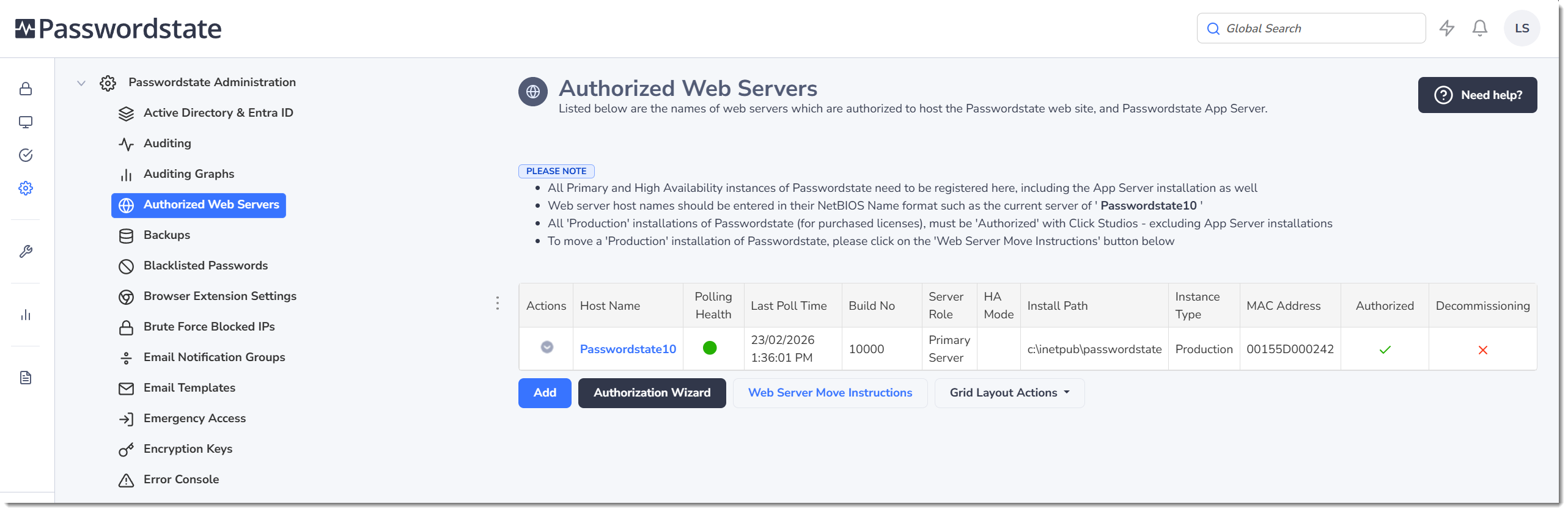
The Authorized Web Servers screen is where you must specify the host names of the web servers which are authorized to host the Passwordstate website, or Passwordstate App Server. The intention of this feature is to prevent the theft of a copy of the database, and attempting to host it and the website in an untrusted environment.
You should always have one server on this page that has the Primary Server role. A server with the Primary Server role has a fully functioning Passwordstate Windows service, and all background scheduled activity is carried out by this Windows service, such as scheduled password resets, reports, email notifications etc. You should never have more than one server on this page with this Primary server role, unless you are in the process of moving your website to a brand new server.
The Passwordstate Windows service on a server with the High Availability (HA) role has very limited functionality. It is effectively only responsible for adding in any auditing activity that has occurred for the HA website only, such as when people log into that site as an example. The Windows service on this server will not execute any other background tasks, such as automatic password resets, or scheduled reports etc.
The Decommissioning value for each server is used as part of a process to move your Passwordstate website to a new server. More information about this can be found on the Web Server Move Instructions button on this page.
**Note:**The host names on this page are not case-sensitive.
In addition to selecting each server's role on this page, you can also choose whether it is a Production server, or a Test server. Your Passwordstate license agreement states that you can use your production license keys for one production and one test instance running at any given time.
The Polling Health feature will alert you if your server is working as intended, and this feature is mainly used for the High Availability or AppServer entries. More information about how each type of server polls can be seen below:
- Primary Server - The Passwordstate Windows service on this server will attempt to write sample data directly to the database, and if successful, the Polling Health icon is Green
- High Availability (HA) Server - Active - An Active HA website runs in Read/Write mode, so an attempt is made by the Passwordstate Windows Service to write sample data directly to the database. If successful, the Polling Health icon is Green
- High Availability (HA) Server - Passive - A Passive HA website runs in Read Only mode, so writing to the database directly is not possible. Instead, the Passwordstate Windows Service will attempt to send a packet of data to the Primary website's API. If the API can be reach, the Polling Health icon is Green
- App Server - A server with the App Server role is used primarily for Mobile Phones to connect to, and sync data into their iOS or Android apps. It can also be used for other features too, such as Self Destruct Messages, or API requests. The Passwordstate AppServer service will attempt to write sample data directly to the database, and if successful, the Polling Health icon is Green
Functional Roles
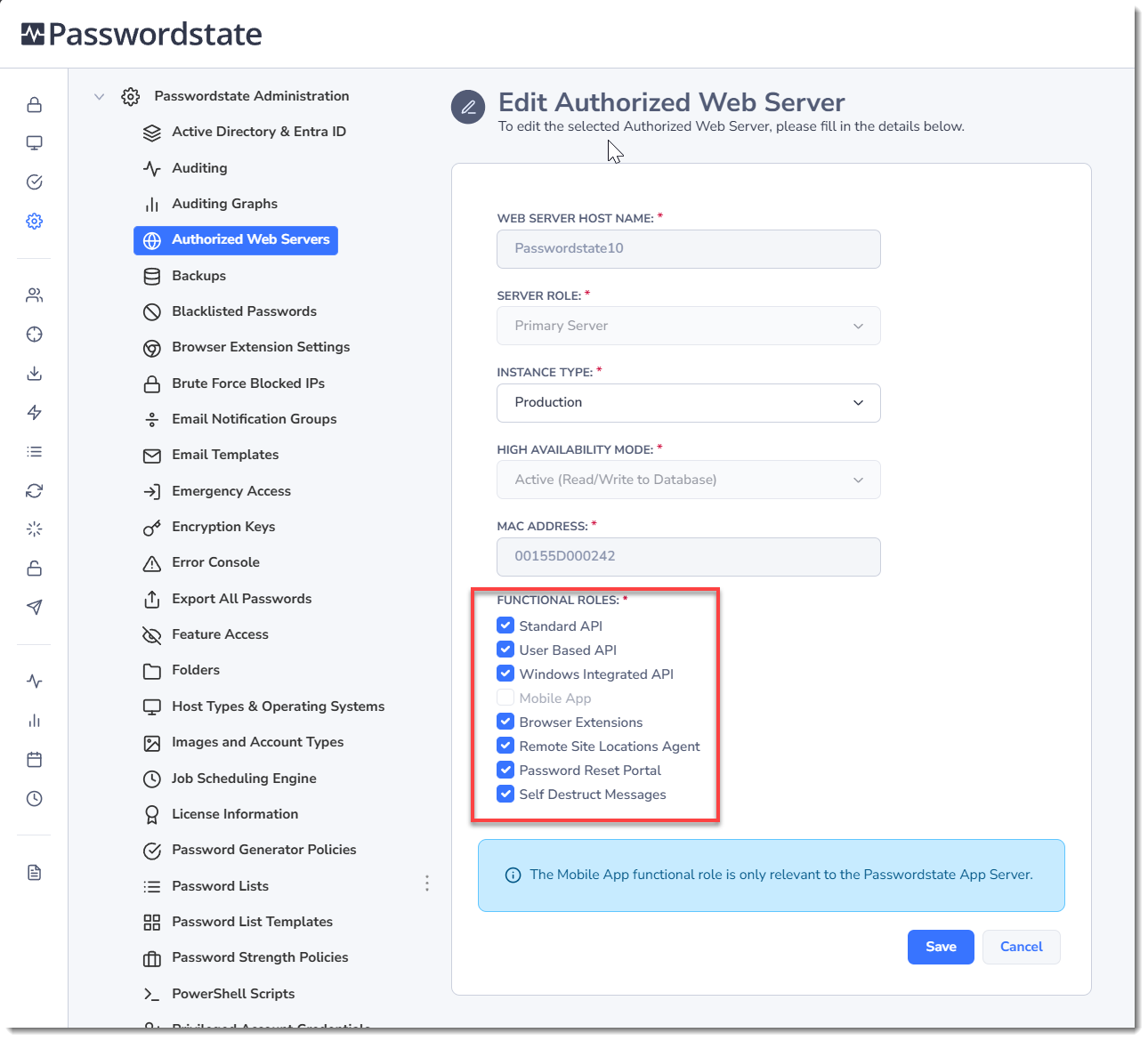
In addition to specifying the server role, you can also specify what "functional roles" are allowed to be used. If needed, you can disable any role that you do not want this server to be responsible for.
Keep Alive Monitoring Functionality
If you wish to use monitoring software to determine the availability of your Passwordstate website and database, you can make calls to the URL of https://www.<YourURL>/keepalive or https://<YourURL>/keepalive/default.aspx
A HTTP 200 Response will be returned if both the web and database tier are available.