
Password Reset Dependency Records
In addition to performing Password Resets for accounts, you can also add various 'dependencies' to a password record, which can also trigger a Password Reset script after the password for the account has been successfully reset.
A typical example of this would be where the account is an Active Directory account, and it's being used as the "identity" for operations of Windows Services, Scheduled Tasks, IIS Application Pools or COM+ Components.
Alternatively, you can execute any type of PowerShell script that you supply, and this script does not need to necessarily be associated with a Host Record. Adding in your own custom scripts can be achieved under Administration -> Powershell Scripts – Scripts – Password Reset.
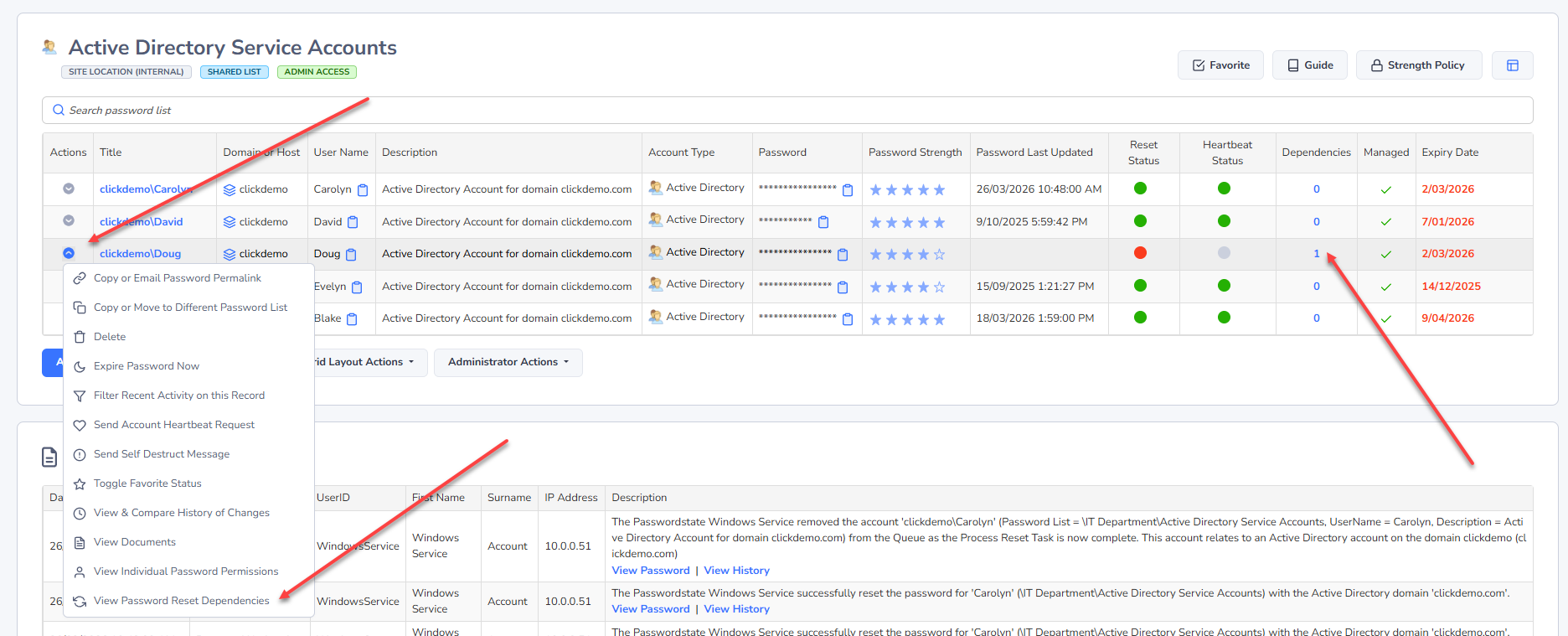
To add a "dependency" to a password record, you can either select the 'View Password Reset Dependencies' menu item, or click the count in the Dependencies Column in the grid:
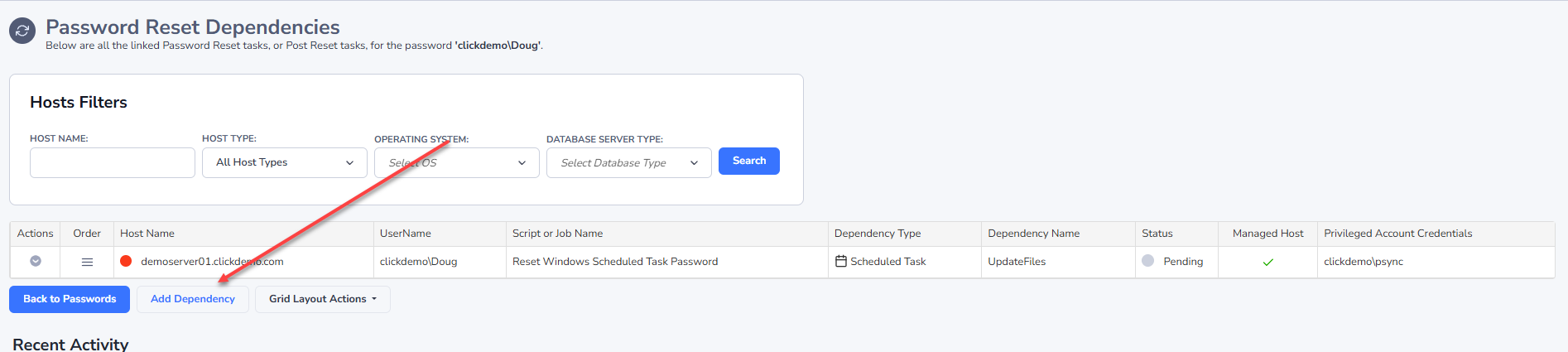
Then click on “Add Dependency”
On this screen below, choose the type of dependency you wish to add. If it is a Windows Service, IIS Application Pool, Scheduled Task or COM+ Component, a script will be assigned automatically for you. If you choose the Ignore button, this gives you the ability to assign your own PowerShell script.
Ensure you set the Dependency Name correctly, and then link it to the Host where the dependency resides:
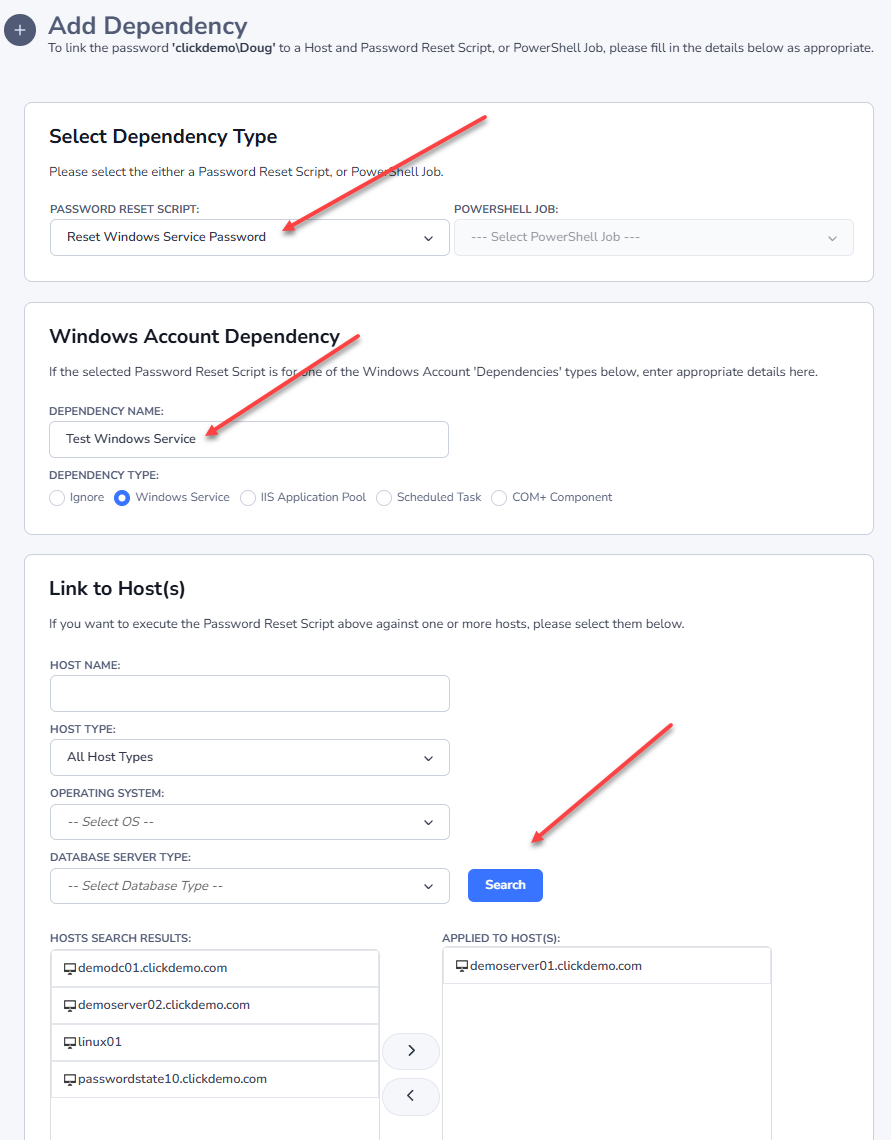
Note: This dependency will use the selected Privileged Account Credential to execute, of which is selected for the password record itself.
Anatomy of a Password Dependency Reset
As an example, in your environment you may have a domain account that is configured to “Log on As” on multiple Windows Services, across many different machines. It’s possible to set up this Active Directory Account, and have multiple “Dependencies” as per above example for each service the account is used on.
When a successful password reset occurs on the account in your Password Record, it will trigger each of the dependency scripts one at a time, which in this example will reset the password on all the Windows Services.
If the password is not successfully updated in Active Directory for any reason, no dependencies will be updated.