
Brute Force Blocked IPs
The core Passwordstate product, Passwordstate App server for mobile apps, and Password Reset Portal module, each have brute force login detection. This is a security feature within the software to prevent an unauthorised user, or in a lot of cases a bot from trying to repeatedly guess the login credentials to gain access to Passwordstate.
By default, if 3 failed logins are reached, the authenticating user will be permanently blocked from the relevant module, until their IP Address is unblocked.
The behaviour of these brute force settings can be adjusted under Administration -> System Settings, and searching for "brute" will take you to the relevant setting. You'll also find the same settings that can be adjusted under Administration -> Password Reset Portal Administration -> System Settings, if you have purchased and are using the module.
When a user is locked out from too many incorrect login attempts, they will see a screen that looks like this: 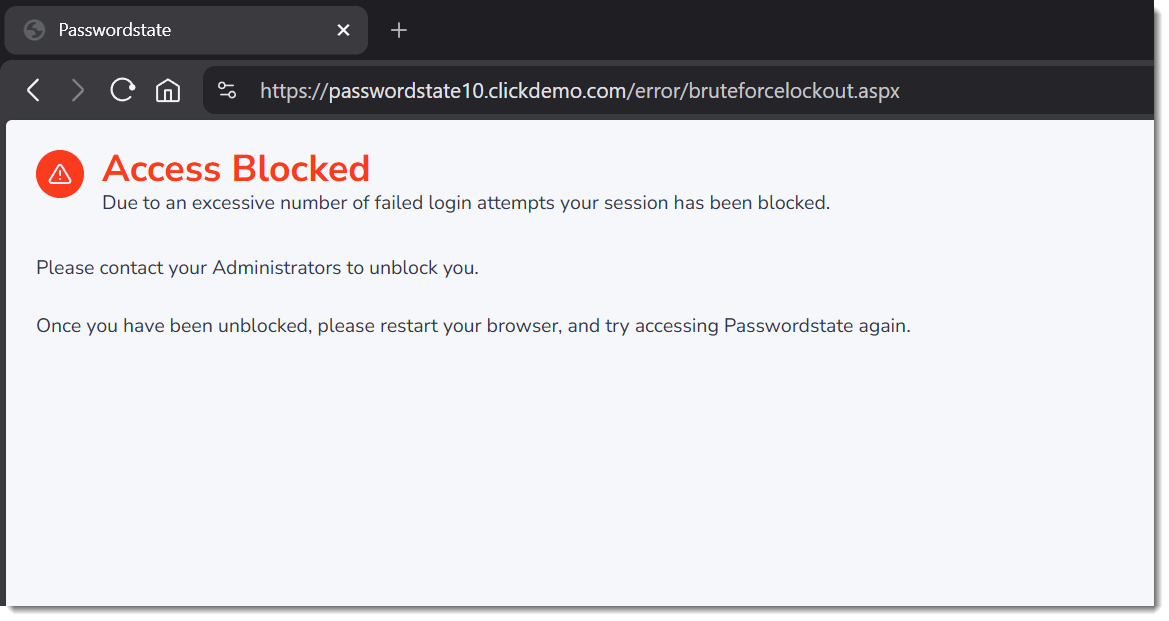
To unblock this IP Address, you can do so as per the screenshot below: 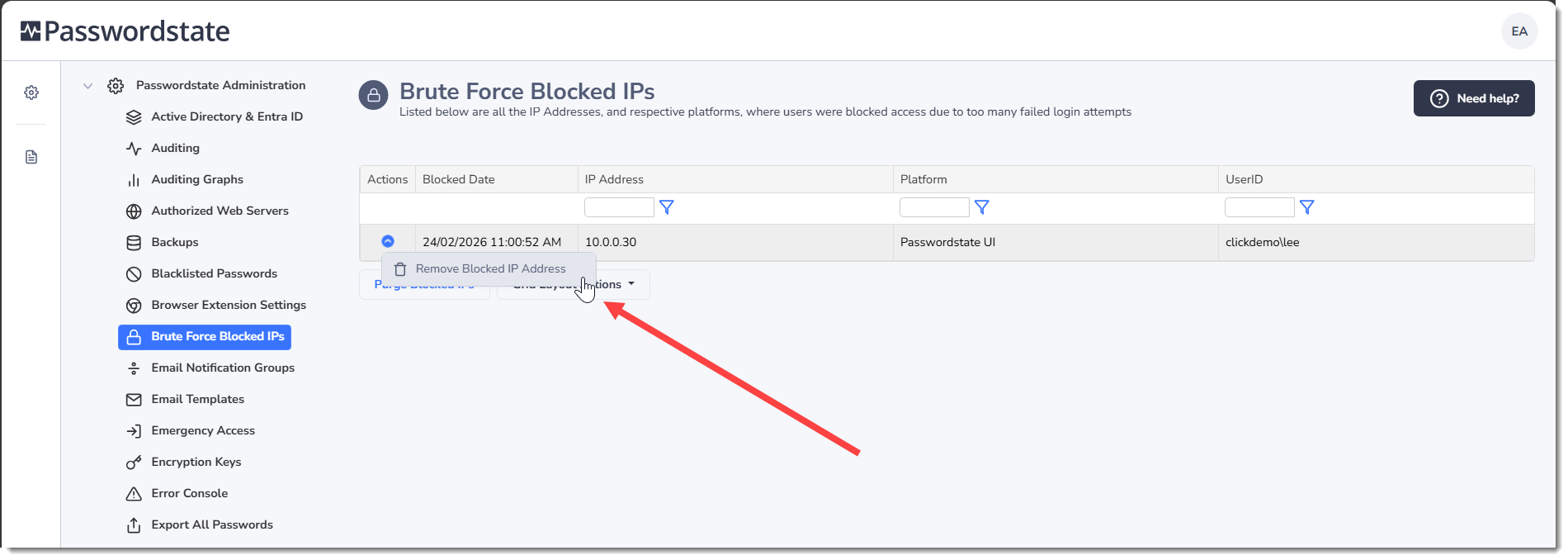
Note: If you are required to remove a blocked IP address from this page, you will need to ask the user to restart their browser before attempting to log in again.