Privileged Account Credentials
Various features in Passwordstate require a Privileged Account to perform certain tasks i.e. Resetting passwords, querying active directory, etc. This screen allows you to add those accounts to be used.
Only Passwordstate Security Administrators can create these Privileged Accounts, and when initially created, that Security Administrator is automatically given permissions to it. By having permissions, this allows you to see and use these Privileged Accounts in other areas of Passwordstate, such as when adding new password records, or on discovery jobs.
If you want other Standard Passwordstate Users to be able to use these Privileged Accounts, then you simply grant them access via the Actions Menu.
If you link the Privileged Account to a password record (stored in a Password List), then the password is automatically updated on this screen, when reset within the password record.
Note : There are two System Setting options to hide the value of Passwords for Privileged Accounts, and also restrict making changes to them if you do not have explicit permissions to them. These options can be found on the screen Administration -> System Settings -> Miscellaneous tab.
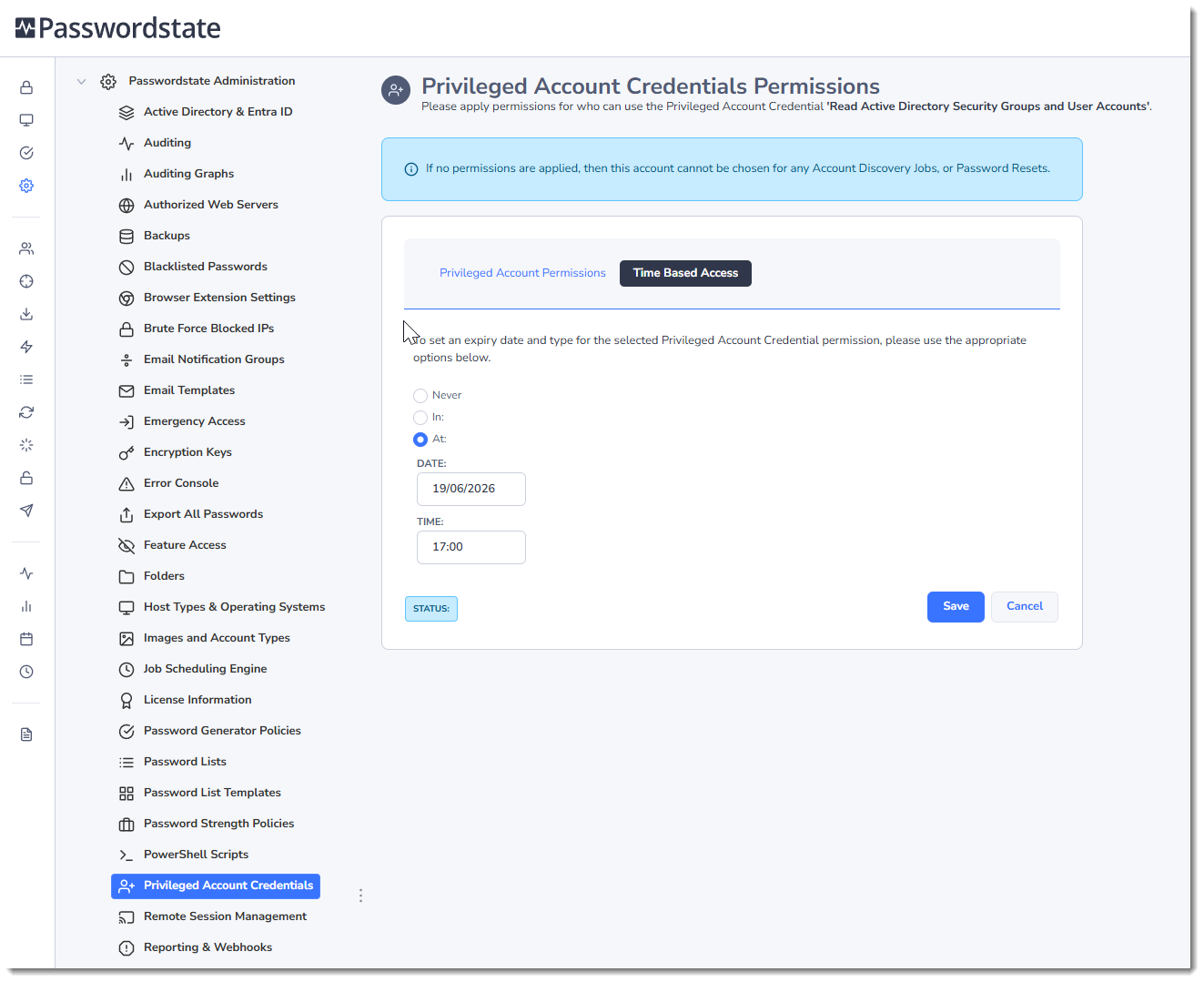
In the example below, this is an Active Directory account that will be used to reset multiple Local Admin accounts across our Windows feet of servers. The username must be either in the format of DOMAIN\username or username@domain.example.com.
The Heartbeat icon does a live test out to your domain to ensure it is correct and in sync with your domain.
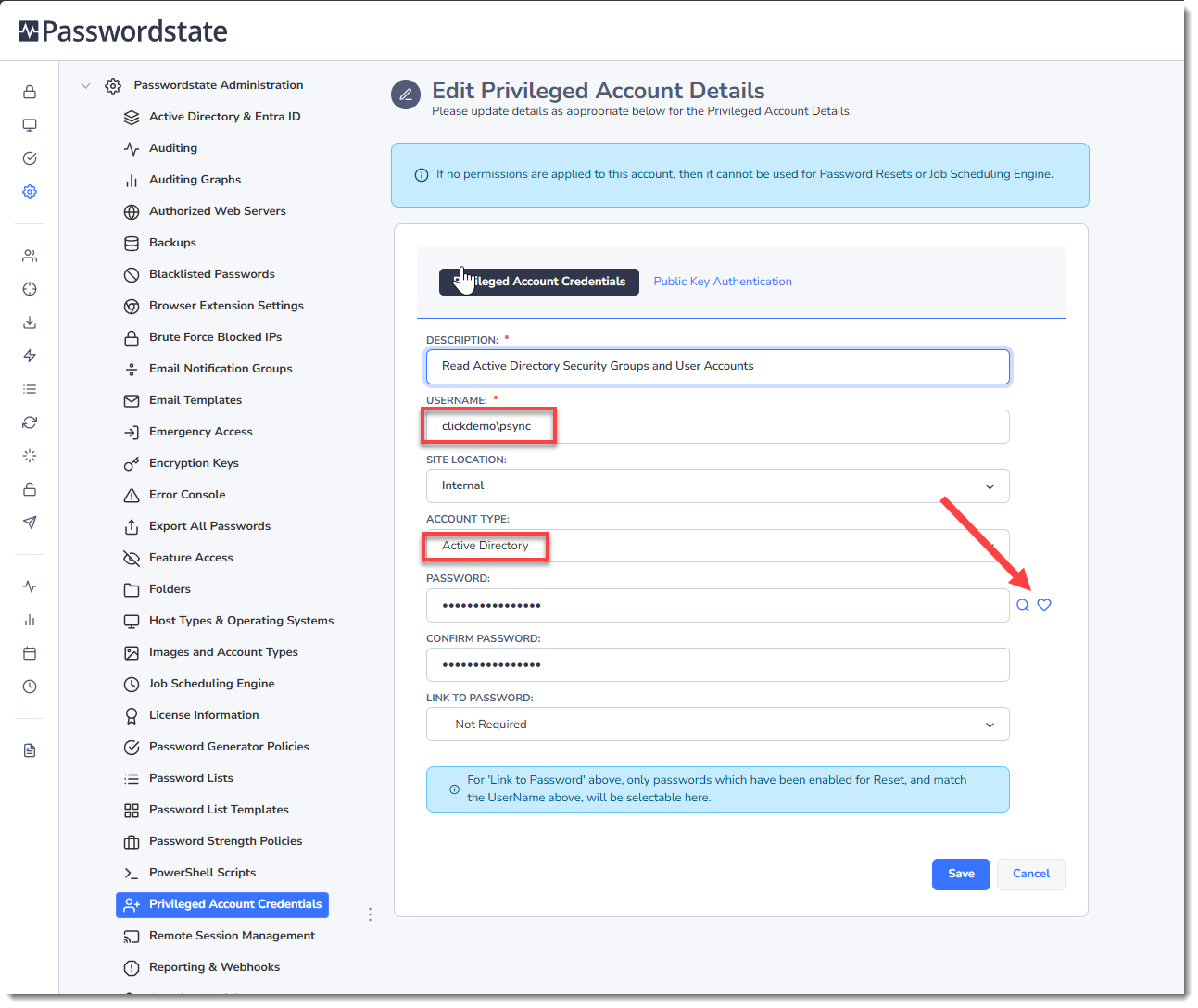
Time Based Access for Privileged Account Credentials
When applying permissions to Privileged Account Credentials, you can also specify Time Based Access as well - so user's access to the account can automatically be removed after a set period of time.