Folders
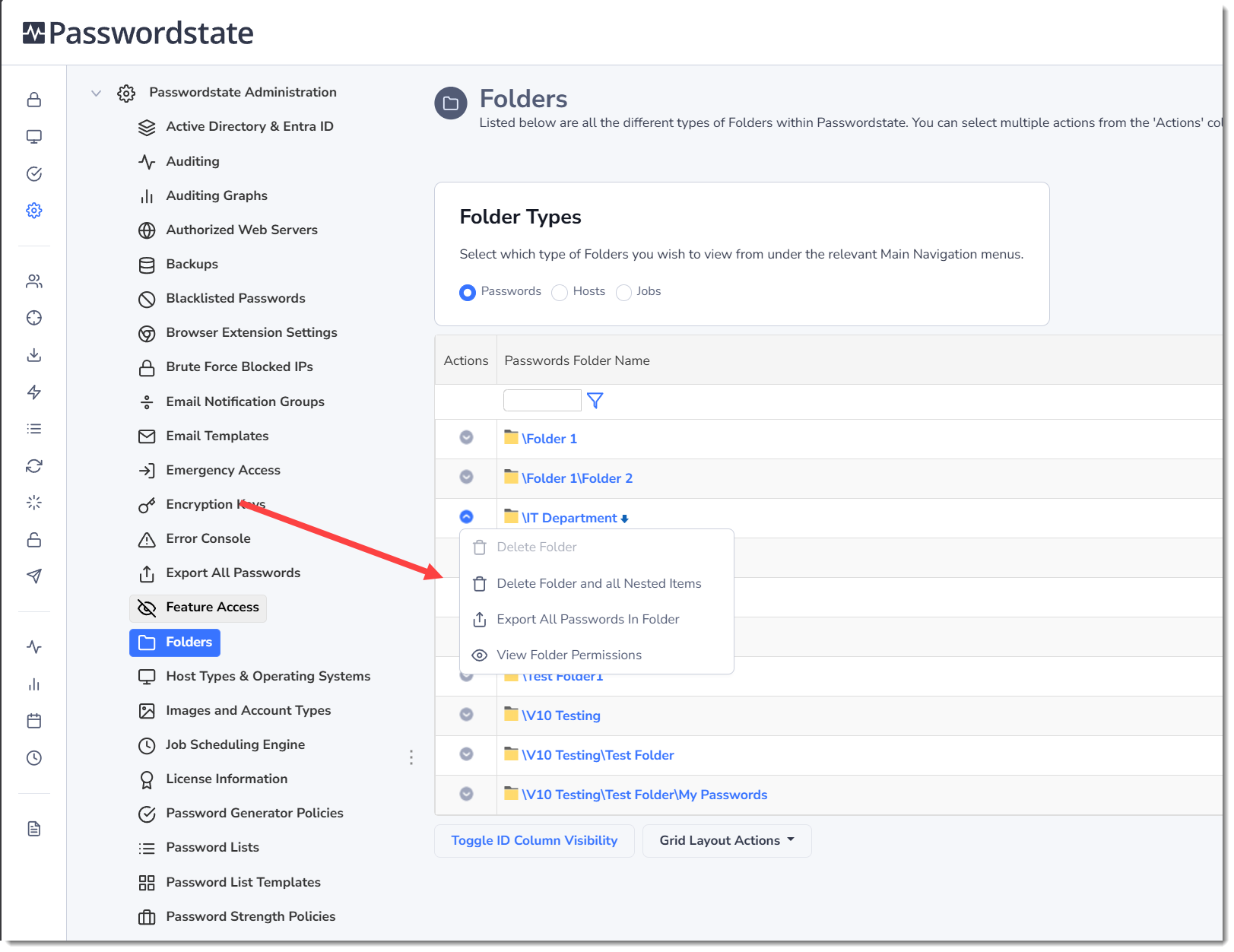
The Folders screen shows you all the folders either under the Passwords, Hosts or Jobs screens in Passwordstate.
Edit Password Folder Details & Delete the Folder
By clicking on the Folder hyperlink you see in the grid, you will be taken to a screen where you can perform the following actions:
- Edit the Name, Description, and Permalink settings
- You cannot change permission model on this screen, but you can change the Disable Inheritance setting, assuming the Advanced Permission model is already set
- Delete the folder, assuming it is empty
- Adjust the Guide, and change APi Key Settings
Deleting Folders
In the Actions menu next to each folder is a few options you can perform:
- Delete Folder - This will delete just the folder, and nothing else. If there are any nested Password Lists or Folders under the one you are attempting to delete, this menu will be greyed out, and you will not be able to perform this action. This button is only to clean up unwanted empty folders.
- Delete Folder and all Nested Items - Please use with caution, as this will delete all nested Password Lists/Folders, including all associated Passwords
- Export all Passwords in Folder - This will export all passwords from all Password Lists that are nested beneath this folder, to a password protected CSV file
- View Folder Permissions - You can view, and adjust Folder Permissions from this button