Self Destruct Message
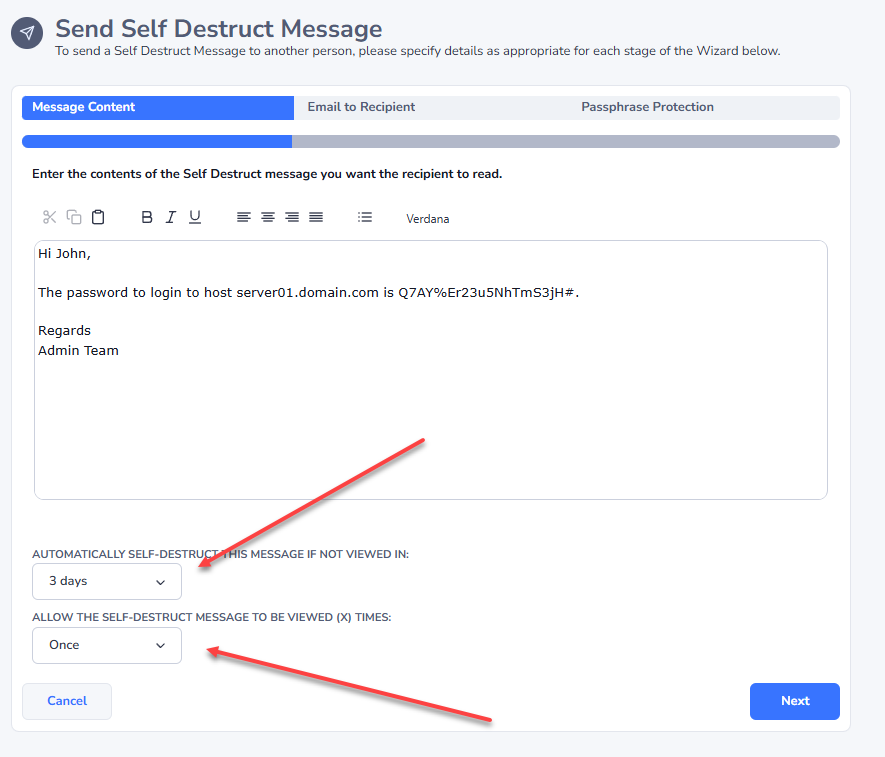
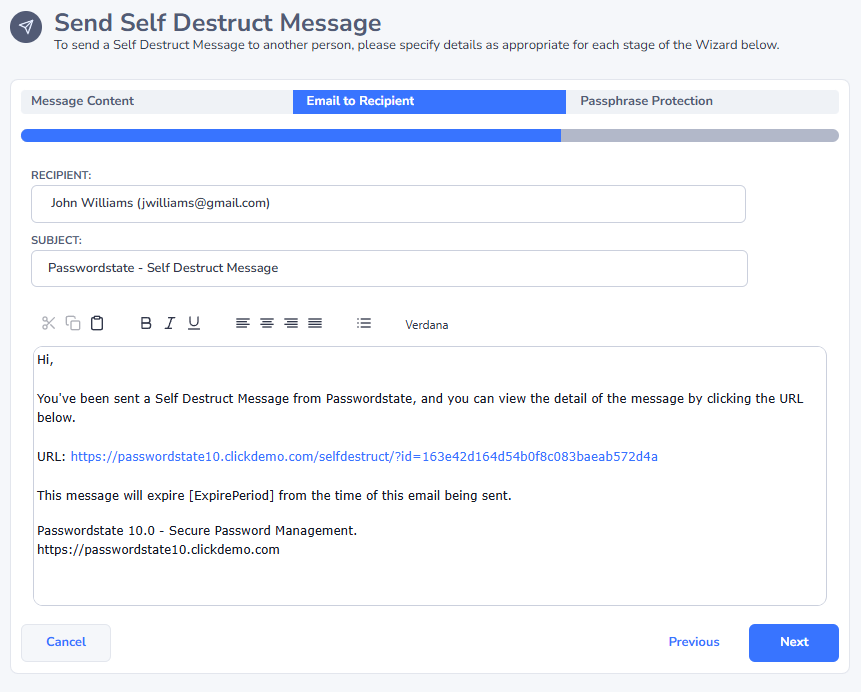
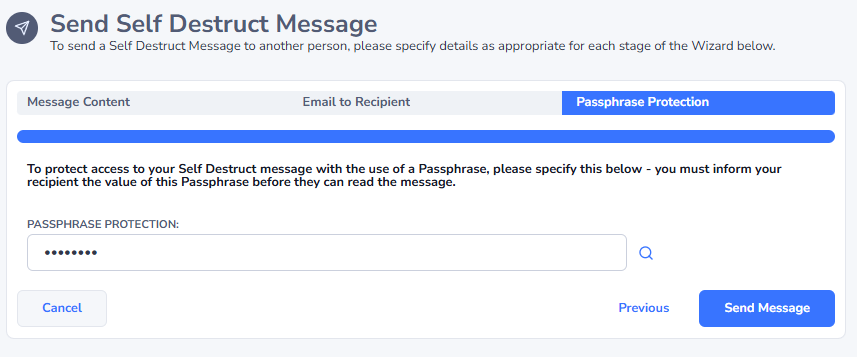
The Self Destruct Message menu allows you to generate and send a Self Destruct email message to another user - the message expires after the set time period, if not read. Creating a Self Destruct message is a three-step process:
- Specify the message, how long the message will be active for, and how many times the message can be viewed
- Choose the user you want to send the message to - this can either be another user of Passwordstate, or a recipient from the Address Book, or someone else simply by typing their email address
- Specify any Passphrase protection you might want - there is a default Passphrase value which can be configured by your Security Administrators on the screen Administration -> System Settings -> Self Destruct Messages, or contacts in the Address Book can also have their own Passphrase. The intended recipient needs to know what this Passphrase is prior sending them messages
The message will no longer be available for viewing either when the user has viewed it the specified number of times, or the message has expired.