Request Access to Passwords
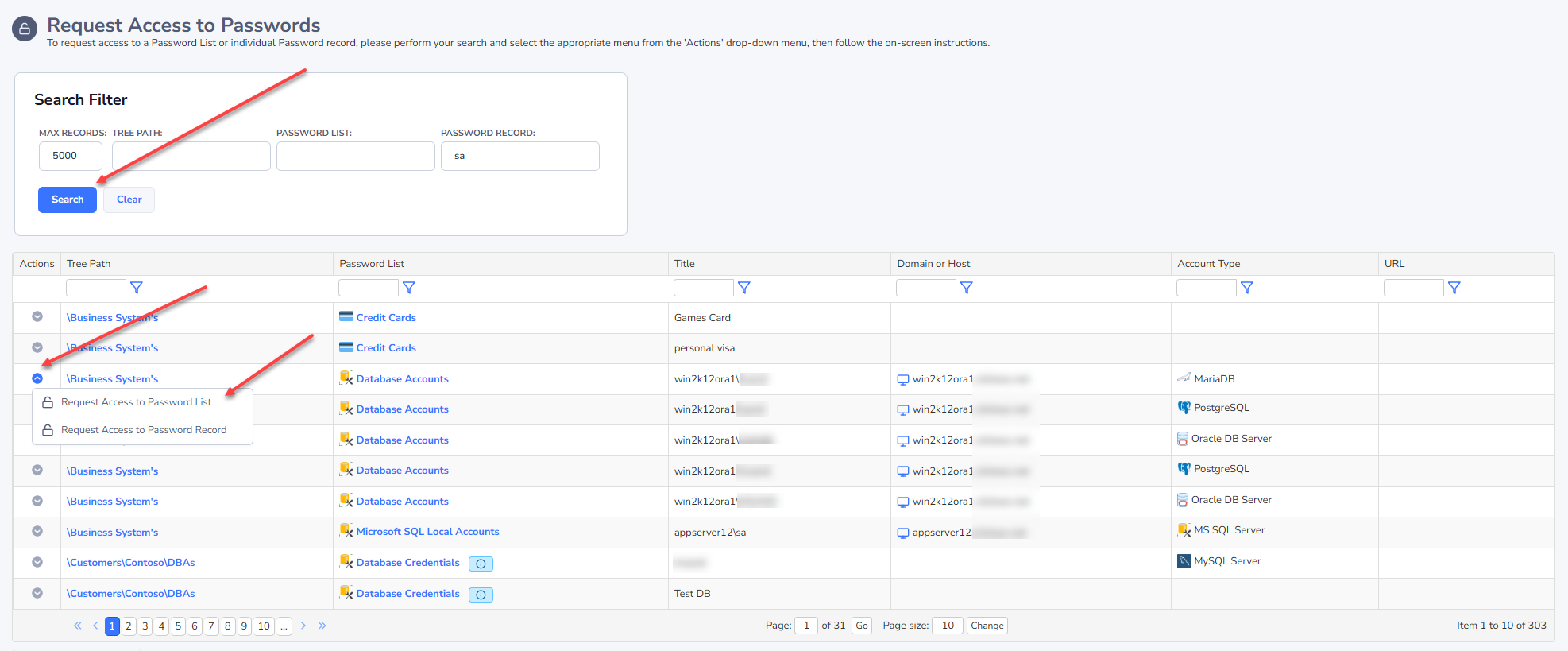
The Request Access to Passwords screen allows you to search for either a Password List, or individual password record, and request access to it.
There are various filtering options based for the TreePath the Password List exists in, or on the Password List or password record as well. Once you have found the record you need, you can request access to either the Password List or Password record from the Actions menu.
Note: On the screen Administration -> Passwordstate Administration -> System Settings -> Passwords Options tab, there are settings to hide the Username, Description and Notes fields on this screen.
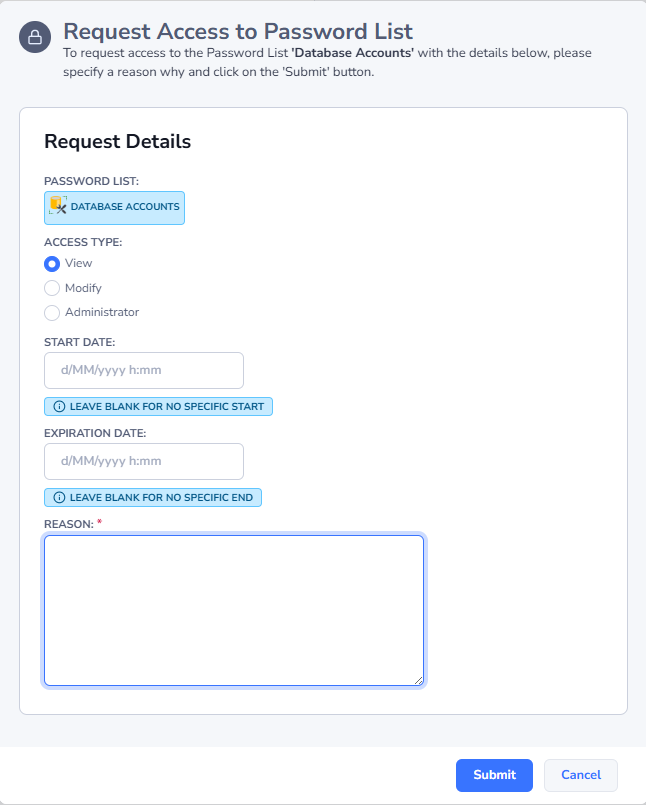
When you request access, you will be given various options for what level of access you require, and the start and expiration date for access (if applicable). You must also supply a reason as to why you are requesting this level of access, so the approver(s) can determine if they should approve or deny the request.
Once you request has been processed, you will be notified via email - or you can monitor the approval process on the Pending Access Requests screen.