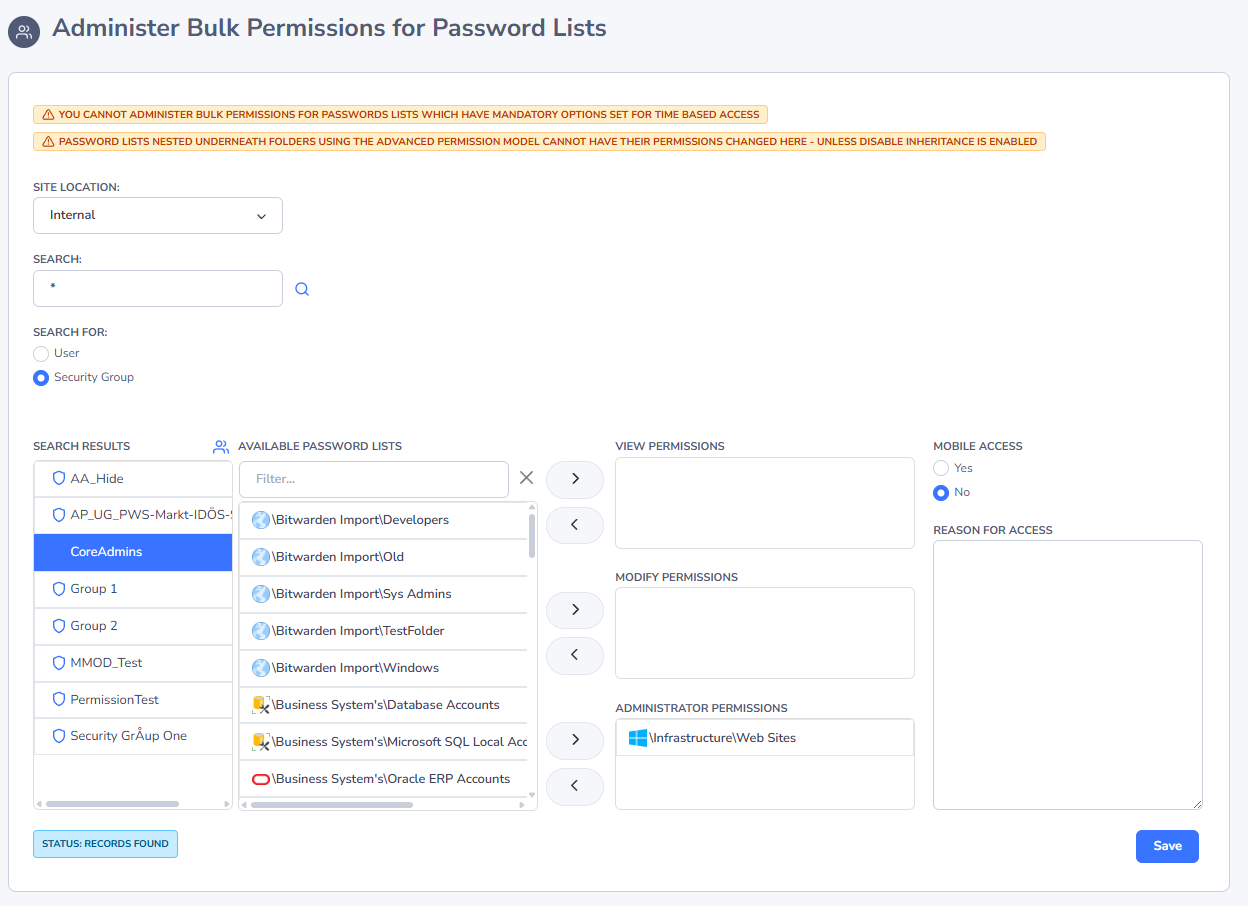
Administer Bulk Permissions
The standard method of apply permissions to a Password List is via the Grant New Permissions button for each individual Password List.
The Administer Bulk Permissions feature allows you to search for either a User Account or Security Group, and then apply permissions to multiple Password List at once. When you search for a User Account or Security Group, it will show the Password Lists they don't have access to (Available Password Lists), and the Password Lists they already have access to (either in the View, Modify or Administrator Permissions text boxes).
Important: A couple of things to note about this feature - 1. Only Password Lists will show which you have Administrator rights to, and 2. Any Password Lists which have Time-Based Access set as mandatory, will be disabled in the search results.