Password Generator
The Generator menu is where you can access your personal settings for the Password Generator built into Passwordstate, and also allows you to generate any number of random passwords with your personal settings.
Note: The Security Administrators of Passwordstate can create different Password Generator Policies and apply them to various Password Lists, so if you generate a new random password when adding/editing a Password record, the password does not seem to conform to your personal settings, then most likely a different Password Generator has been applied to the Password List.
The Password Generator screen comprises three tabs - two for specifying the settings, and one for generating the random passwords.
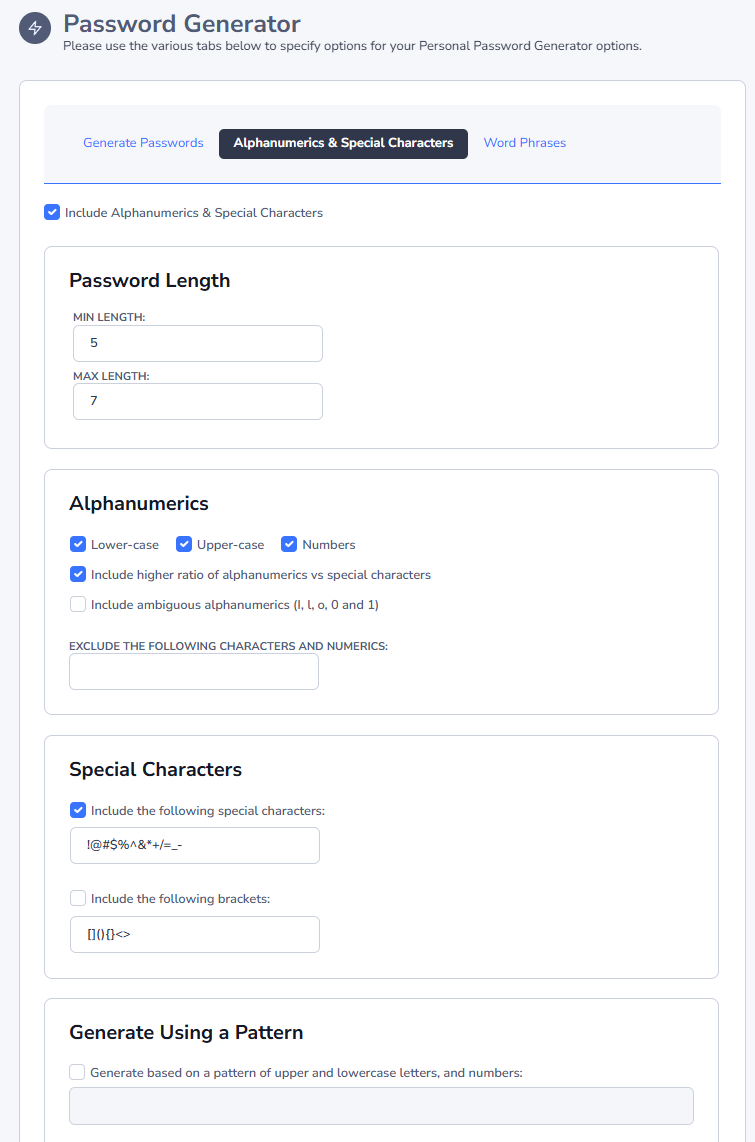
Alphanumeric & Special Characters
The Alphanumeric & Special Characters tab allows you to specify the desired length of the password you wish to generate, as well as settings for letters, numbers, special characters and various forms of brackets.
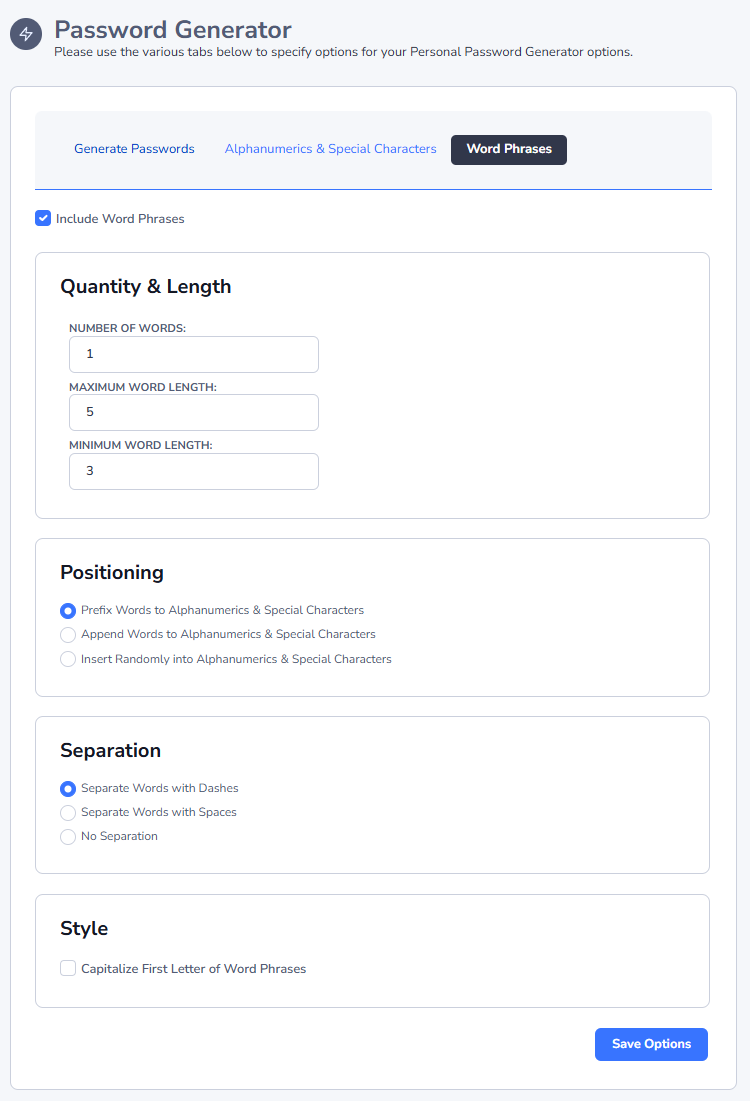
Word Phrases
The Word Phrases tab allows you to insert a random word at the beginning of the password, somewhere in the middle, or at the end. You can specify how many words to create, what length,and what form of separation you would like between the word and the rest of the random password - either dashes, spaces or nothing.
Passwordstate has 10,000 different words it can choose from, all of different lengths.
Generate Passwords
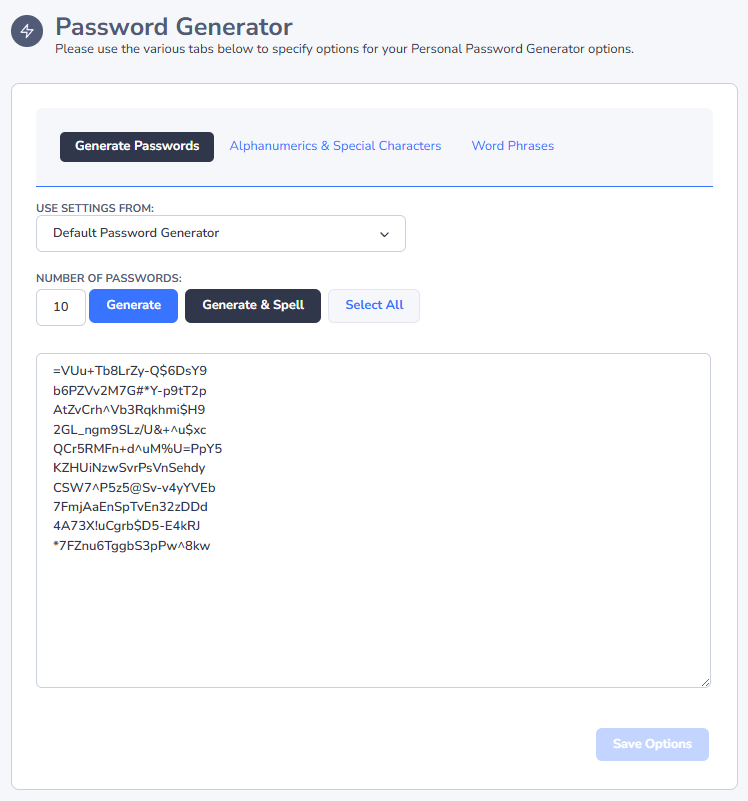
The Generate Passwords tab is where you specify the number of random passwords you want to generate.
It's not necessary to click on the 'Save Options' button if you simply want to test different options under the two other tabs, but you will need to click on this button if you want to retain these settings for future use.
Note 1: You can also generate some random passwords based on the settings of a Password Generator Policy by selecting a policy from the dropdown list on this screen.
Note 2: The 'Generate & Spell' button will spell out passwords for you in the format of tango echo yankee foxtrot, etc.