Email Notifications
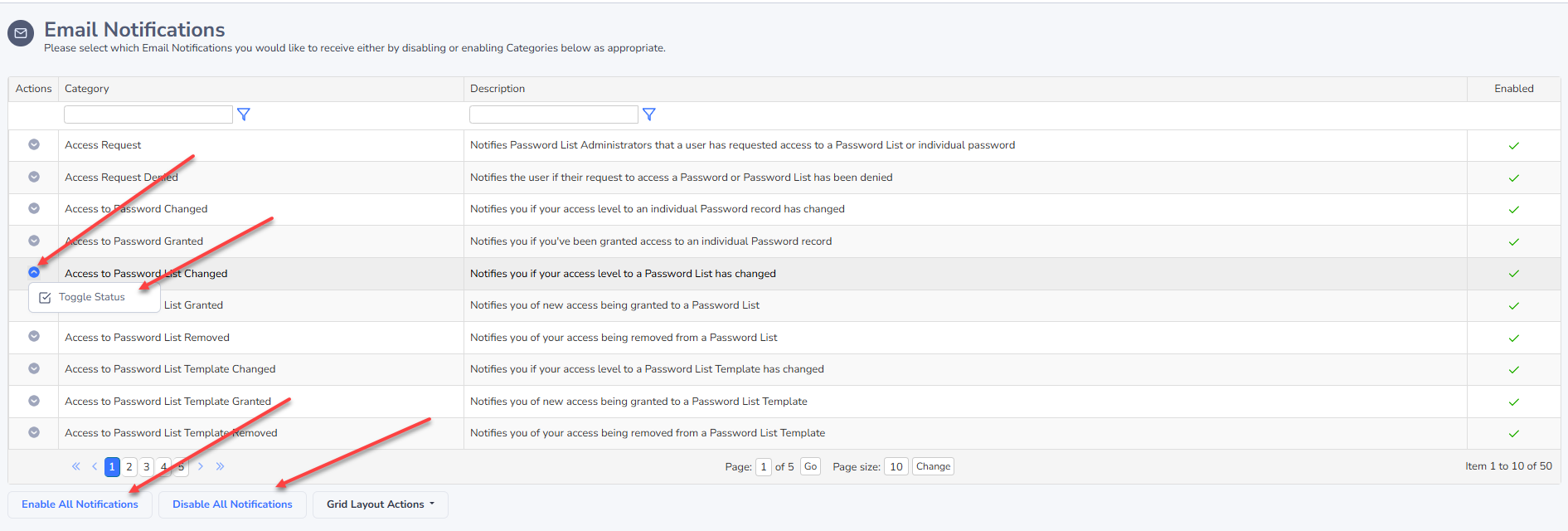
The Email Notifications screen allows you to enabled/disabled one or more of the many different email notifications Passwordstate can send you.
Note 1: There is a feature called 'Email Notification Groups' which your Security Administrators of Passwordstate can use, and using this feature for your account will cause the 'Choose Email Notifications' button below to be disabled.
Note 2: Security Administrators can also disable one or more Email Notifications system wide, so if you are not receiving emails you are expected to, please speak with one of your Security Administrators.
Choose Email Notifications
By Clicking on the 'Choose Email Notifications' button, you will be presented with a list of email categories, which can either be enabled or disabled. There is also an option to enable or disable all email notifications with the buttons at the bottom of the grid.