
Jobs - Host Discoveries
Another method available to automatically import Hosts into Passwordstate is Host Discovery Jobs.
With this type of Job, you can query one or more Active Directory OU's, and import hosts which match criteria you've specified.
Prior to adding any Jobs in Passwordstate, you must create an appropriate folder, and apply permissions for users/security groups as required.
An appropriate Privileged Account Credential can be used to query Active Directory, for this feature.
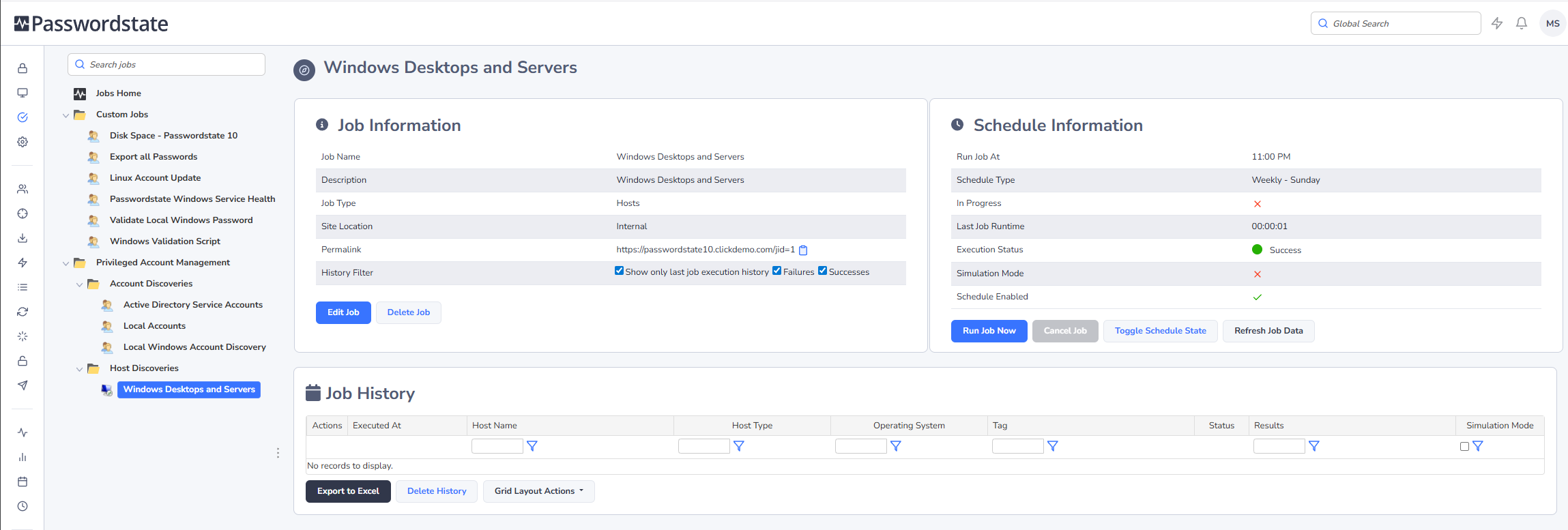
When discovering new Windows & Linux Hosts, you have the following options available to you:
- Which Active Directory domain to query.
- To query specific AD OUs, you can click on the 'Active Directory OUs' tab and specify them here.
- Which type of Hosts you want to discover, based on the Operating System Level.
- Only discover Hosts which have been logged into based on a set date i.e. only machines logged into since July 2014.
- You can also set the Tag field for a Host to be the value of the Active Directory OU it belongs to.
- As users in Passwordstate need to be given permissions to Hosts in order to use them for various features, you can set permissions on the 'Permissions' tab.
- You also need to specify the 'Privileged Account' identity which will be used to query your Active Directory Domain. These Privileged Account Credentials can be added/edited/updated on the screen Administration -> Privileged Account Credentials.
- Finally the schedule for how often you want the Discovery Job to be executed.
When applying permissions to the Job after it is created, whoever is given access can then administer the job, as well receive any emails with the results of the job execution.
Note: When query Active Directory for Hosts, it is the value of the OperatingSystem AD Attribute which is queried. If you go to the screen Administration -> Passwordstate Administration -> Host Types & Operating Systems, you can see what attribute is currently set for each different operating system.
Discovery Job History
In addition to the emails you will receive for results of Discovery Jobs, the most recent history for the execution of the job can be seen, as per the screenshot below. If your Discovery Job does not actually find any Hosts, then it will not record any data i.e. You may have a Host filter set on the Discovery Job that does not find any Host records in Active Directory, or possibly you have specified an OU to query which does not have any computer objects in it.
