Structure of a Password Reset Script
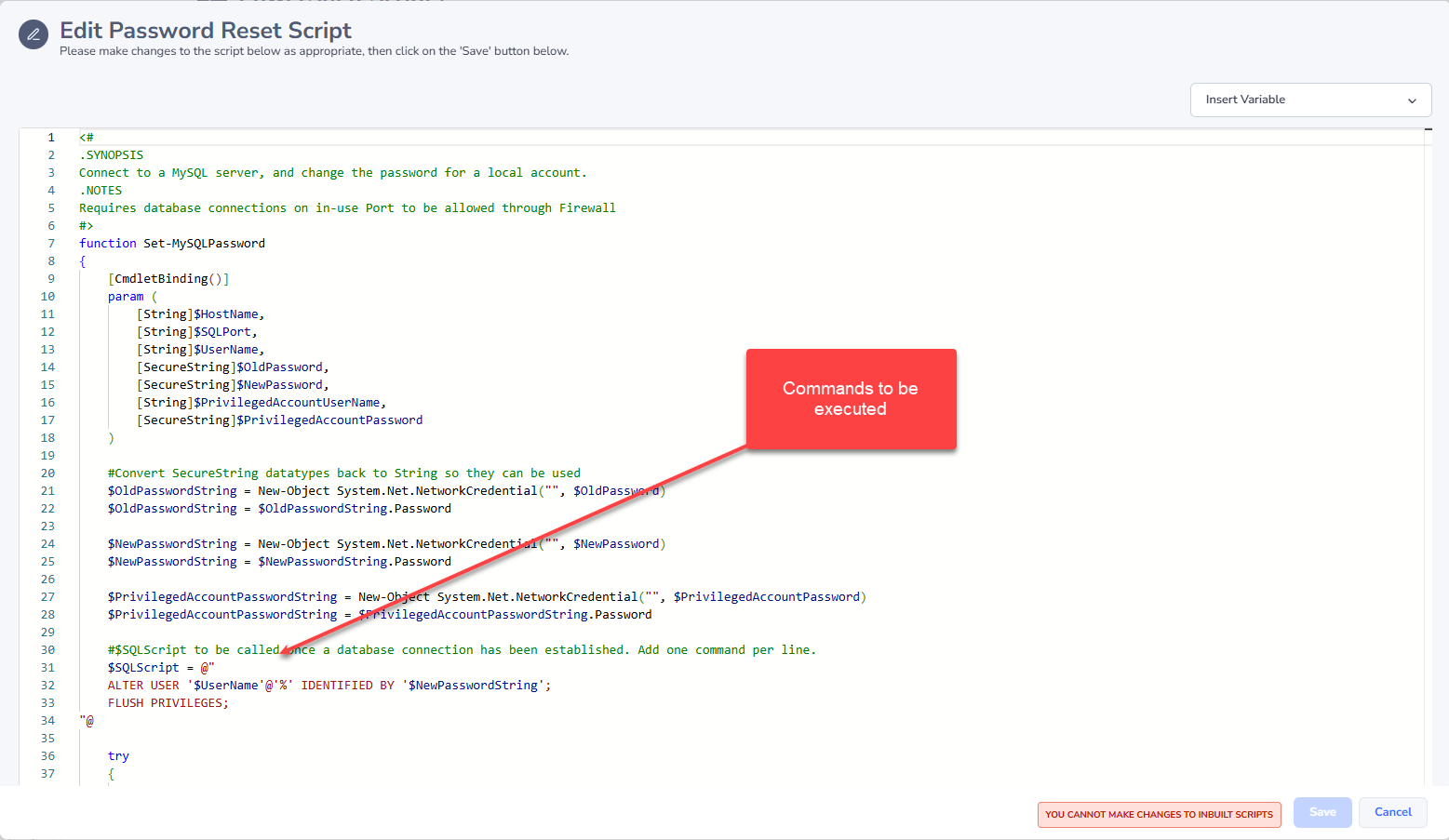
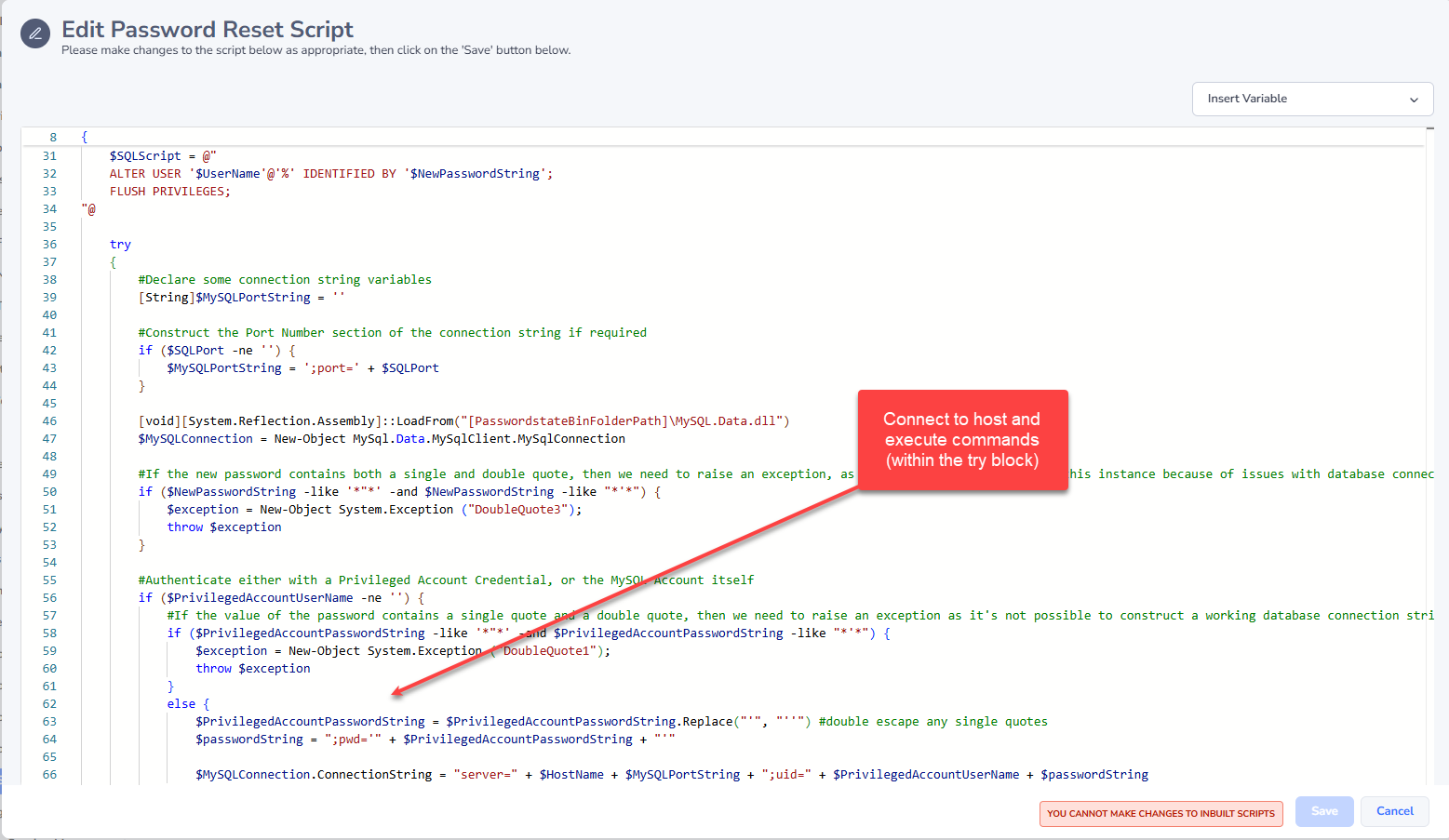
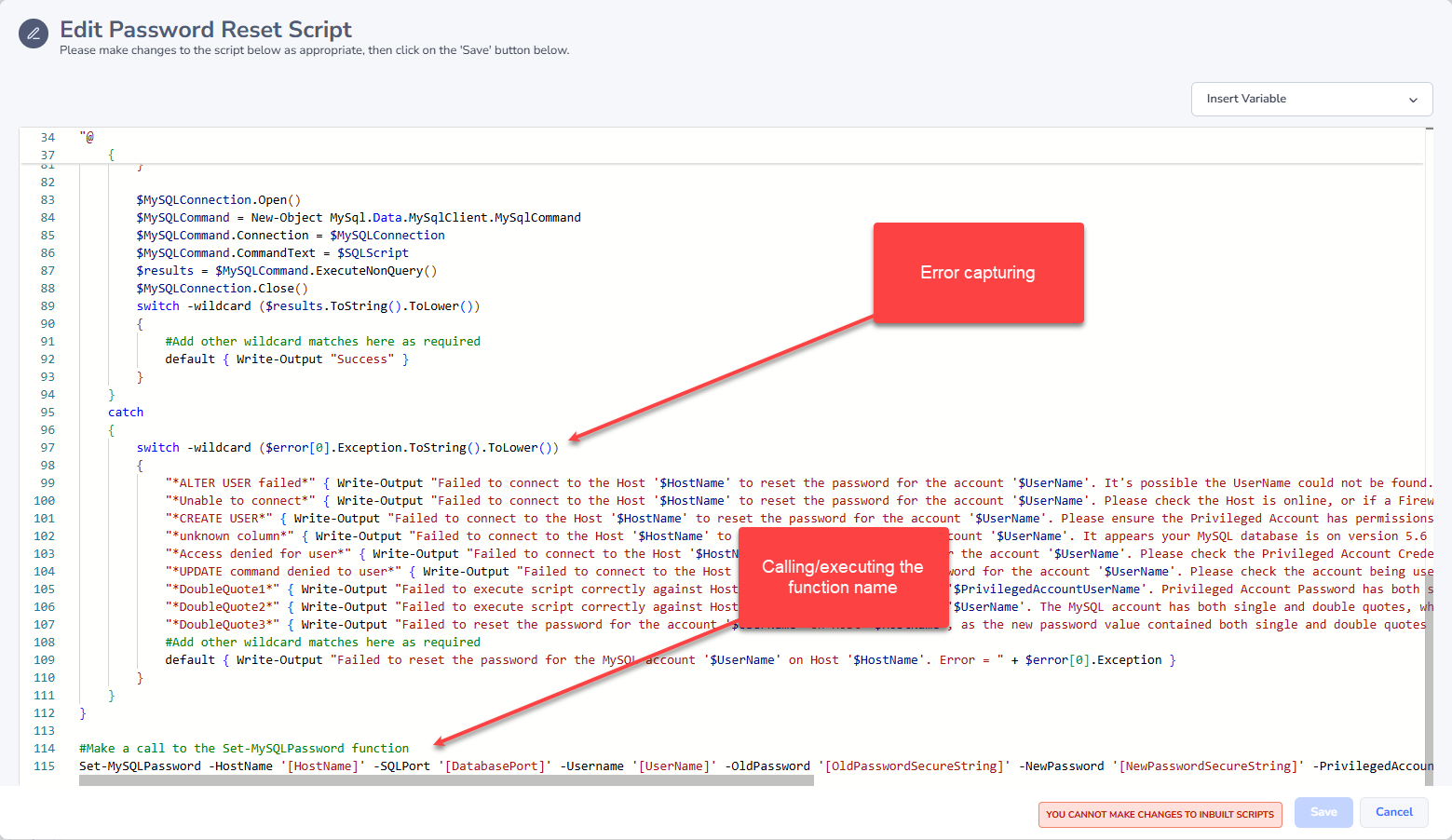
When creating your own Password Reset Scripts, we recommend that you copy one of ours as a basis for your own. We recommend this so that the Passwordstate Windows Service understands when the script has been executed successfully, or has failed. There are 4 key areas in all of our scripts, and there is a screenshot below which highlights these areas. They are:
- Command(s) to be executed - this is the actual work done on the remote host to reset a password
- Connect to remote host to execute command(s) - this connectivity method will vary on the host, but generally it is done via PowerShell Remoting, SSH connection, or a direct connection to a database server
- Error Capturing - this is where we try and capture as many of the error scenarios as possible. The error messages here will be included in the email report you receive when a Password Reset attempt has failed for whatever reason
- Calling the function - this is what initiates the call to all the 3 steps above it. The variables you see here, enclosed in square brackets [], are replaced in realtime by the Passwordstate Windows Service when the reset occurs - it queries relevant data from the password record, the host record, and possibly the privileged account record if required