Password Reset Queuing System
There are various conditions in which a password reset can be triggered, and they are:
- Someone manually changes the value of the password on the Edit Password screen
- When someone manually updates the value of the password via the API
- A Scheduled Reset occurs
- The 'Change Password On Check In' option is selected for a record, for the Check In/Check Out feature
- When the option to reset a password is selected for Time Based Access permissions to individual password records
- When Expiring the Password Now via the Actions Menu on the Password Record
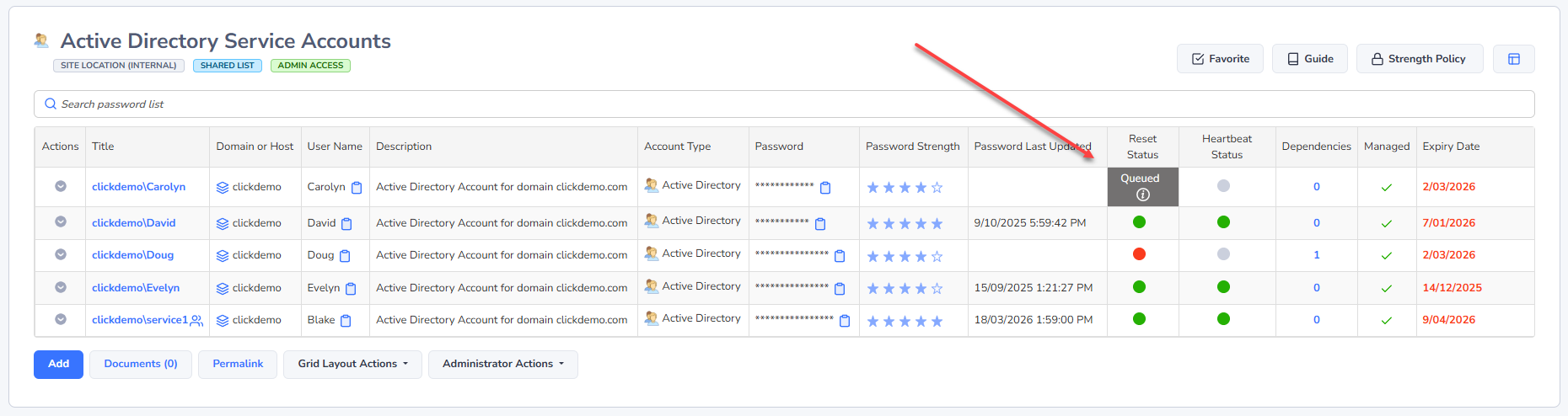
When any of the above events are triggered, the password record is added to a queue to perform the reset. No changes will be made to the password record itself, until the queued record has finished processing. In the Passwords grid, it will show the record is queued, and clicking on the white Information icon, will filtering the auditing records for you for this account and refresh the Reset Status Grid.
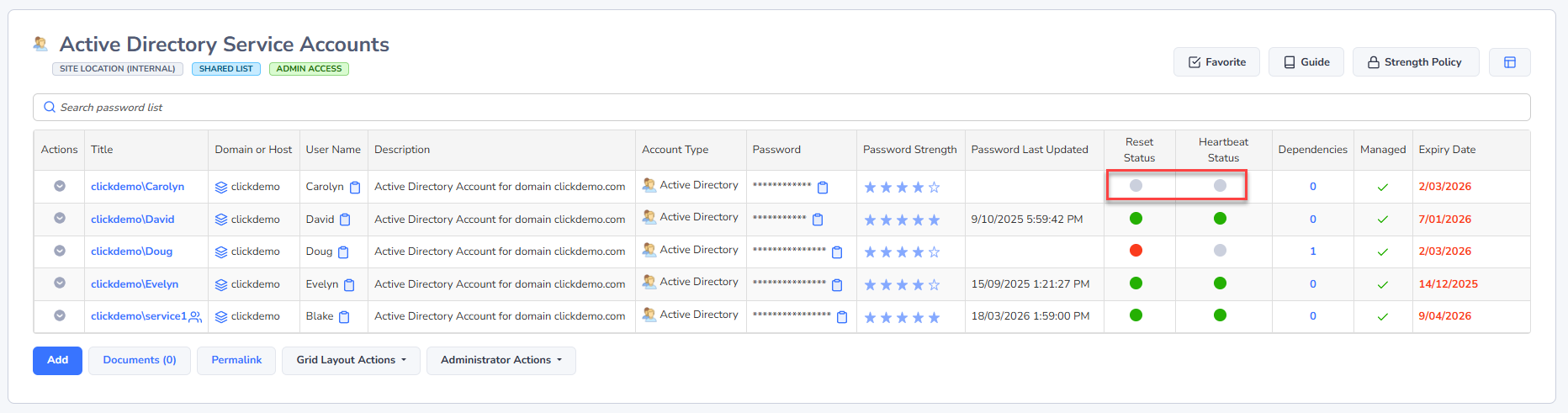
The Reset Status and Heartbeat Status are Grey in color if no action has ever been taken against the Password Record:
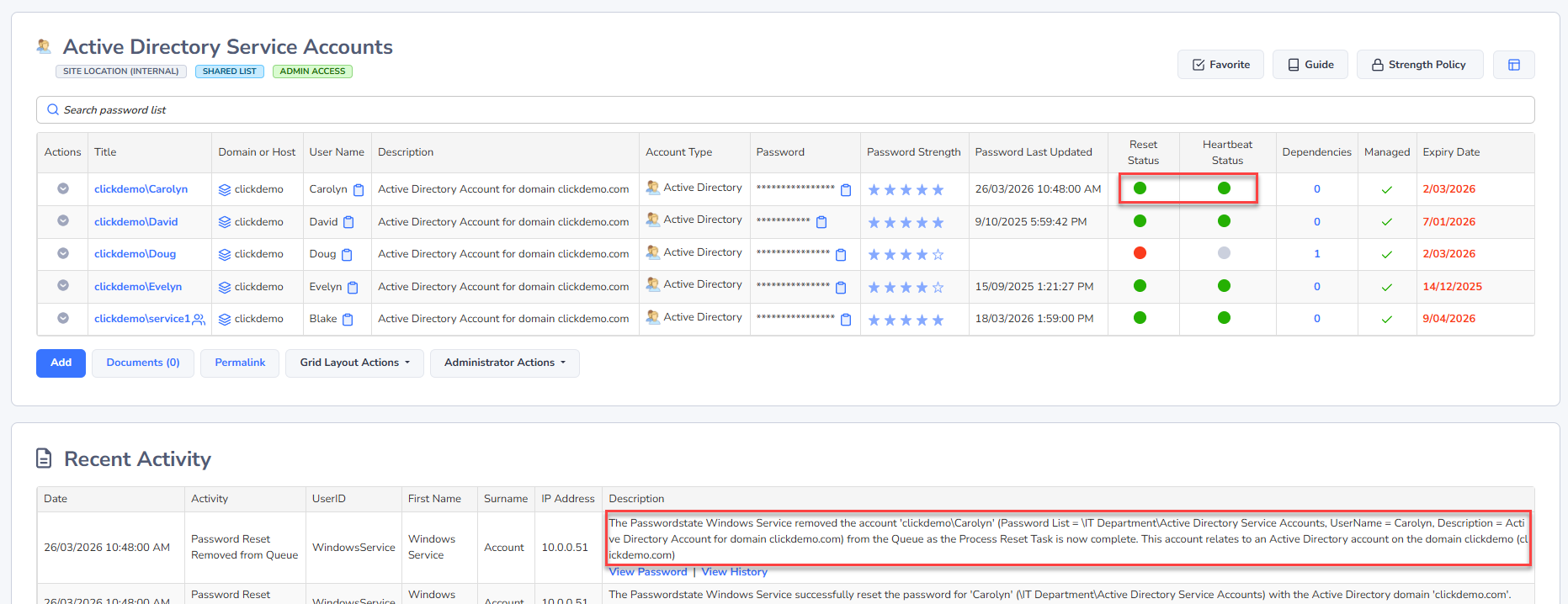
They will be Green if the last Password Reset or Heartbeat was successful, and Red indicates the last reset or heartbeat was not successful, in which case you should investigate the cause for this. To investigate why a Password Reset or Heartbeat has failed, look in the Recent Activity Grid, or possibly in the Auditing Data under Reports -> Auditing, or Administration -> Auditing.
Below is an example showing a successful reset, and the associated auditing. Failed resets would also show here.
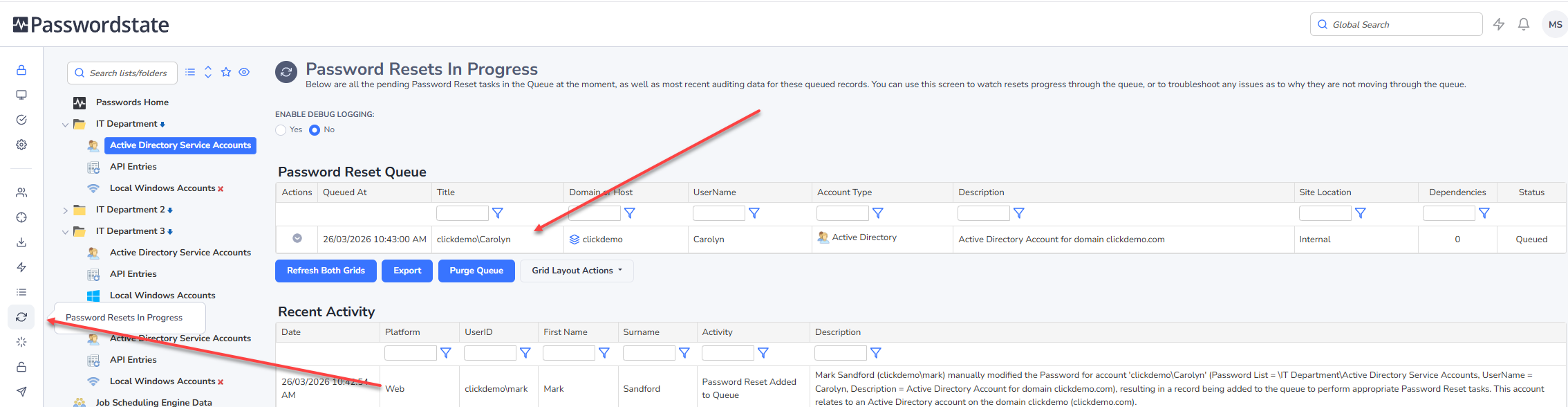
If needed, you can also monitor the status of all queued records to all Password Lists you have access to on the screen Resets -> Queued Password Resets, as per the screenshot below. This will also show auditing data for all the queued records you see on this screen.