Account Discovery and Password Resets between Non-Trusted Domains, or against Workgroup Computers
If you are wanting Passwordstate to perform Account Discovery and Password Resets between non-trusted domains, or on computers which are not joined to the domain, you will need to configure PowerShell on your Passwordstate Web Server to “trust” all remote hosts. You can do this by running the following PowerShell command:
Powershell
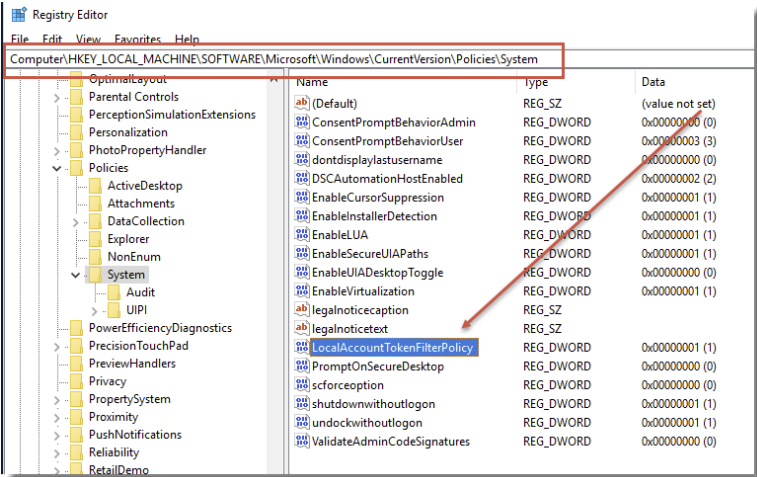
Set-Item WSMAN:\localhost\Client\TrustedHosts -value *Account Discoveries on Work Group machines will also need to enable the following registry key on the remote host to avoid ‘WinRM’ errors, which are related to UAC blocking Powershell Remoting sessions when used with the Invoke-Command Powershell commandlet, which is what we use to do discoveries.
Path = HKLM:\SOFTWARE\Microsoft\Windows\CurrentVersion\Policies\System
Registry Key Name = LocalAccountTokenFilterPolicy
Type = REG_DWORD
Data = 1
Please restart the Passwordstate Windows Service after making these changes