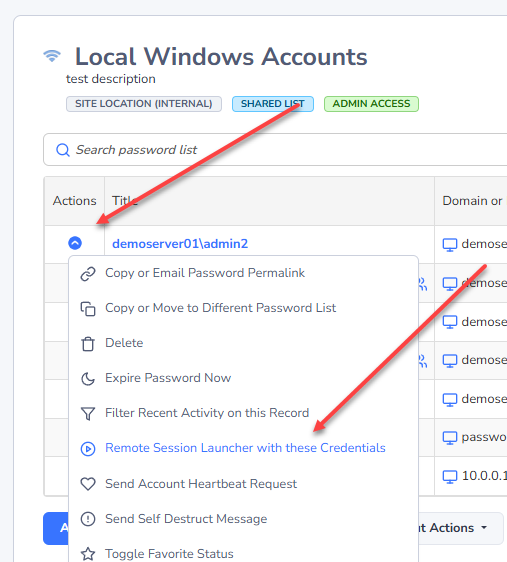
How to Launch a Remote Session
Once you have everything set up, launching a session using either of the Launchers is very easy. The primary way is to click on a host, and select the Auto Launch button. In the example below, we’ll be connecting into alien.halox.net with an account called “msand” which is a Windows Domain account.
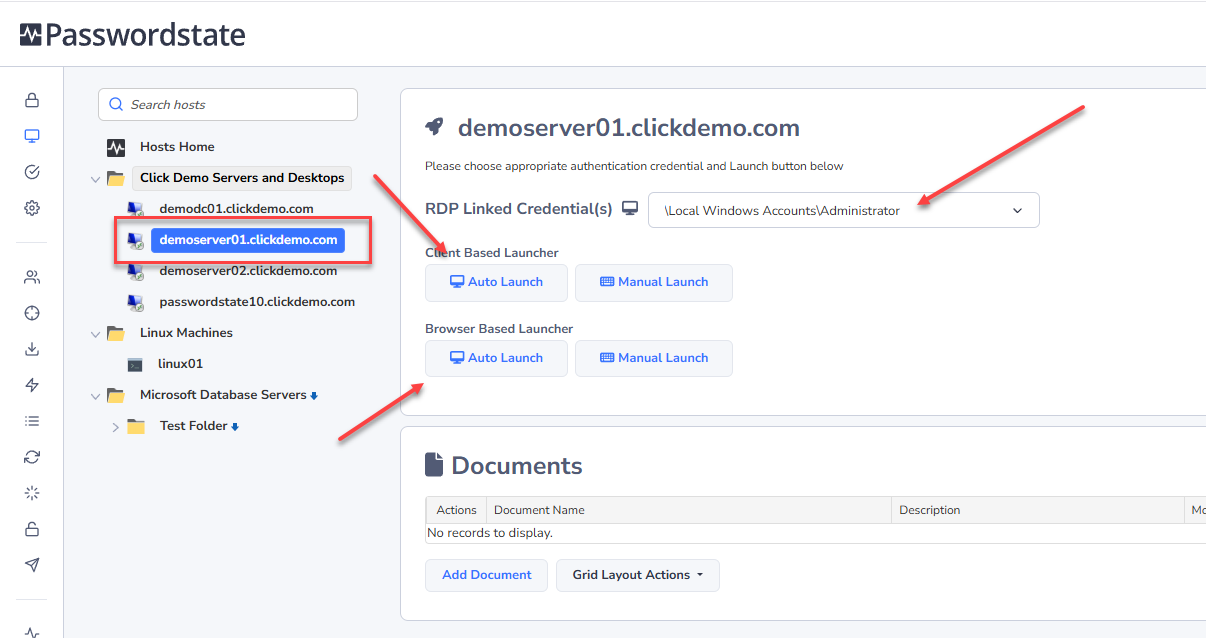
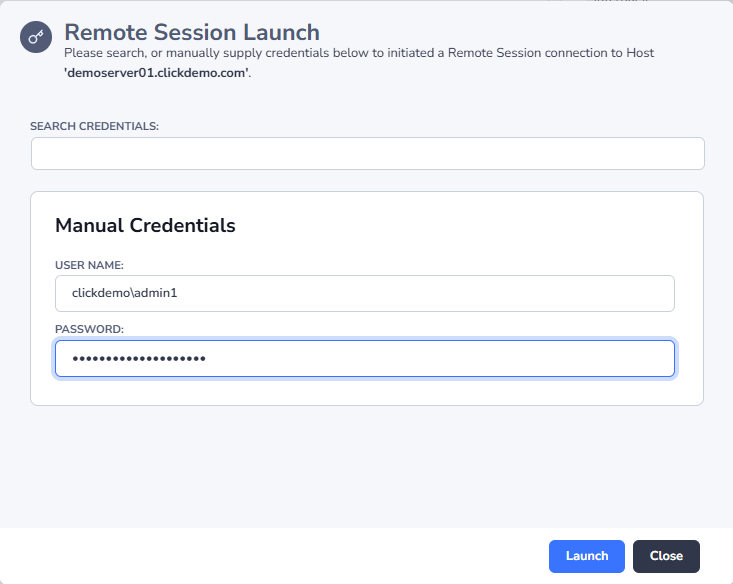
Alternatively, you can click the Manual Launch button instead, which will allow you to enter your credentials if you do not have them already saved in Passwordstate, or you do not have them linked via a Remote Session Launcher:
When entering credentials enter them in the format of domain\username for domain accounts, or just username for local accounts to the Host.
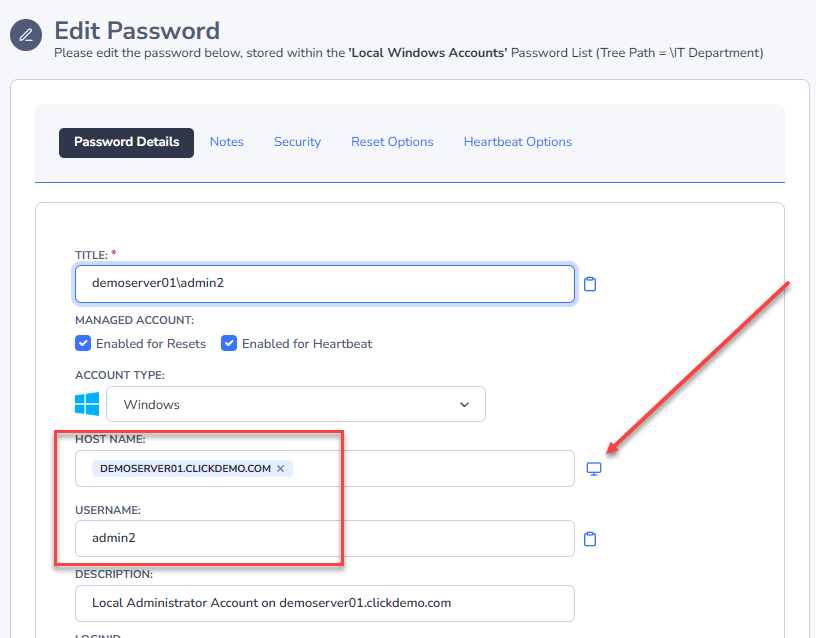
Another way to establish an automatic connection is directly from within a Password Record. By clicking this icon below, it will connect into the Host using a local account on the machine, in this example we’ll be connecting to a host called Desktop02.halox.net, but using the Local Administrator account:
A second option to launch a session directly from a password record, is from the Actions Menu. Here we are launching into the same machine, with the same Administrator account: