
Session Recording Settings & Permissions
Session Recording Settings
Session recordings can be saved in one of three locations:
- The default path is c:\inetpub\passwordstate\hosts\gateway\rec (your path may be different if you’ve installed Passwordstate into a different folder, or deployed the Gateway separately)
- Or you can save to a different folder or disk on your Passwordstate web server
- Or you can save to a network share.
If you are using the High Availability module for Passwordstate, it is recommended you save recorded sessions to a Share, so both instances of Passwordstate have access to replay the session recordings.
When changing the path to where you wish to save session recordings, this needs to be done in two locations:
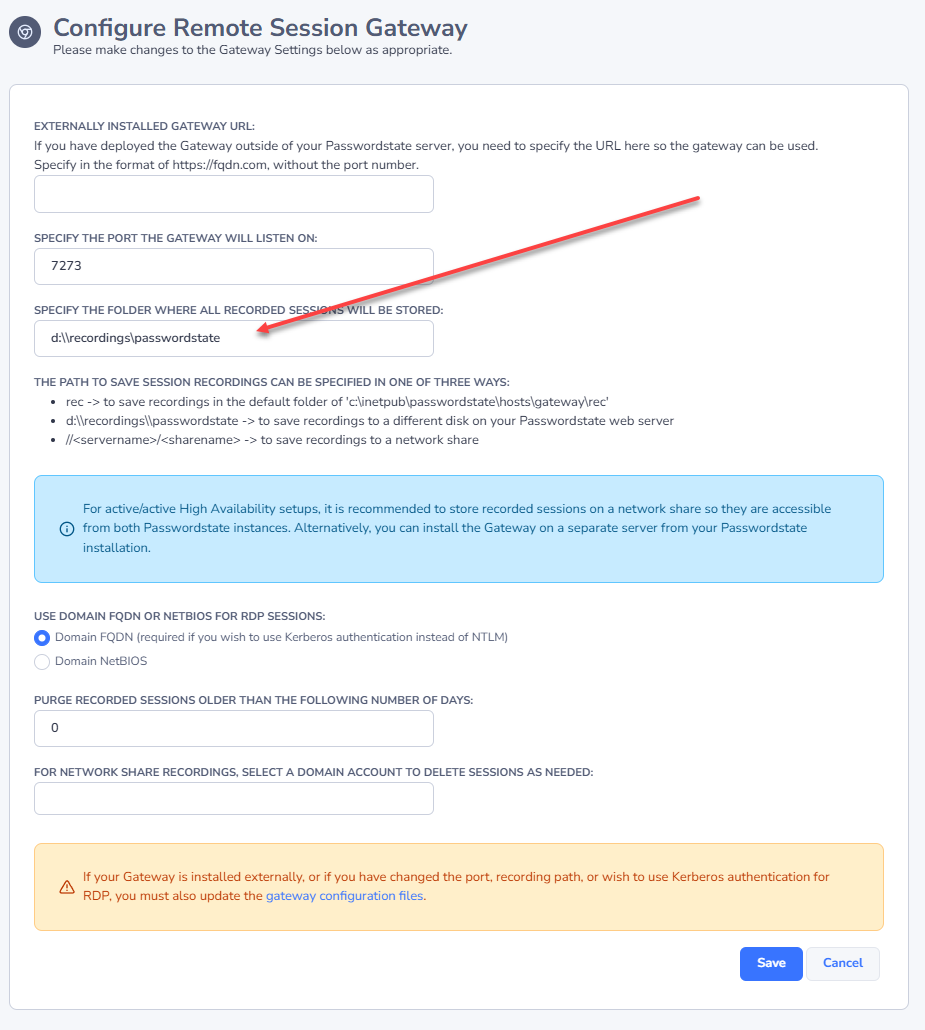
- On the screen Administration -> Remote Session Management -> Configure Remote Session Gateway
- In the file C:\inetpub\Passwordstate\hosts\gateway\gateway.conf
The different formats that can be used are:
- rec -> to save recordings in the default folder of 'c:\inetpub\passwordstate\hosts\gateway\rec'
<drivename>:\\<foldername>-> to save recordings to a different disk on your Passwordstate web server//<servername>/<sharename>-> to save recordings to a network share
Example of changing the path in the User Interface:
Example of the changing the path in the gateway.conf file:
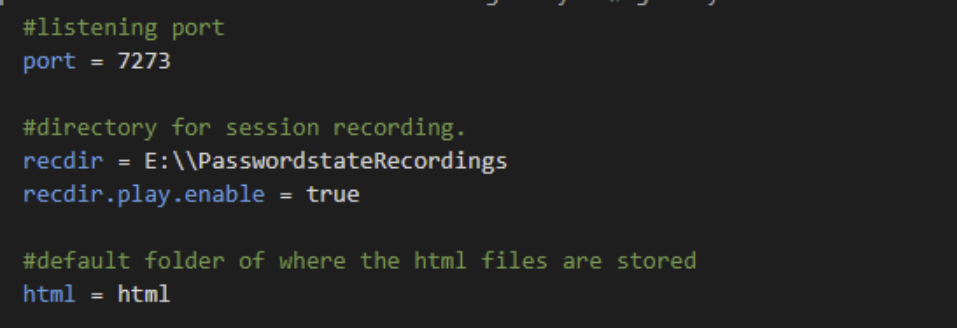
Note 1: the recdir setting is used to tell the gateway where to save the Session Recordings
Note 2: When changing this setting, you need to restart the Passwordstate-Gateway Windows Service to pick up the change.
Session Recording Permissions
When storing session recordings using the default rec value, the NTFS permissions are already correct.
If, however you specify a different location such as static folder on a different disk, then you need to ensure at least Authenticated Users have modify access to the folder.
When using a Network Share, you must modify the ‘Log On’ rights for the Passwordstate-Gateway Windows Service, with an account that has read/write to the share – screenshot below for this.
If you want Passwordstate to delete session recordings from the network share, please set an account on the Configure Remote Session Gateway page that also has permissions to delete from the network share.
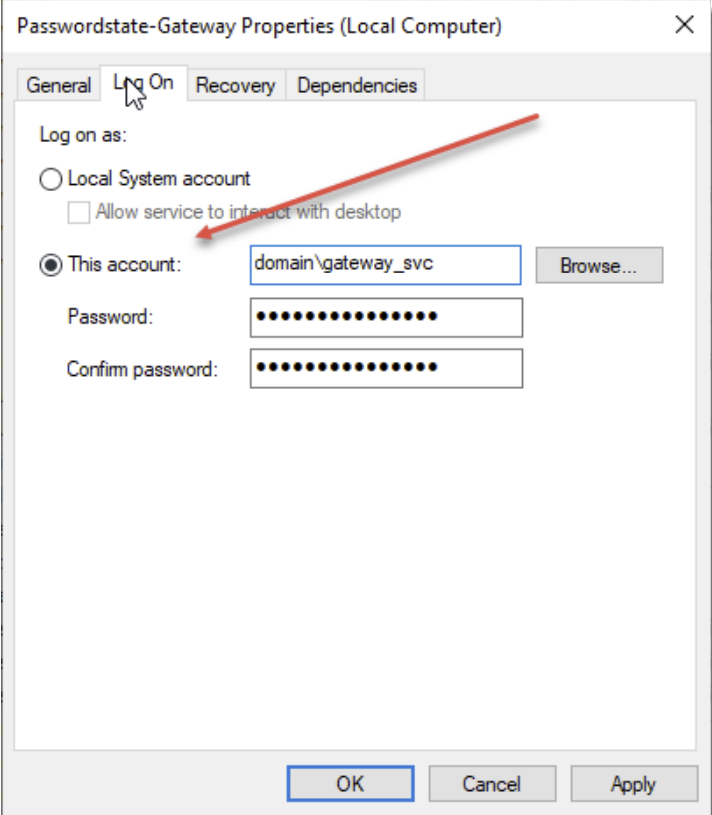
Note: Session Recordings will not be included in the standard Passwordstate backup functionality, due to the potential size of the files. If you have left the recording folder in the default path, then you need to organize your own backups of these files if required.