
Configure Gateway Settings
In Passwordstate you may need to configure some Gateway settings
- Gateway URL (only if you have installed the Gateway separately, otherwise leave this empty)
- Port Number the Gateway listens/operates on
- If you want to purge any recorded sessions after (x) number of days
- Where you would like to store recorded sessions
To make these changes, navigate to the following page in Passwordstate –> Administration -> Passwordstate Administration -> Remote Session Management, and click on the 'Browser Based Gateway Settings' button, and you will see the screen below.
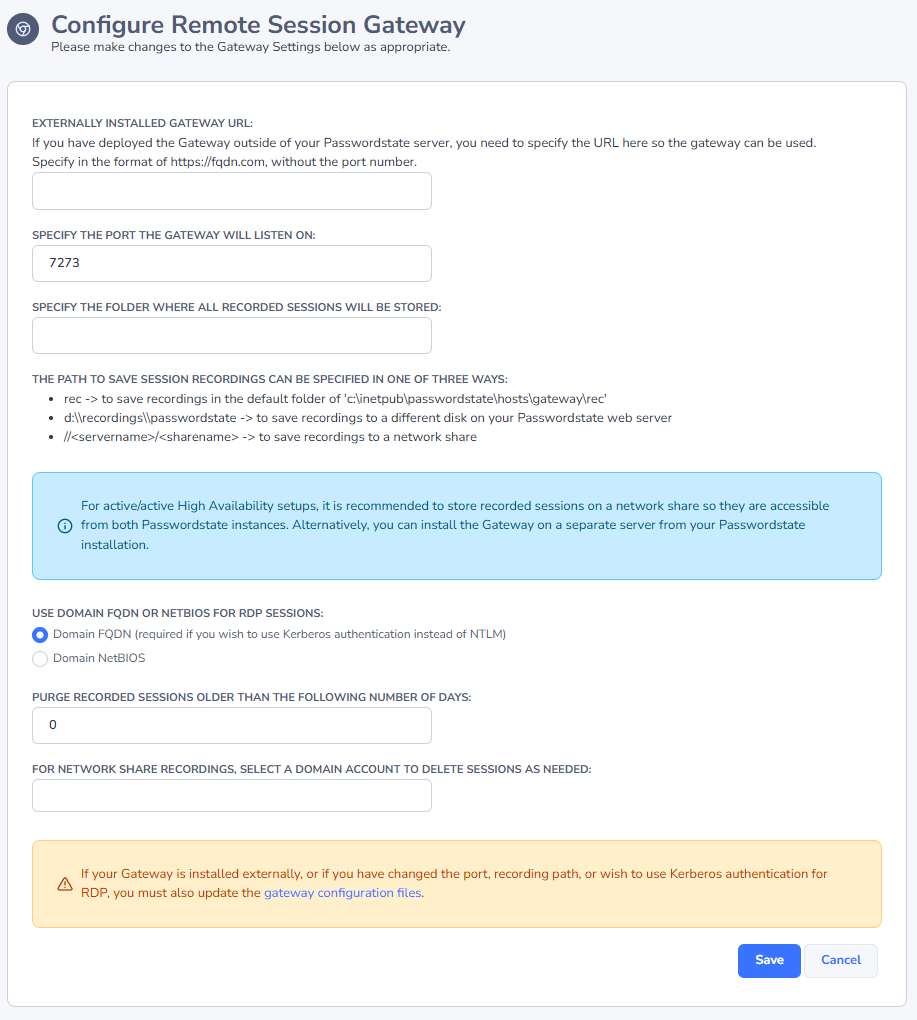
Note 1: Changing the Port Number or Session Recording folder need to be done manually in the gateway.conf file, and then you need to restart the Passwordstate-Gateway Windows Service.
Note 2: Please make sure no firewalls are blocking access to the Port Number above - either Firewalls on the Windows Server itself, or firewalls in Microsoft Azure or Amazon AWS - if you are hosting Passwordstate in the cloud.