SQL Server Database Size Management
In version 9 of Passwordstate, when creating databases in SQL Server, the ‘Recovery Model’ for databases is set to SIMPLE. If you have installed a prior build, then the recovery mode will be FULL.
When the recovery mode is set to FULL, from a database management perspective, this means your Database Administrators must be managing the growth of the database transaction log, so it does not grow too large i.e. truncating the transaction log on a regular basis.
If a daily backup of your database is an option for you, in terms of recovery, then we can simplify the database management required, by setting the ‘Recovery Model’ to simple. Please follow the instructions below to do this, and also you can shrink your files if required, with the instructions below as well.
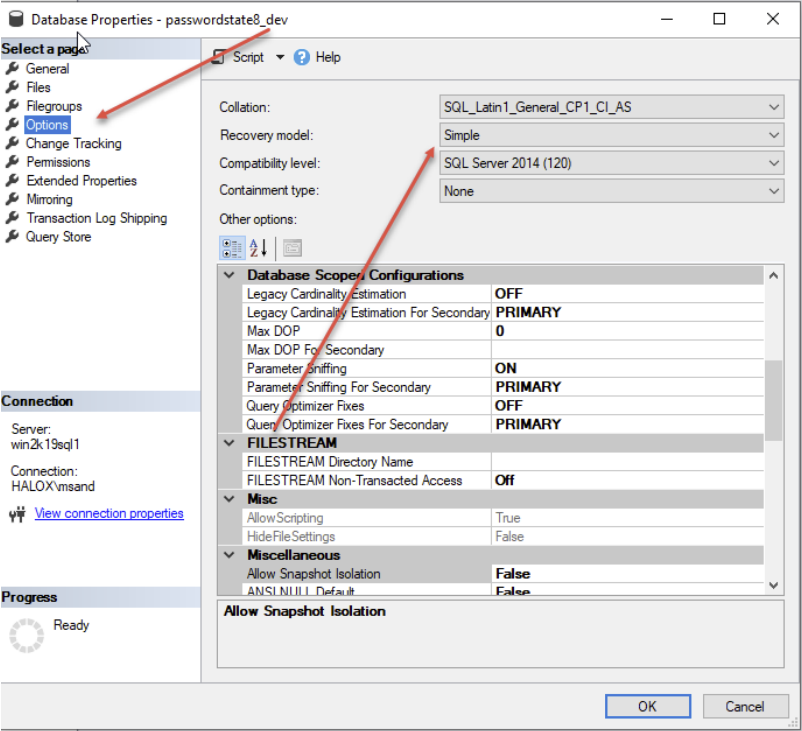
Right-click on your database, select ‘Properties’, and set Recovery Model to ‘Simple’
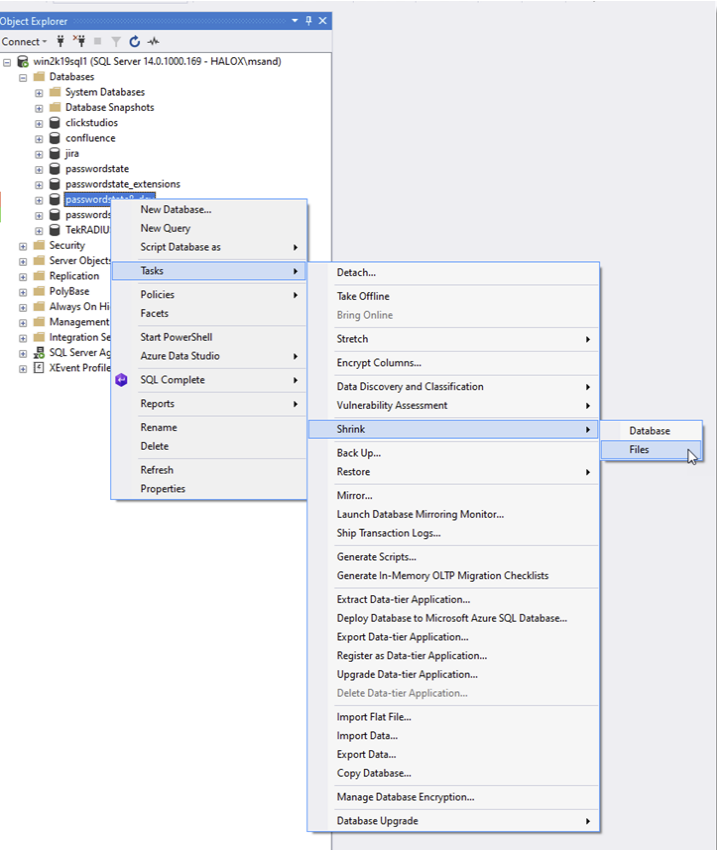
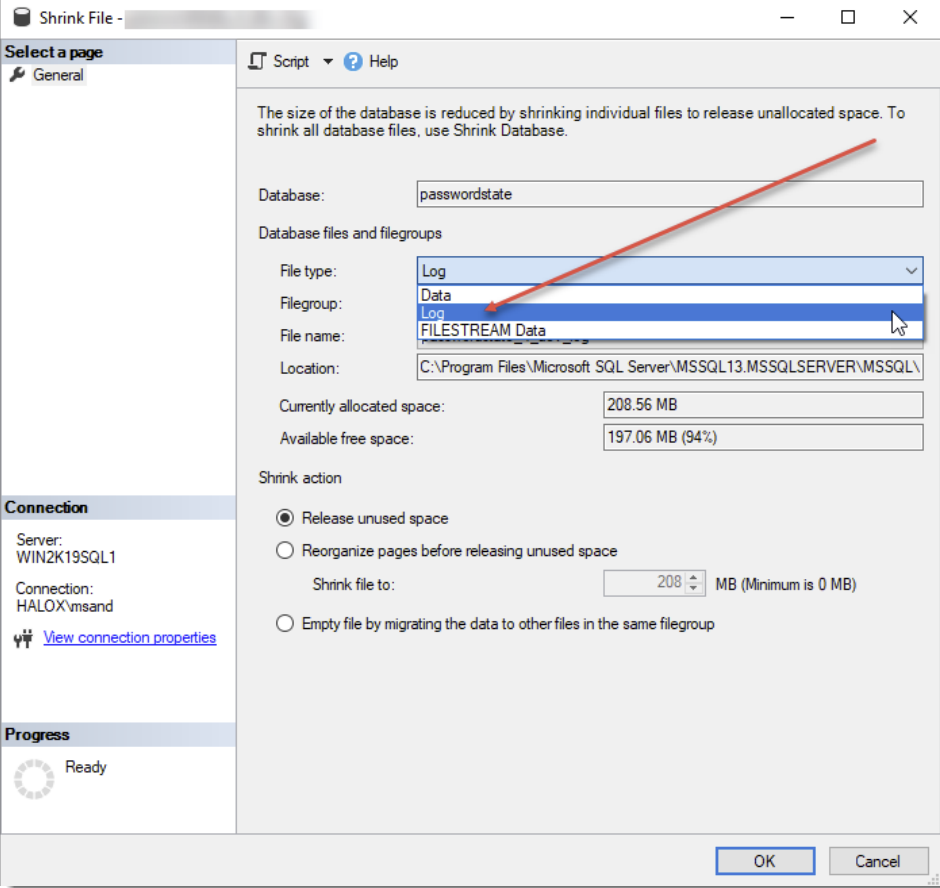
Then right click again on your database, and choose to shrink your files – see screenshots below. Try shrinking both the Data and Log files – more than likely it will be your Log file which is causing your issue, and now that you have set Recovery Model to Simple, you should not see this issue again.