Creating an Appropriate DNS Record
During the installation of Passwordstate, you have the option of using a URL which has the host name of the web server in it, or you can specify your own custom URL e.g. https://passwordstate
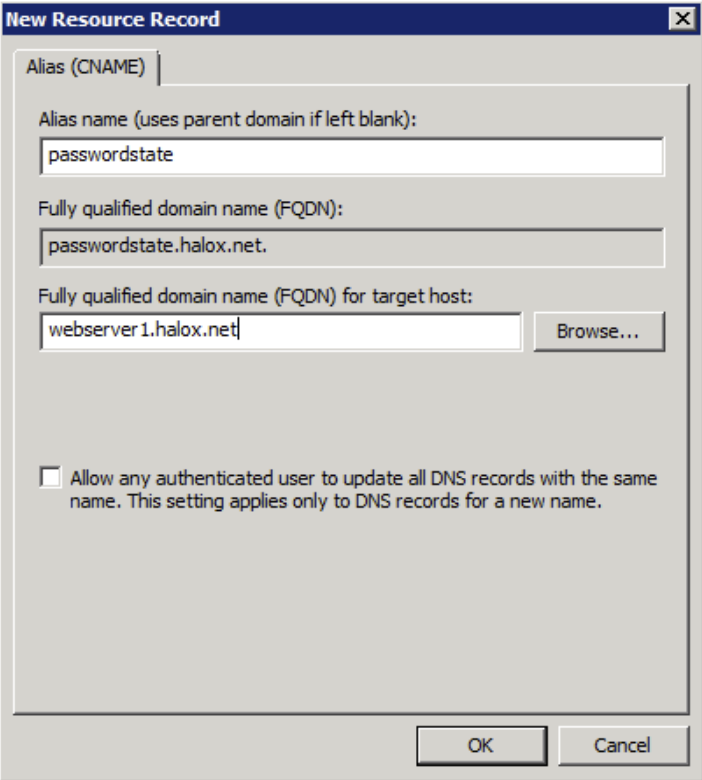
If you want to use your own custom URL, you will need to create a CNAME DNS entry as per the following instructions (please do not use host files for name resolution, as they do not work with Windows Authentication in IIS):
- On your server hosting DNS, start ‘DNS Manager’
- Right-click on the appropriate domain, and select ‘New Alias (CNAME)’
- As per the following screenshot, specify the name of your web server host name in the ‘Fully qualified domain name (FQDN) for target host’ text box, then click on the ‘OK’ button