Forcing An Agent Poll
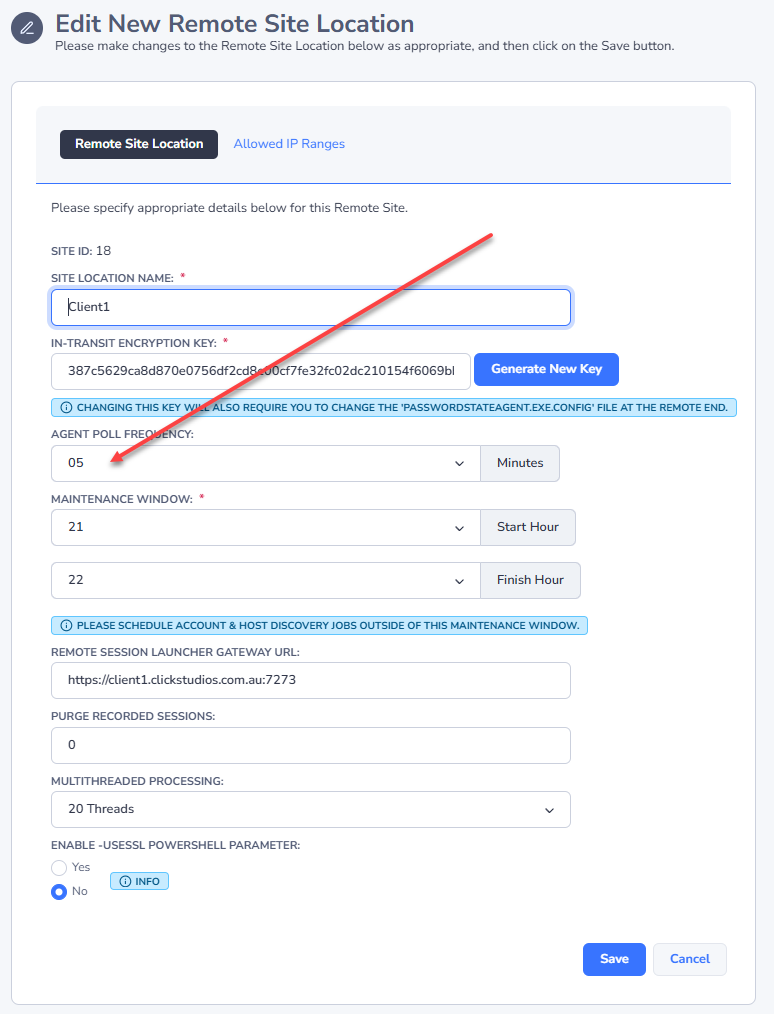
Each Agent that you deploy can have it's own 'Agent Poll Frequency' set - by default, it is every 5 minutes for each Site Location. Below is a screenshot of where this can be changed.
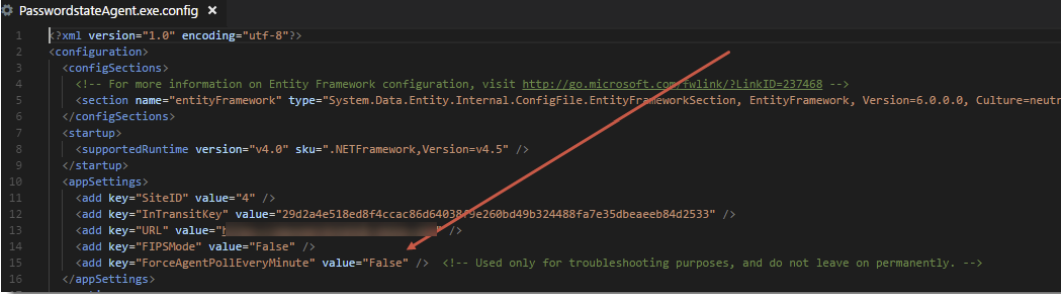
If for testing/debugging purposes you do not wish to wait for this Poll Frequency, you can make a change to the PasswordstateAgent.exe.config file at the remote site agent end, to force a poll every minute.
What you need to do is modify the highlighted flag below to True, and then within one minute it will pick up this change and force an Agent poll – the longest you will need to wait is one minute. Remember to set it back once you have finished testing/debugging. Also, if the Agent Poll is still in progress the next time it checks in one minute, it will not perform another Poll – the previous one first needs to finish.