Web Authentication Passkeys
The Browser Extension can act as an authenticator for websites that support W3C's Web Authentication (WebAuthn) standard.
Passwordstate's UUGUID for Passkeys is ef536f7a-a7a1-4d9a-be58-eceabfe13081
Create and Register a Passkey
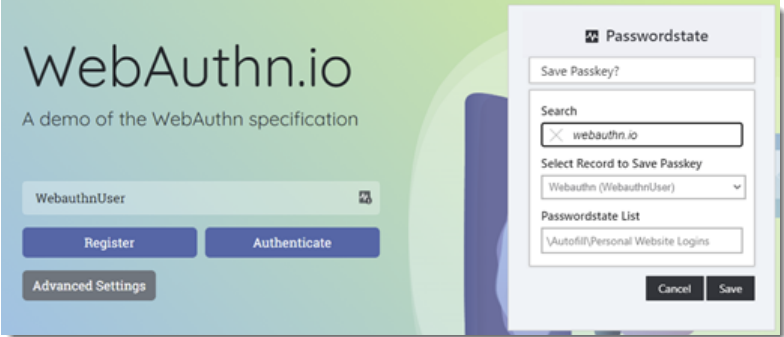
To create and register a Passkey, you must have an existing record for the website in Passwordstate that does not already have an associated Passkey. Additionally, the Browser Extension must also be unlocked/authenticated. When the above conditions are met, and a supported website initiates a WebAuthn Registration Ceremony the Browser Extension will show a pop-up dialog offering to save the Passkey.
Note: Records that already have a Passkey will not show in the drop-down.
Authenticate with a Passkey
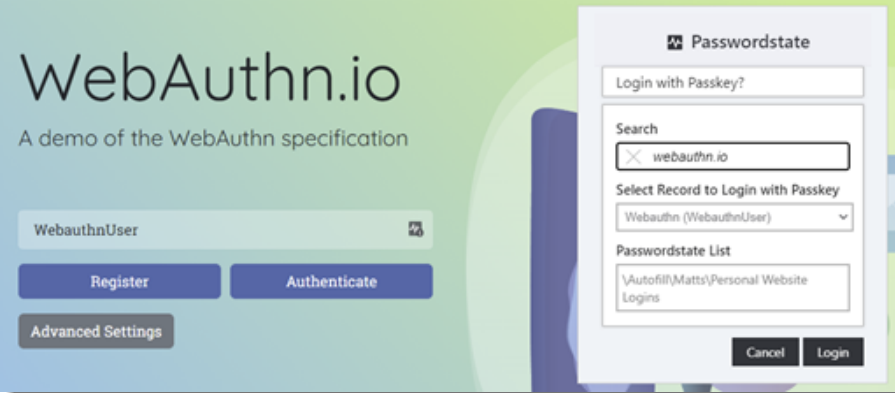
Similarly, when the Browser Extension is unlocked/authenticated and a supported website initiates a WebAuthn Authentication Ceremony then a pop-up dialog will offer to log in using a Passkey.
Warning: Logging into a website will increment the Passkey internal counter as per the WebAuthn specification. Some websites choose to compare the count value from the previous successful authentication, and then deny access if they are out of sync. If you are restoring data from old backups this can cause this issue, and will require using a recovery method for the website to recreate the Passkey.
Deleting a Passkey
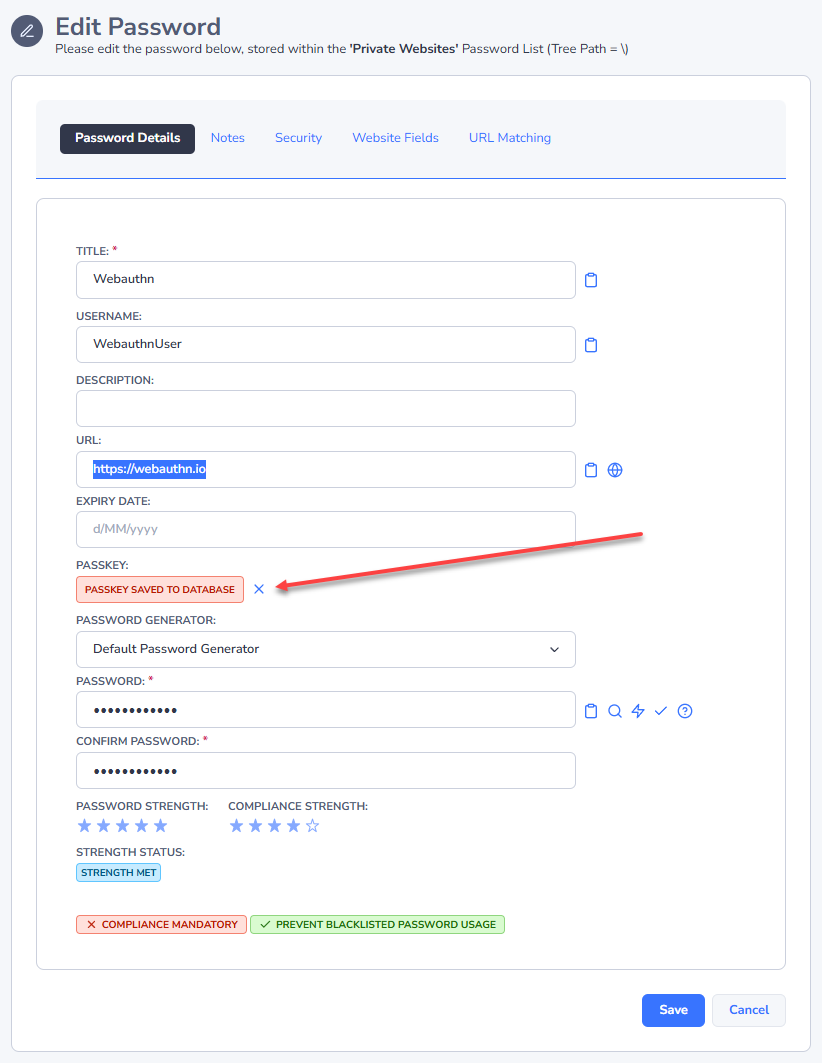
If you wish to delete or replace a Passkey, you will need to clear it via editing a record in Passwordstate's core web UI and also at the website itself. Once the Browser Extension has synced these changes you will then be able to create and register a Passkey for this record again.