
Browser Extension Settings
There are various settings within Passwordstate which governs how the Browser Extension can be used. These settings can be configured per user or System Wide.
Browser Extension Per User Settings
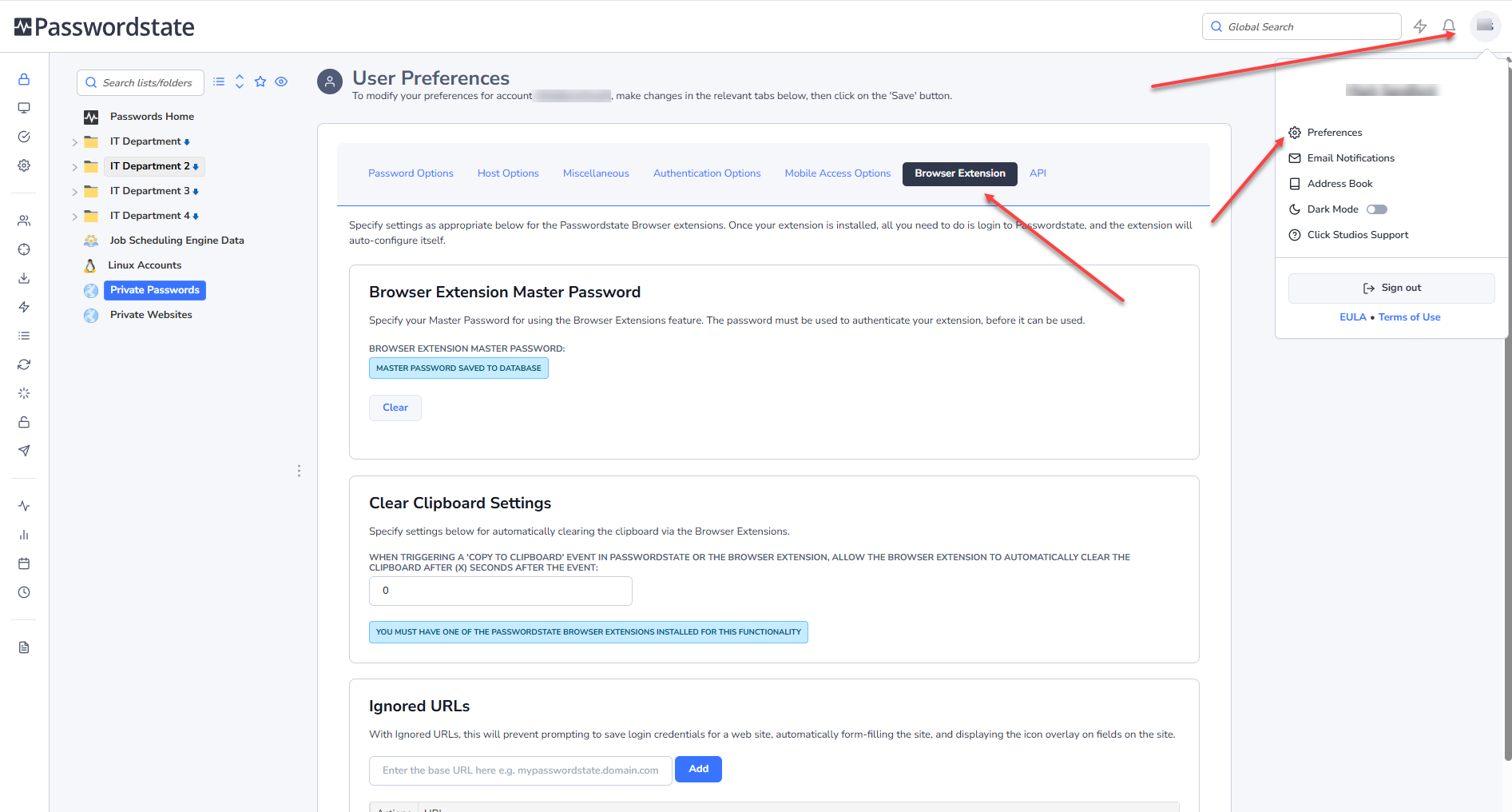
In the Preferences Screen, located on the browser extension tab, you can find settings for automatically logging out of the Browser Extension, clearing the clipboard of data on a schedule, and also for ignoring certain URLs.
You can delete individual Ignored URLs by using the Action Icon for individual entries or by clicking on the Clear All Ignored URLs button.
System Wide Settings
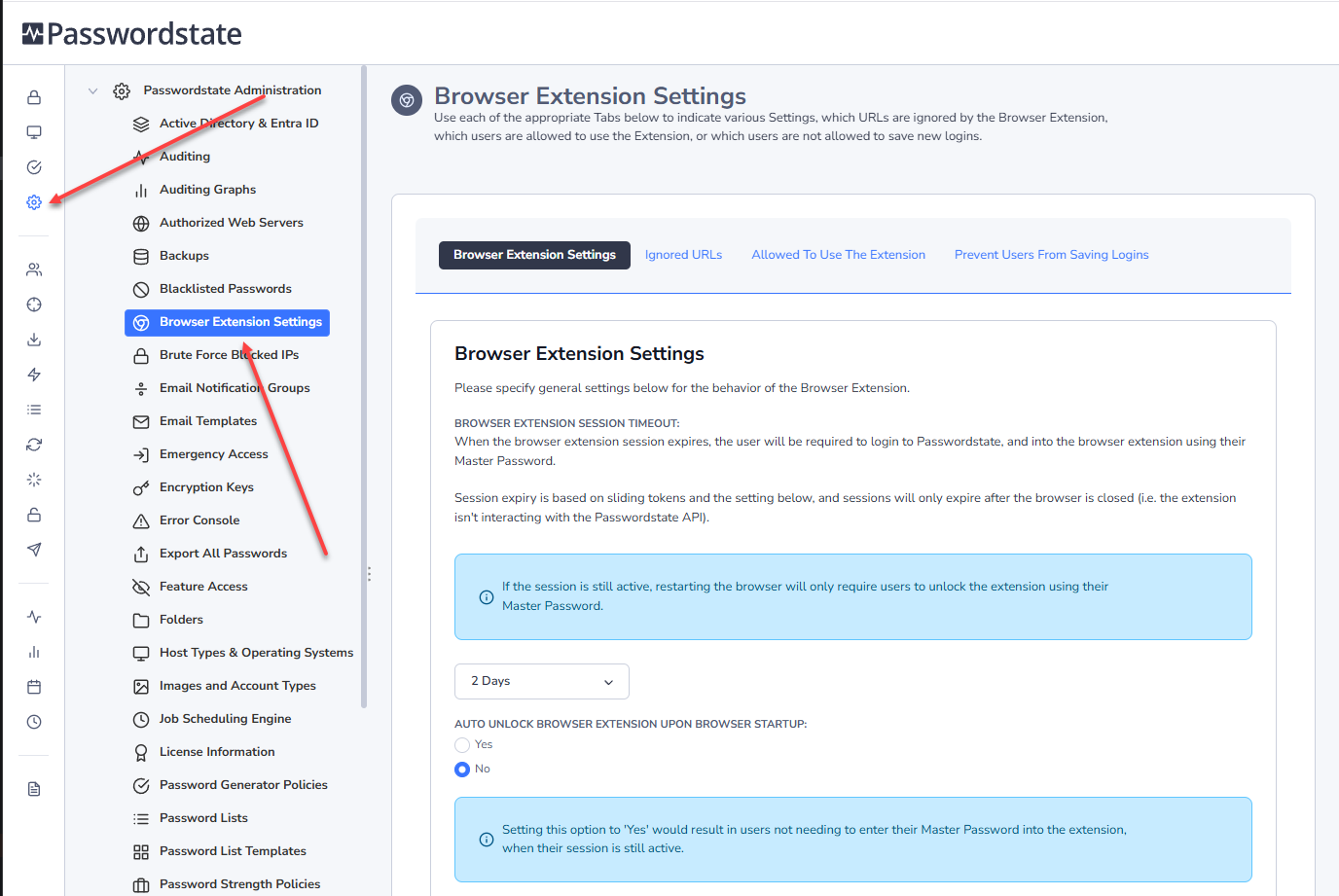
Your Security Administrators have access to a number of configuration options under Administration -> Browser Extension Settings. These settings relate to;
- Browser Extension Settings
- System Wide Ignored URLs
- Users allowed to use the extension, and,
- Prevent users from saving logins.
If you believe there is a system setting preventing you from saving, using or logging into our Browser Extensions please contact your Passwordstate Security Administrator. More information on the Passwordstate configuration options for our Browser Extensions can be found in our Security Administrators Manual