
Mobile App System Settings
Under Administration -> System Settings -> Mobile Access Options, there are also a number of other settings you can configure:
Brute Force Protection
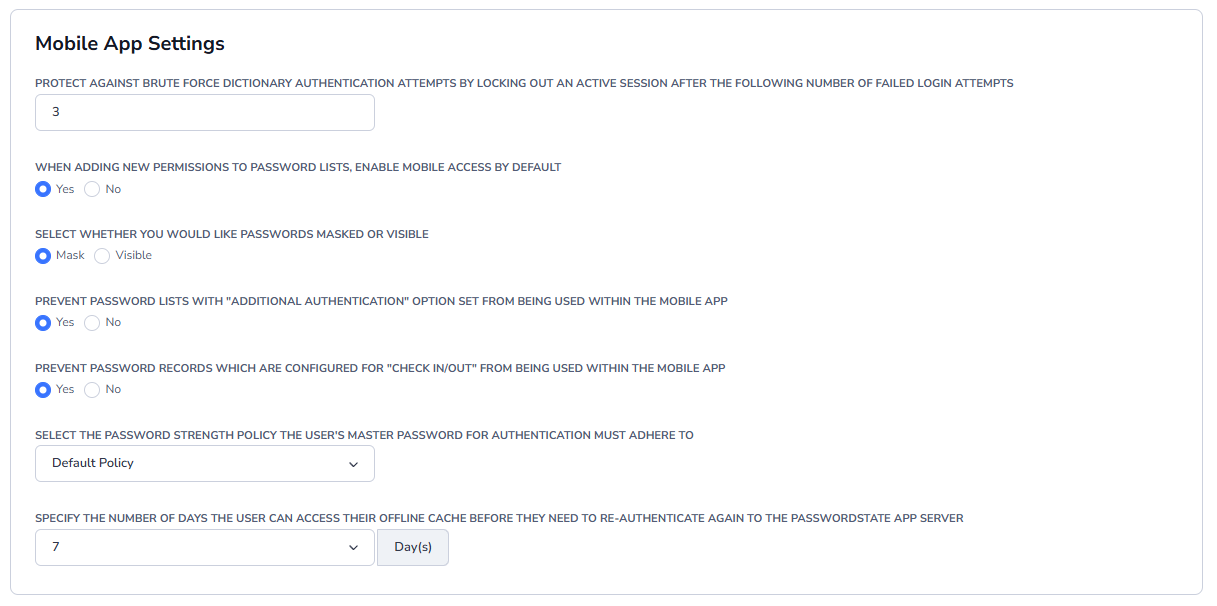
If a user tries to log into the Mobile App, there is a brute force setting you can configure to prevent them from logging in again if they failed entering their Master password. Three is the default setting but it is configurable:

If a user fails to log in and the Brute Force feature locks them out of the Mobile App, the user will be presented with an error message on their Mobile App screen, and a Passwordstate Administrator must unblock them from the screen Administration -> Brute Force Blocked IPs.
Other Mobile App System Settings
Below are additional Mobile App Settings, which are applicable to all users using the Mobile App.
Offline Cache
The Mobile App will sync with Passwordstate and download an offline cache of all Password Lists and Passwords a user has access to. This feature improves performance dramatically and also allows your users to have access to their passwords when their device does not have connectivity to the internet.
This System Setting below can be configured to require a manual authentication into the App more frequently, or less frequently, depending on your company policy.

By default, this setting is set to 7 days, and this value can be overwritten on a per-user basis under Administration -> User Accounts, on the Mobile Access Options tab on each user in the system. Only Security Administrators can override this setting - users are unable to make the change themselves.