Mobile App Permissions
Passwordstate has the ability to enable or disable features for groups of users, and it’s possible to prevent users from using the Mobile App. There are several places to consider when granting or denying these permissions.
Feature Access
As a Security Administrator, under Administration -> Feature Access -> Mobile, you can allow or deny users in Passwordstate from using the Mobile App:
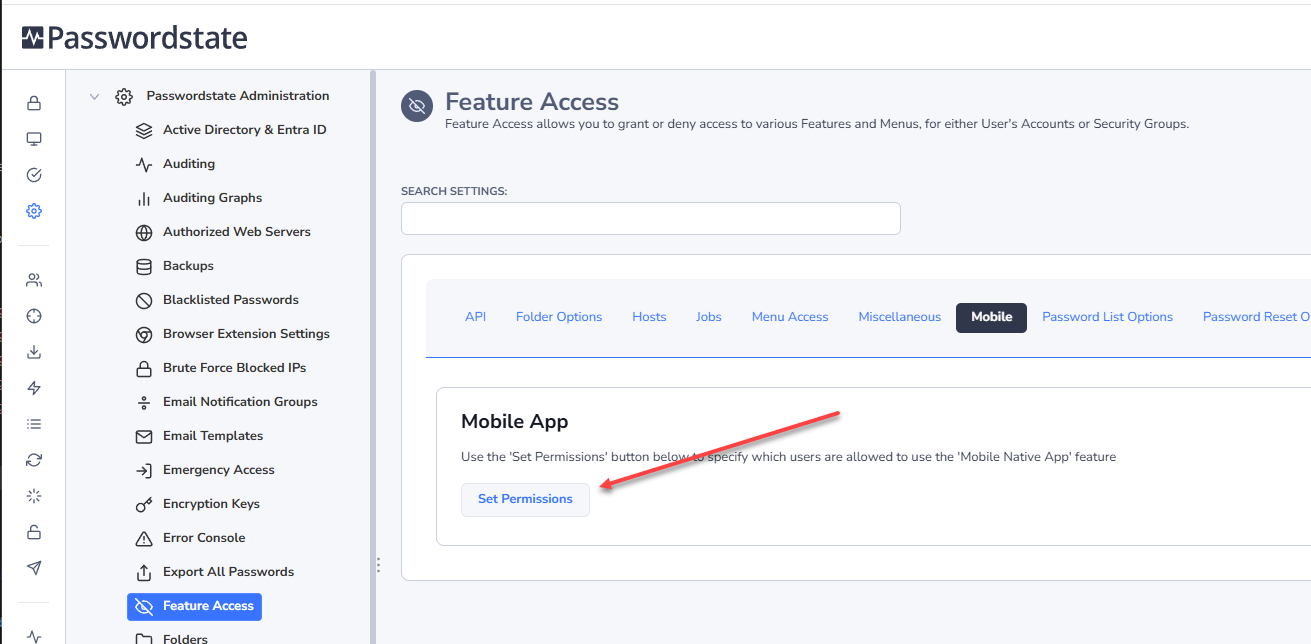
If the user, or a Security Group the user is in, has been granted access on the screen above, they will be able to scan the QR code under their own personal preferences. If you deny them access, then they will be presented with a warning under their own personal preferences, and will not be able to use the App.
Mobile Access to Password Lists
For a greater level of control as to what passwords and Password Lists will show in the mobile App, you can turn off or on Mobile access at a Password List level. By default, when granting a user access to a Password List, it will also enable Mobile access too:
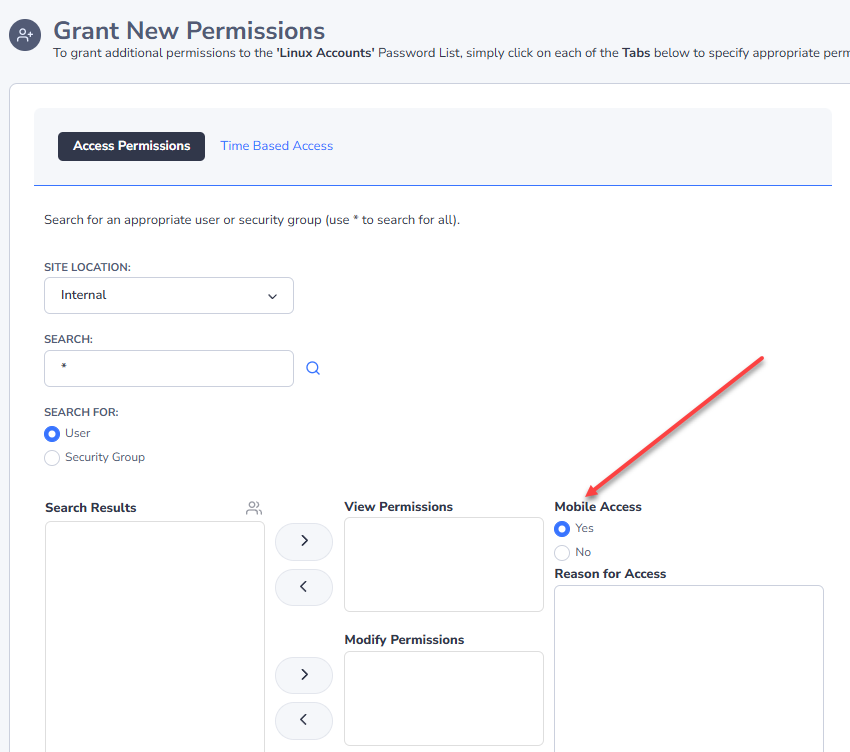
If you select the above option to No when granting a user access, that Password List will not show up in the Mobile App for that user.
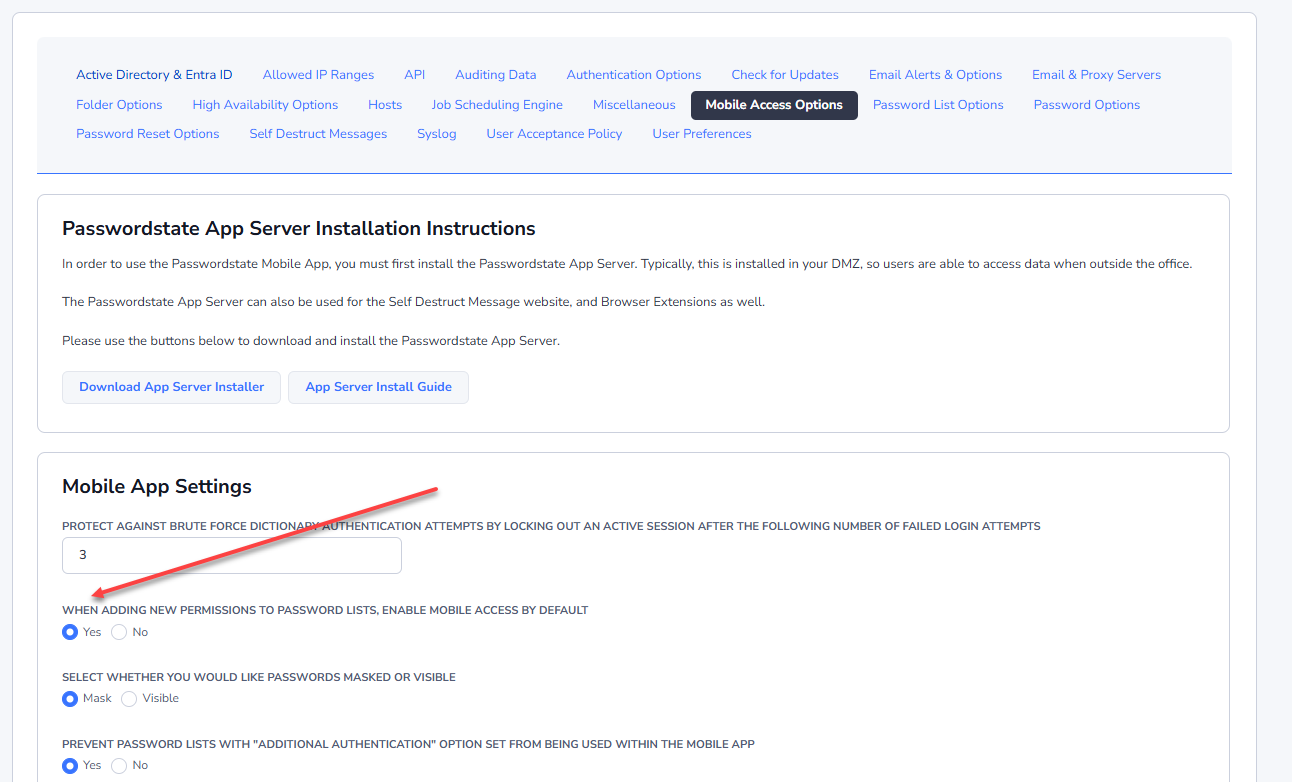
There is also an option in the System Settings to set that above option to be No by default, instead of Yes: