
Secure Verification Policies
Securely verify user identities before Active Directory password resets and account unlocks using flexible multi-factor verification policies.
Secure Identity Verification
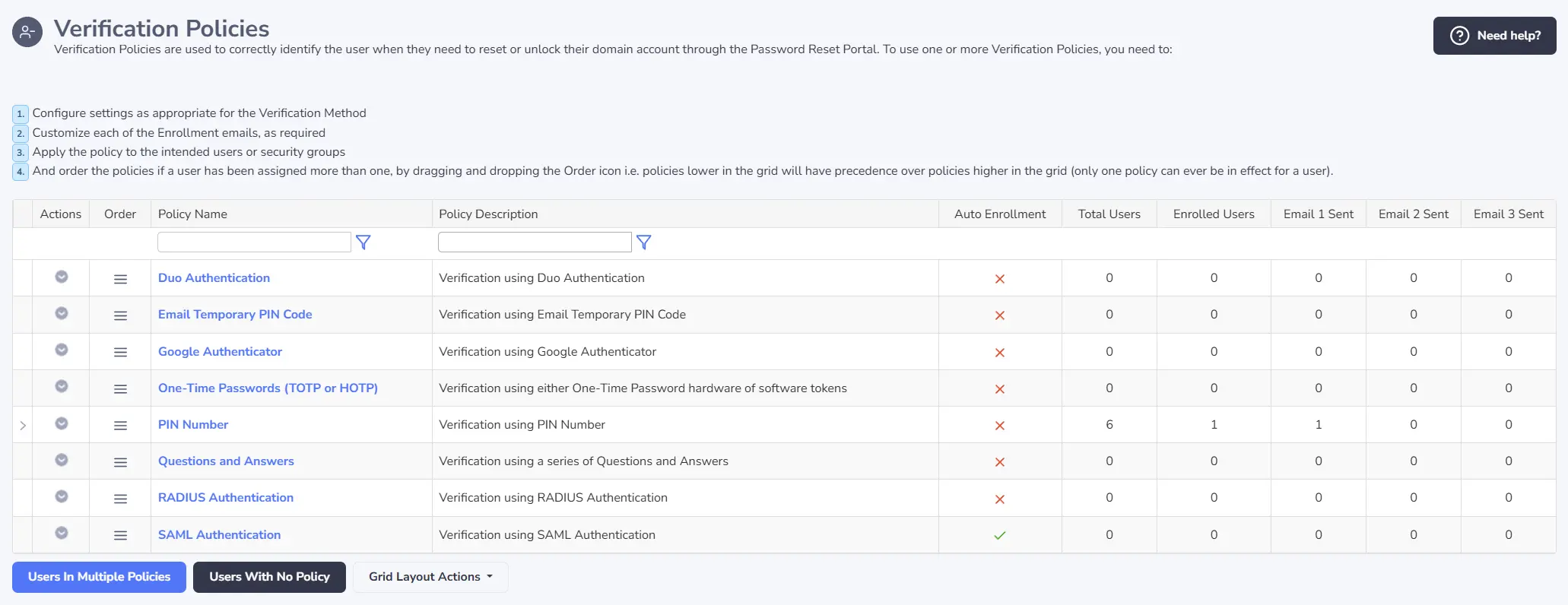
Verification Policies help confirm a user’s identity before the Password Reset Portal allows them to reset an Active Directory password or unlock their account.
Passwordstate supports multiple verification methods, allowing organizations to choose authentication options that suit their users, infrastructure and security requirements.
Flexible Policies for Different Users
Verification Policies can be assigned to individual users or Active Directory Security Groups. This allows different user populations to follow verification processes appropriate to their role, location or available authentication methods.
Once users have enrolled against their assigned policy, the configured verification method is used to validate their identity before sensitive account-recovery actions are completed.
Key Capabilities
- Multiple verification methods
- User and Security Group assignments
- Verification before resets and unlocks
- Configurable policy settings
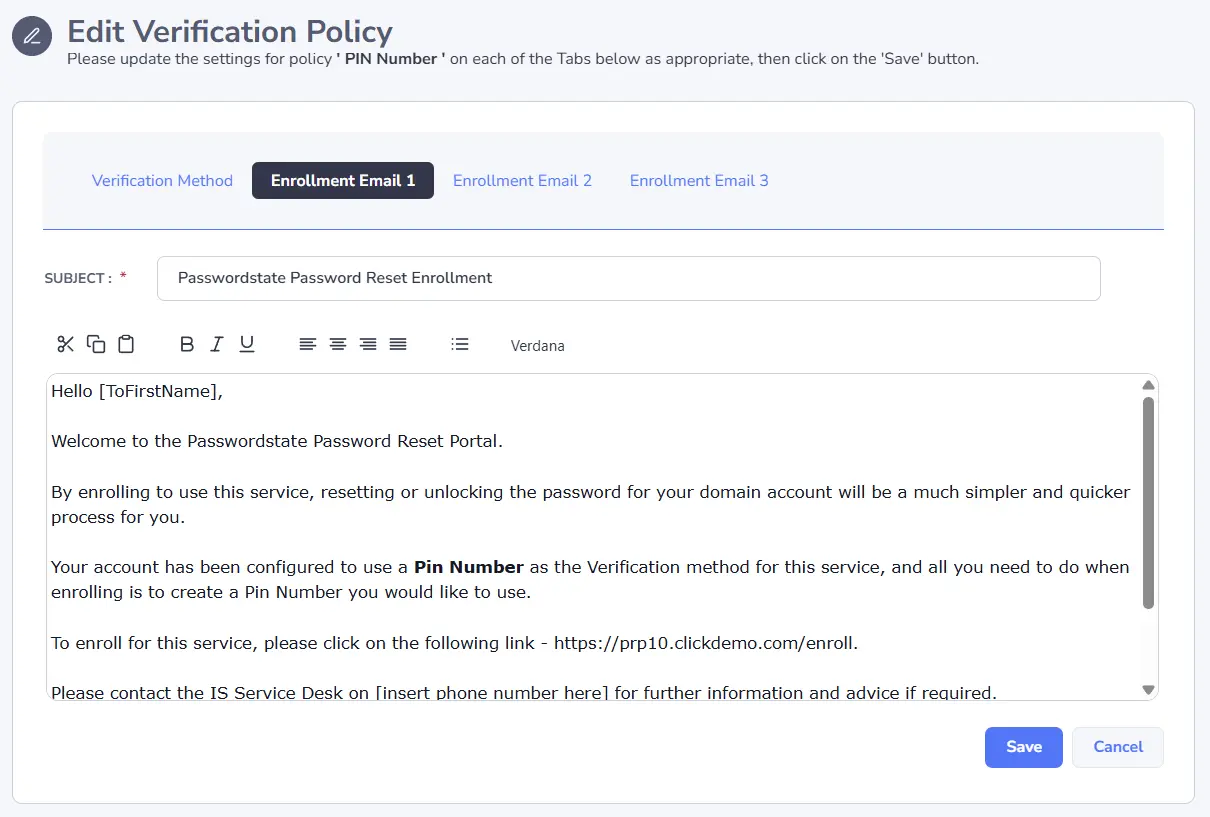
- Customisable enrolment emails
Organizational Benefits
- Stronger identity verification
- Flexible options for different user groups
- Consistent account-recovery processes
- Support for existing authentication systems
Available Verification Methods
Passwordstate supports a range of authentication methods for verifying users before password resets and account unlocks.
Duo Push Authentication
Send a verification request to the user through the Duo Mobile application.
Email Temporary PIN Code
Send a one-time PIN code to the user’s registered email address for identity verification.
Google Authenticator
Verify users with one-time passwords generated by the Google Authenticator application.
TOTP & HOTP One-Time Passwords
Use time-based or counter-based one-time passwords supported by compatible authenticator applications, including the Click Studios mobile apps.
Configurable PIN Numbers
Allow users to verify their identity with an enrolled PIN using administrator-defined length requirements.
Questions and Answers
Verify users through answers to security questions configured during enrolment.
RADIUS Authentication
Integrate with an existing RADIUS service to verify users through your organization’s authentication infrastructure.
SAML 2.0 Authentication
Verify users through a configured SAML 2.0 identity provider before allowing account-recovery actions.
Customisable Enrolment Email Templates
Each Verification Policy includes a configurable enrolment email template that can provide users with instructions for completing the enrolment process. Templates can be customised to reflect your organization’s requirements and communication style.
Evaluate Passwordstate
Download a fully functional 30-day trial and evaluate Secure Verification Policies within the Passwordstate Password Reset Portal.
