System Settings
System Settings are used to specify any number of system wide settings for the Password Reset Portal, with each section being detailed below.
Active Directory Options
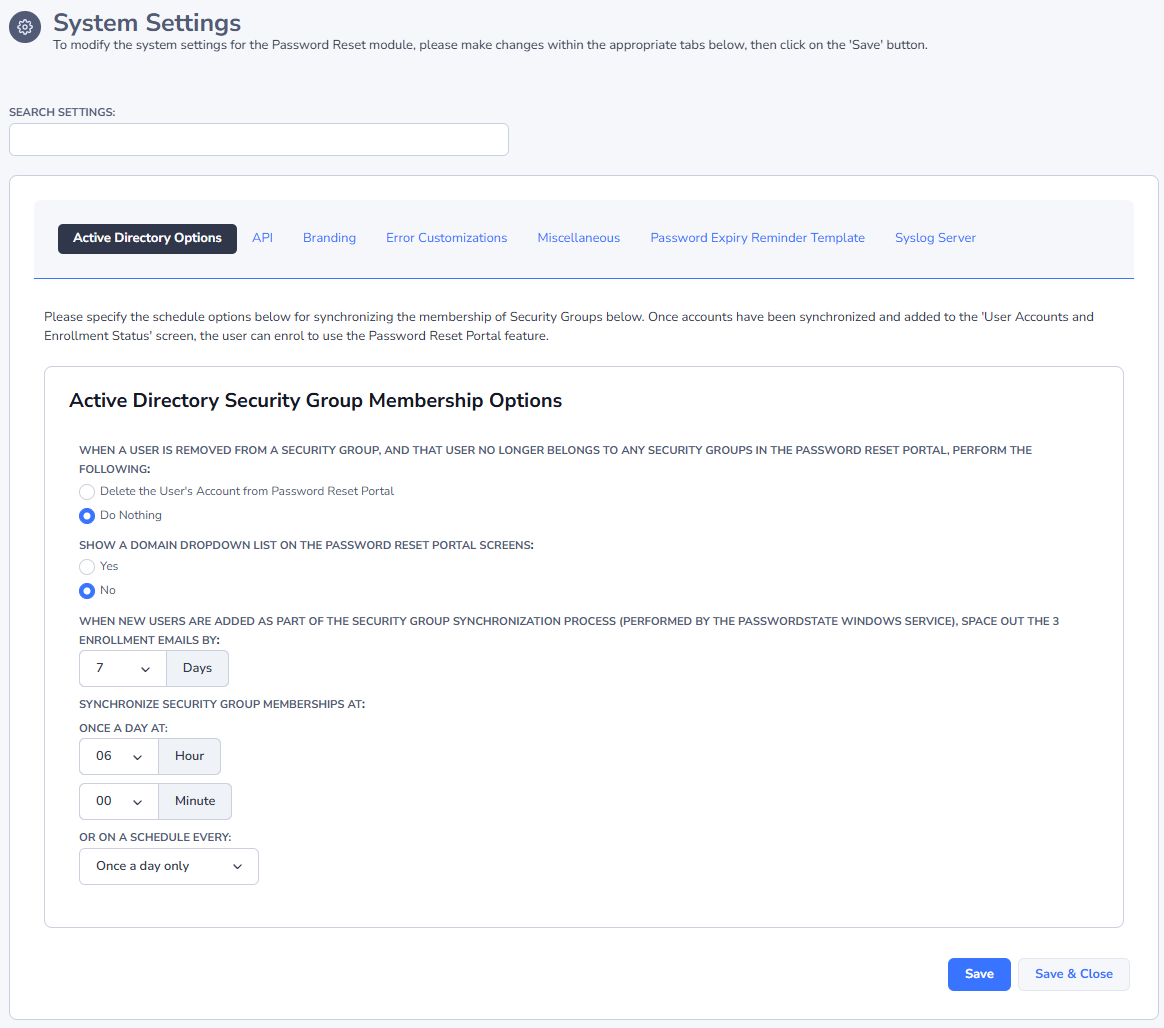
The Active Directory Options tab allows you to specify a schedule for when Passwordstate should synchronize members of Active Directory Security Groups, as well as the frequency as to when new users receive each of the 3 different enrollment emails.
API
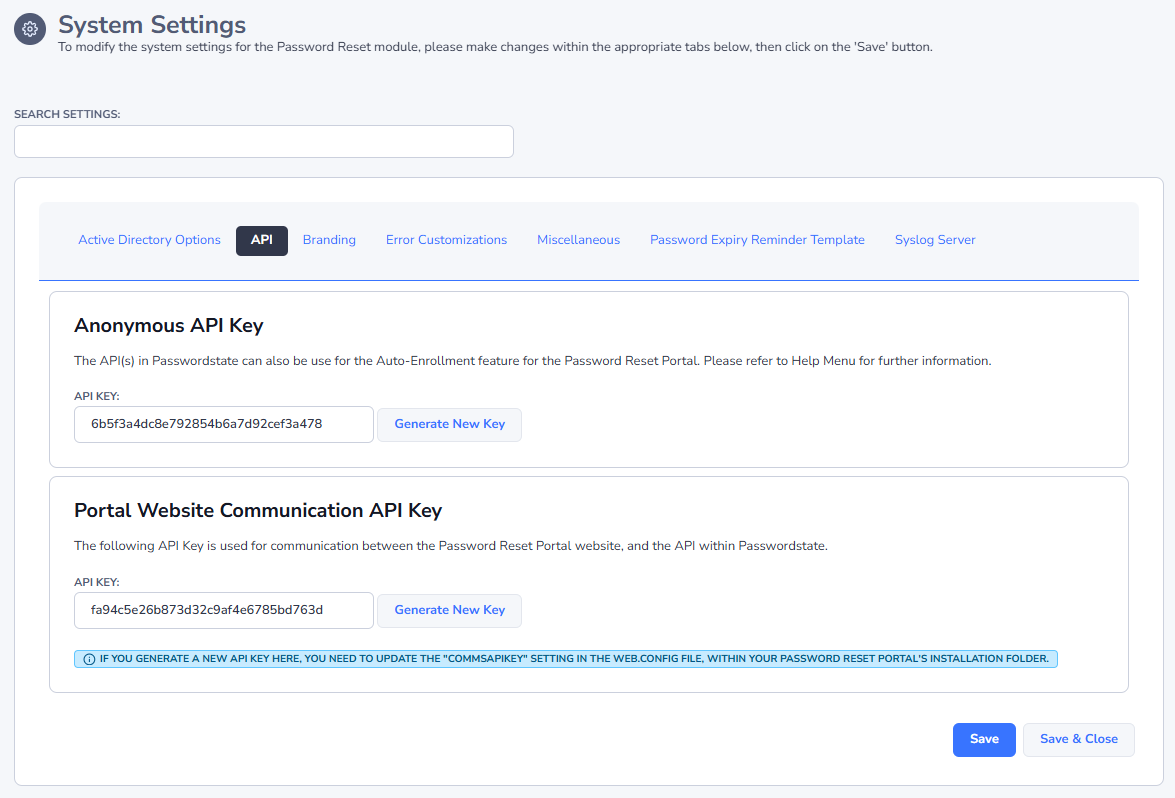
The API tab is where you can create an API Key to auto-enroll users via the API, of where you specific the API Key for secure communications between the Password Reset Portal website, and the API within Passwordstate.
Branding
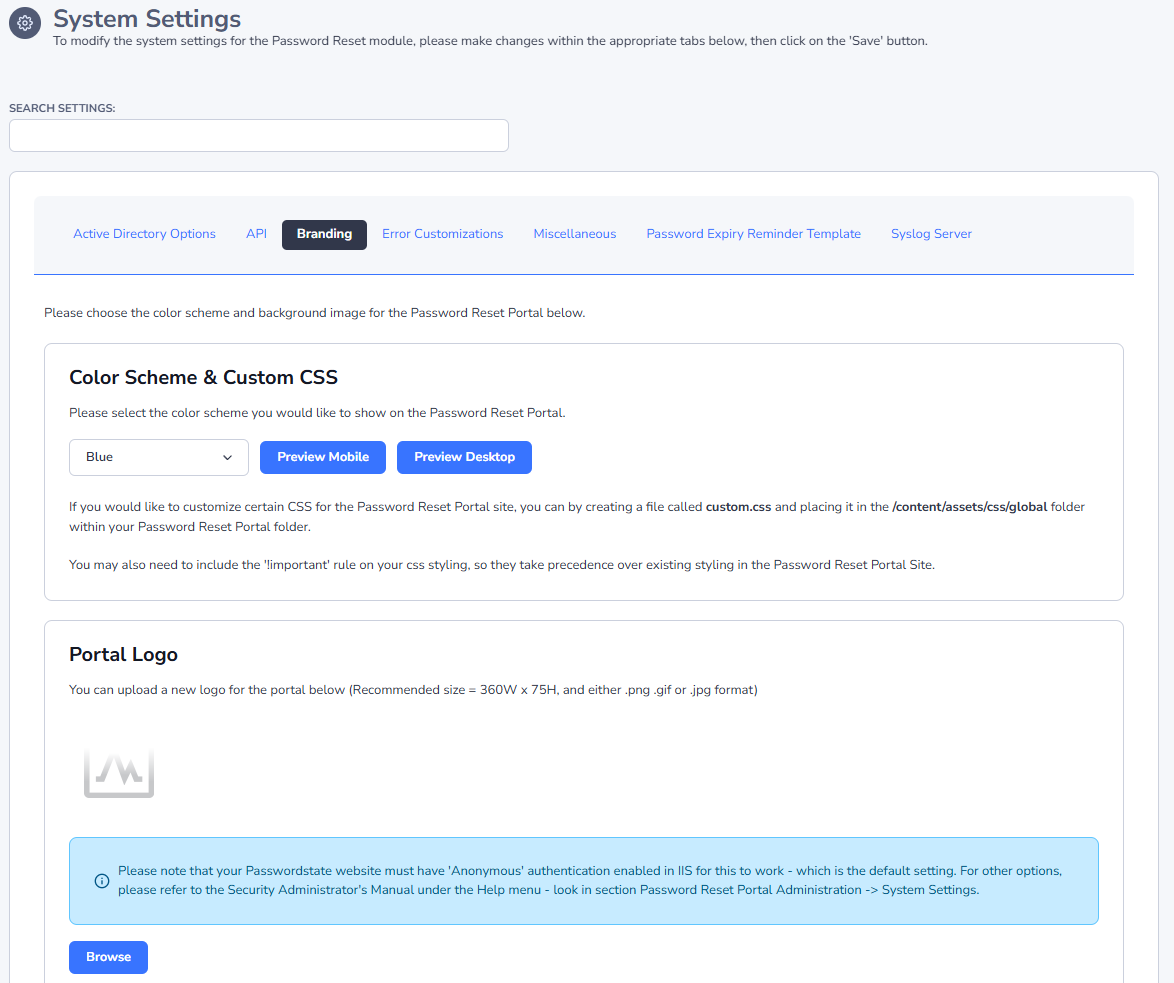
The Branding tab allows you to select a color scheme and background wallpaper for the Password Reset Portal, as well as your own custom logo.
Note 1: In order to use the custom logo feature, 'Anonymous' authentication must be enabled on your Passwordstate website. If this is not the case, please refer to Note 2.
Note 2: You can also copy your own logo file across to the portal website. Name the file 'logo.png' and copy it to the file 'c:\inetpub\PasswordResetPortal\Content\assets\images'. This method can sometimes help with Load Balancers and Proxies, Recommended dimensions are 360W x 75H, and if using this method, please ensure you use the 'Restore Default Logo' button, to ensure the custom logo you've uploaded to the Passwordstate core website, is not used.
Error Customizations
The Error Customizations tab allows you to customize the text on various error screens within the Password Reset Portal. The intention is to allow you to provide a custom relevant body of text, informing your users the appropriate action to take if an error were to occur.
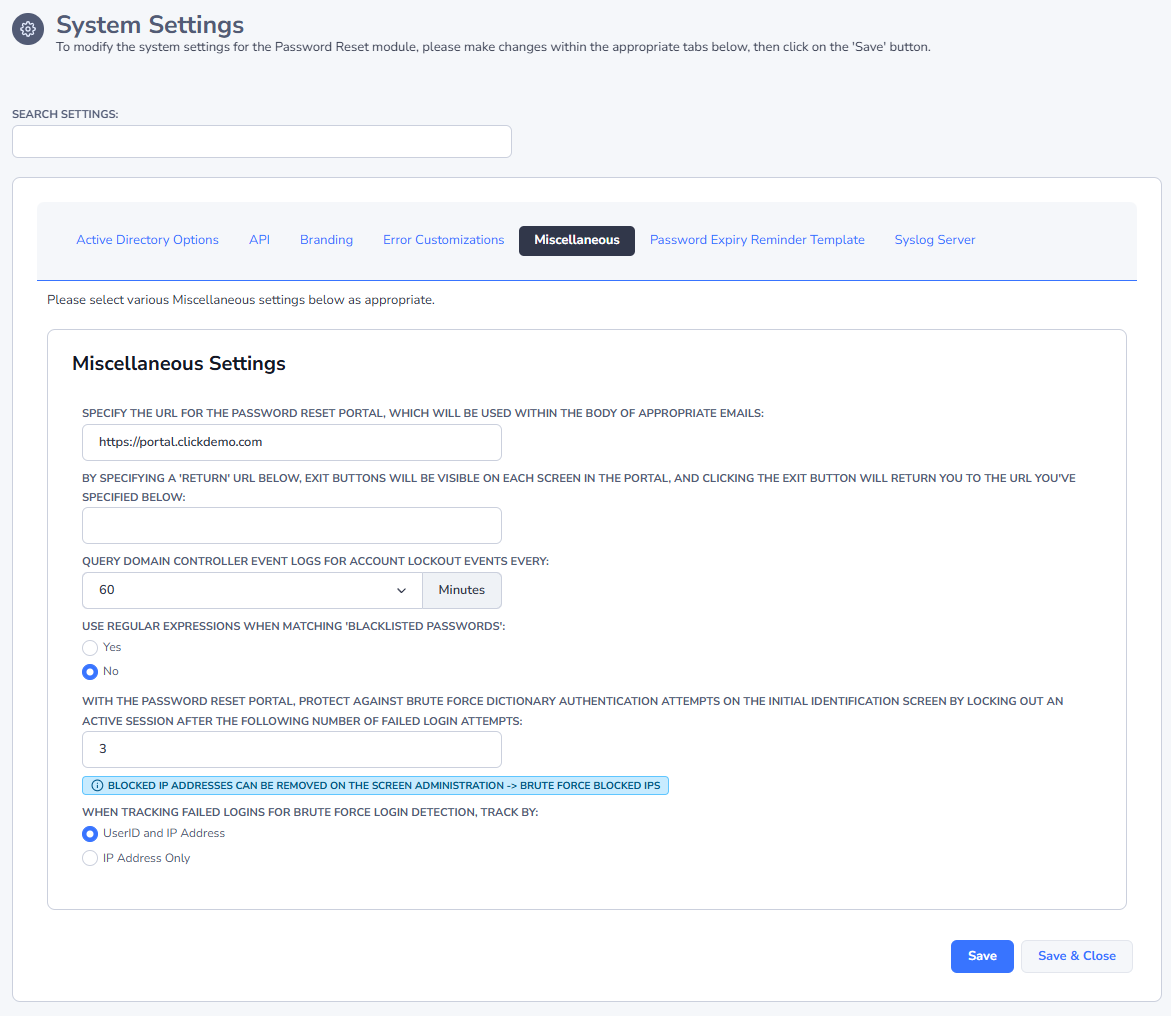
Miscellaneous
The Miscellaneous tab has various settings for URLs, the frequency of query Event Logs on Domain Controllers, and also bruce force lockout counters for the Password Reset Portal Identification and Verification screens.
Password Expiry Reminder Template
The Password Expiry Reminder Template tab allows you to specify settings so users can get reminders that their Active Directory account password must soon be reset. The intention of this feature is to proactively remind the user to reset their password, prior to it expiring.
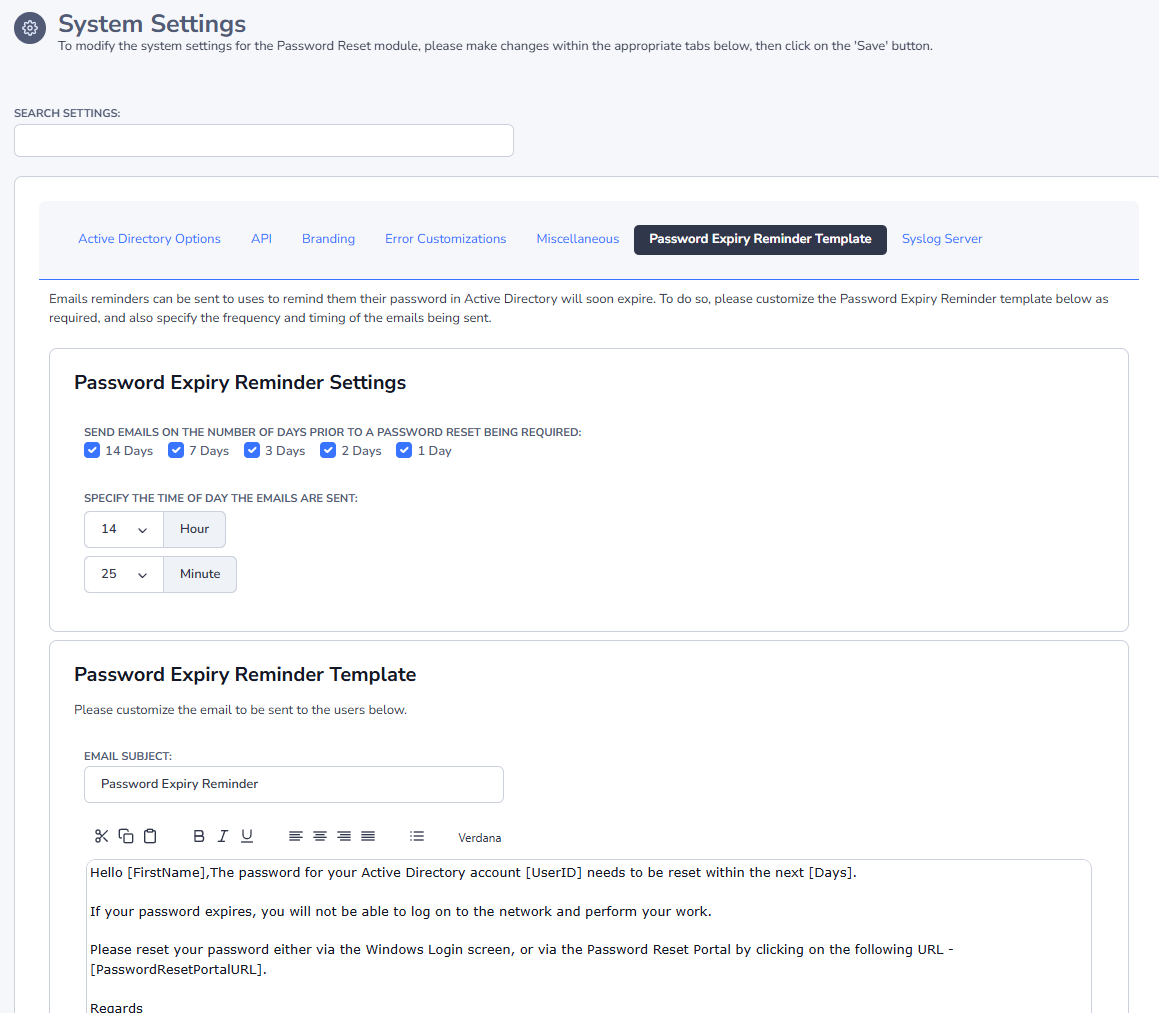
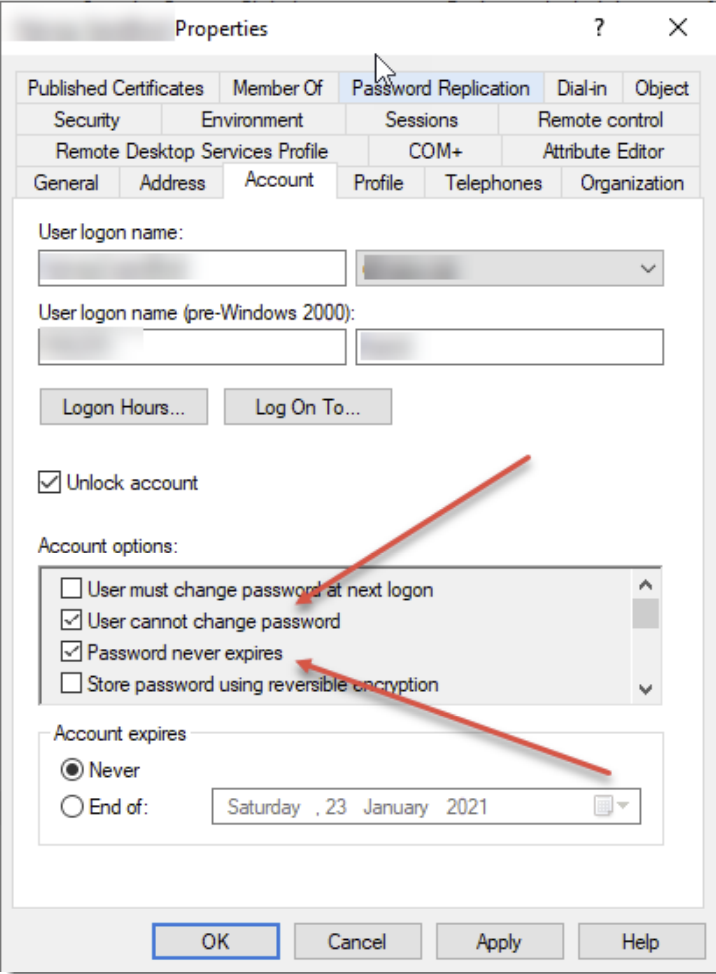
For users to receive this email notification, certain events must be met:
- Their account must be listed on the User Account Management screen
- They must have an email address associated with their account
- And both of the options you see in the screenshot below must not be selected
Syslog Server
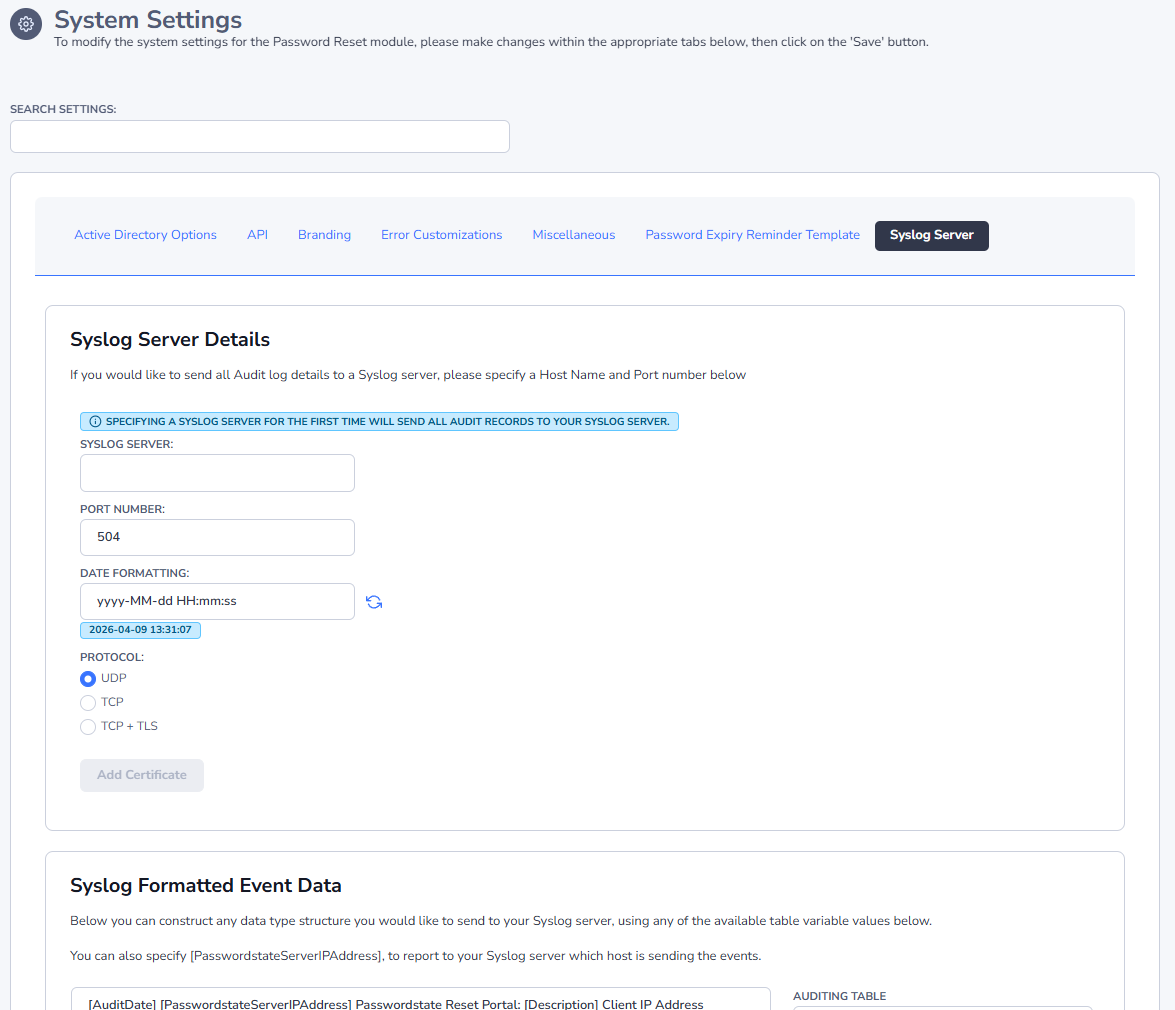
The Syslog Server tab allows you to specify Syslog server details to send all auditing data to a Syslog server for event correlation.
If needed, you can also modify the date/time formatting of the messages sent to Syslog servers, and you can configure what events are sent, and their severity.
You can also format your own custom data structure on this screen i.e. JSON, XML, etc, and they can span multiple lines in the provided textbox. The dropdown lists on this page give examples variables you can use, from the table of your choice, and the variables will be updated with appropriate data when syslog events are sent.