Password Policies
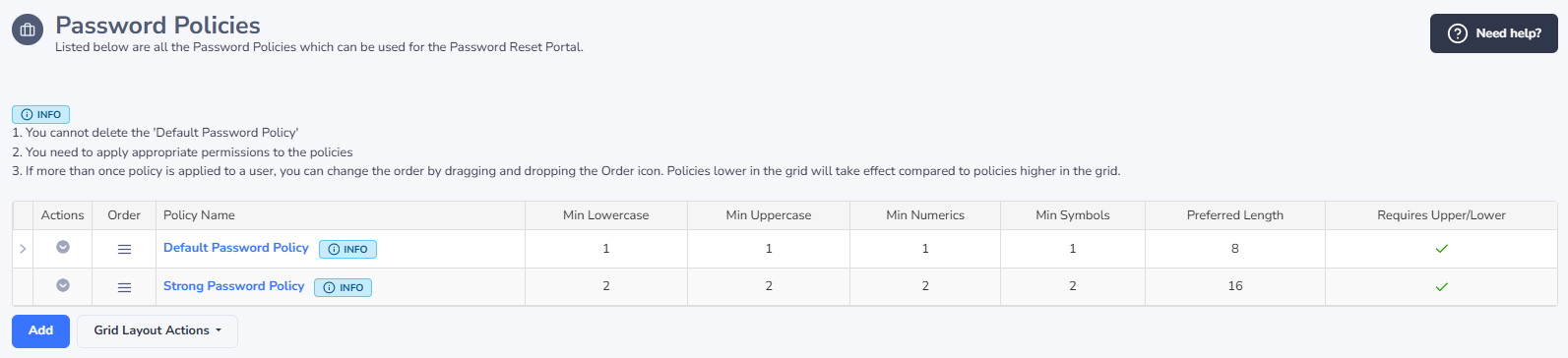
Password Policies can be used to provide on screen guidance as to what type of Passwords are expected, and prevent resetting your account if the policy is not met.
The type of criteria you can specify is:
- Minimum LowerCase Characters
- Minimum UpperCase Characters
- Minimum Numeric Characters
- Minimum Symbol Characters
- Preferred Password Length
- Requires Upper And Lower Case
Ideally these Policies should match the domain policies applied to the user's accounts - either the default domain policy, or any Fine-Grained Password Policies.
Once a policy is created, you need to apply permissions for which users or security groups are to receive it. And as the policies can be "Ordered" in precedence, you could set the 'Default Password Policy' to match your default Domain Password Policy, and if you have any Fine-Grained Password Policies in use, you can also create Password Policies here to match. This way your users can get specific details for what's expected for their account.
If the Password Policy is a match for the user, but resetting their account on the domain still fails (possibly they've reused a previous password), then you can also customize the error message which will be displayed on the screen for them.