
Additional Certificate Considerations
If you intend to use additional domains that your Passwordstate Web Server is not a member of, then you will need to export the domain certificate from these domains, and import them onto your core Passwordstate web server. (Not the Password Reset Portal server)
This is required so the API can securely communicate with these other domains. If this is a requirement for you, please follow these steps:
Export the Domain CA Certificate
- On your server that has the CA installed, Click Start > Control Panel -> System and Security -> Administrative Tools -> Certificate Authority to open the CA Microsoft Management Console (MMC) GUI
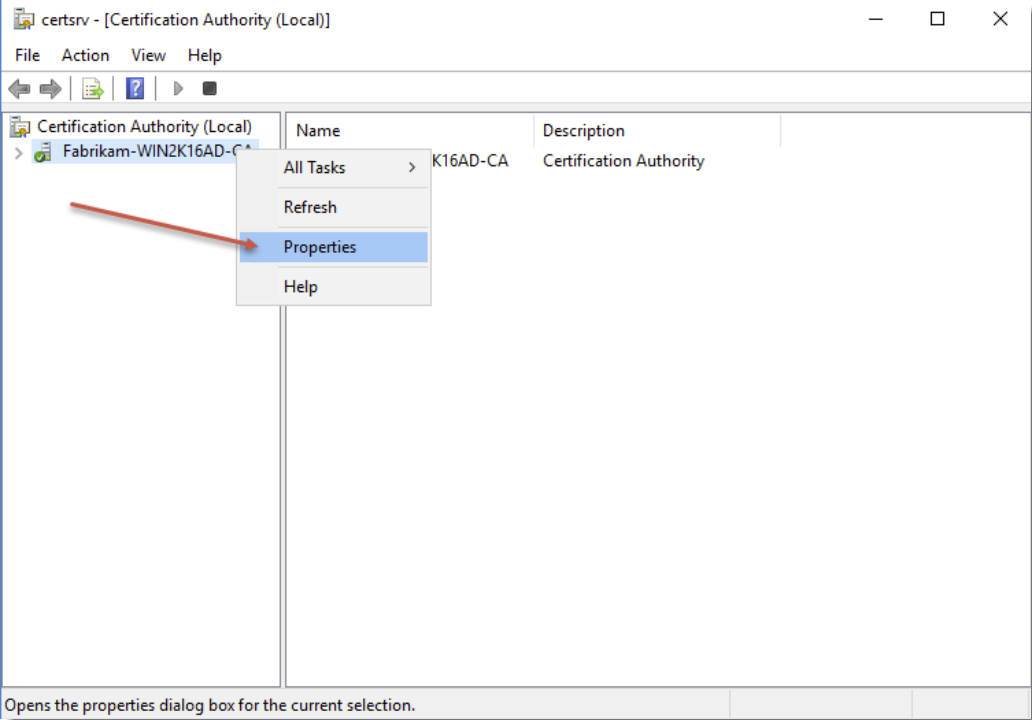
- Right-click the CA server and select Properties
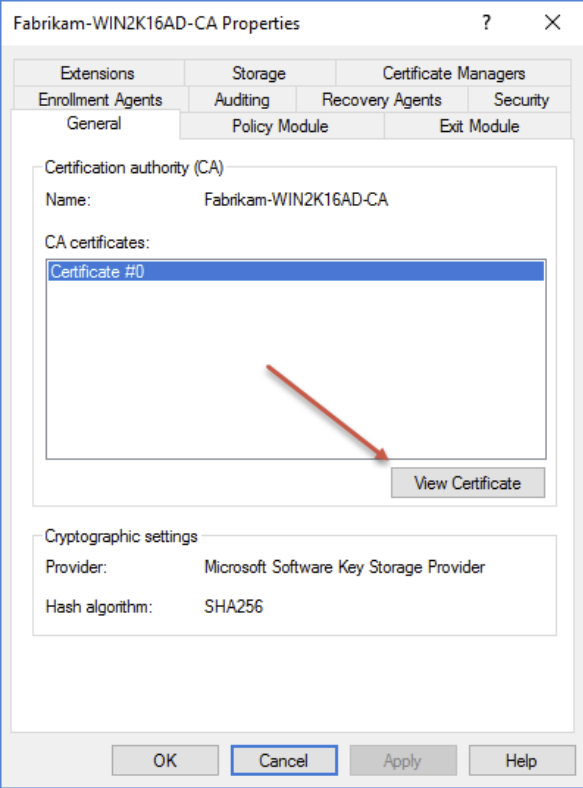
- From the General tab, click View Certificate
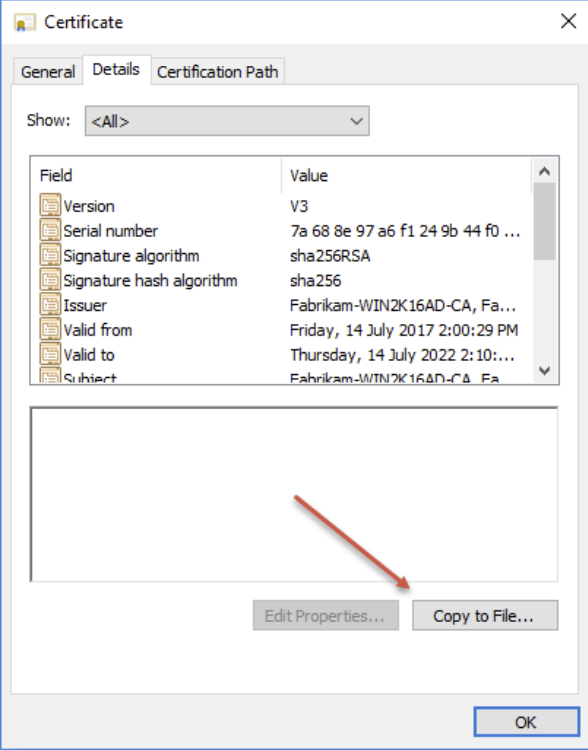
- On the Details tab, click Copy to File
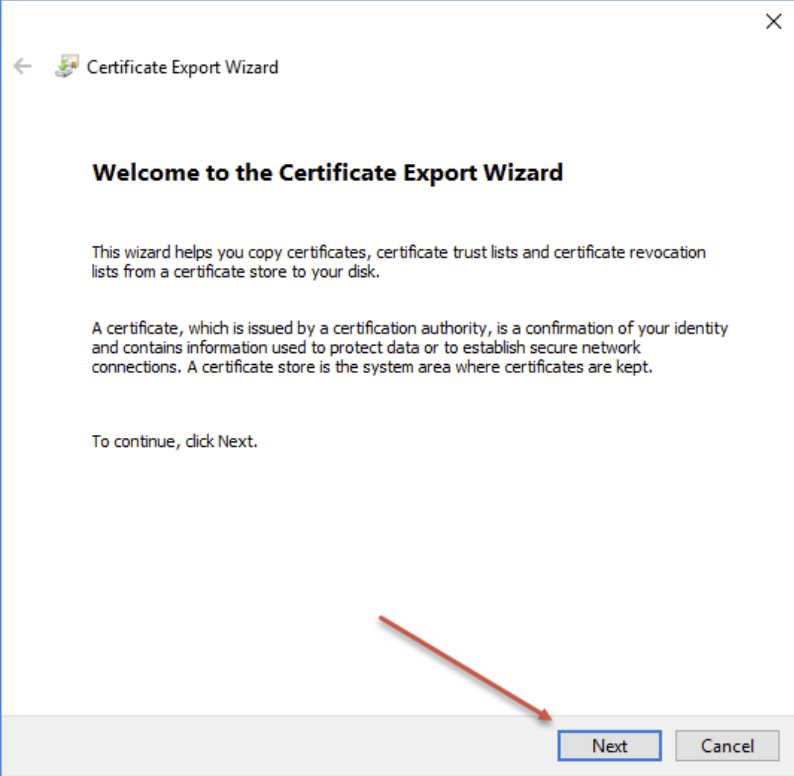
- Click Next
- Choose Base-64 encoded X.509(.CER) and click Next
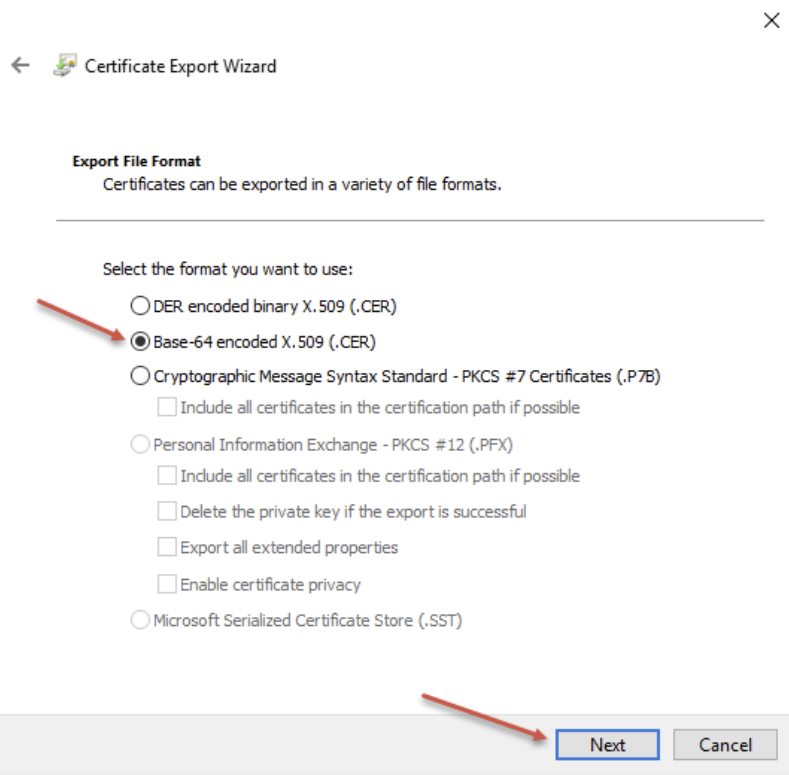
- Save the certificate to your desktop, or somewhere local and click Next
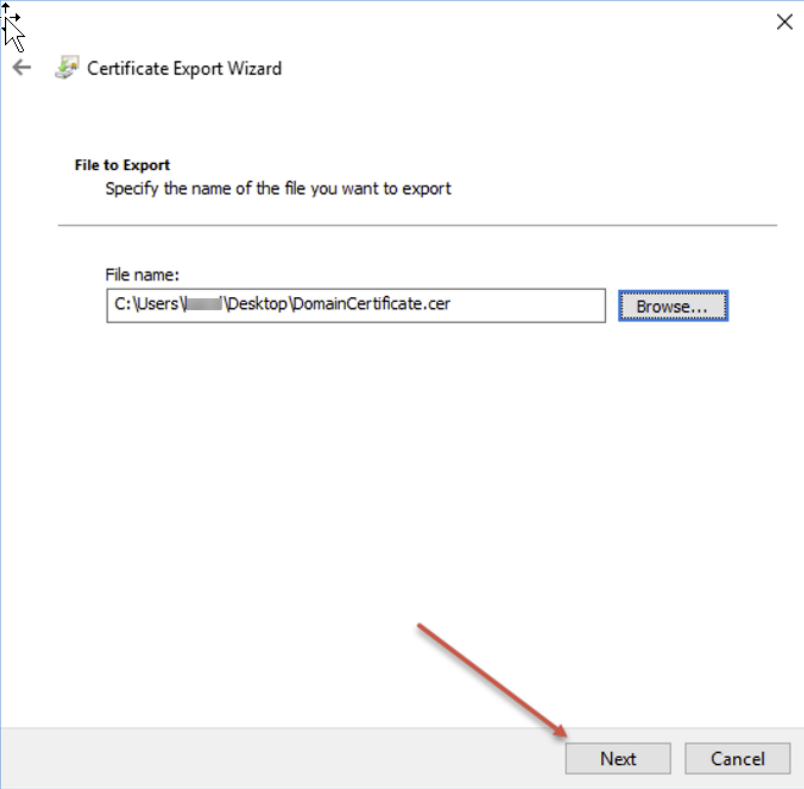
- Click Finish
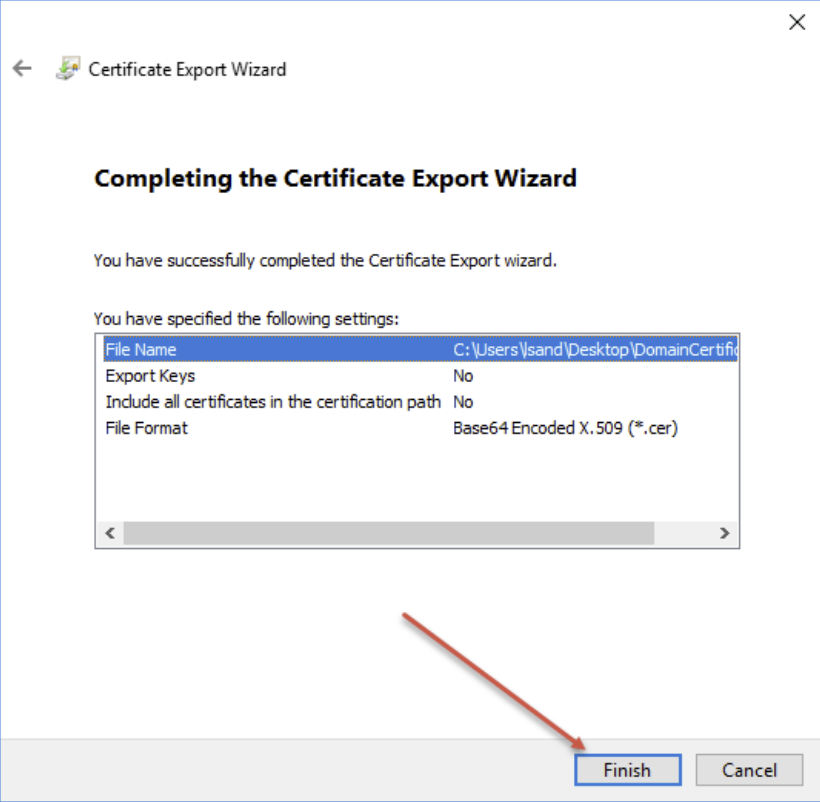
- Transfer the certificate to your Passwordstate web server and close all windows.
Importing the Certificate into your Passwordstate web server
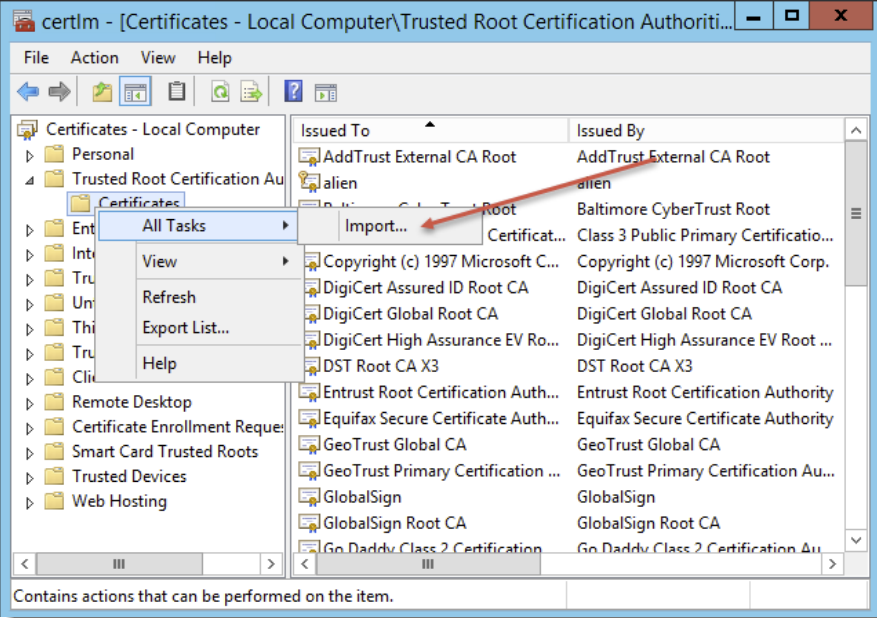
- On your Passwordstate web server, open Certificate Manager by typing certlm.msc into your Run command bar
- Expand Trusted Root Certificate Authorities -> Certificates
- Right Click Certificates and select All Tasks -> Import
- Click Next
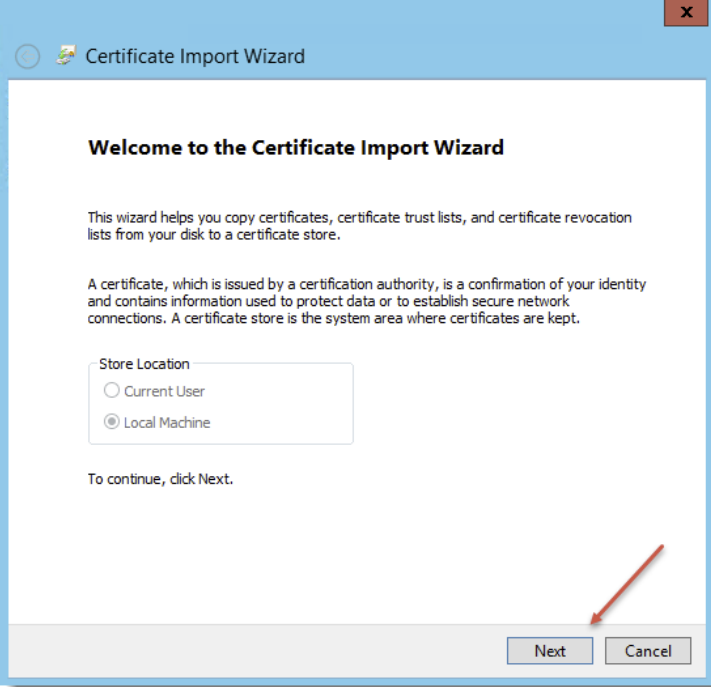
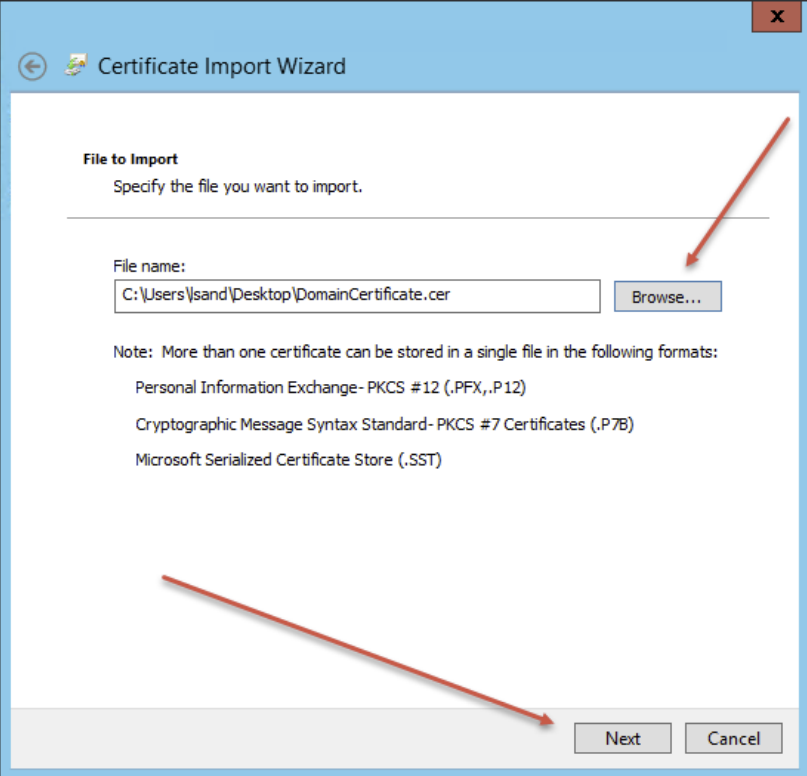
- Browse to the certificate and click Next
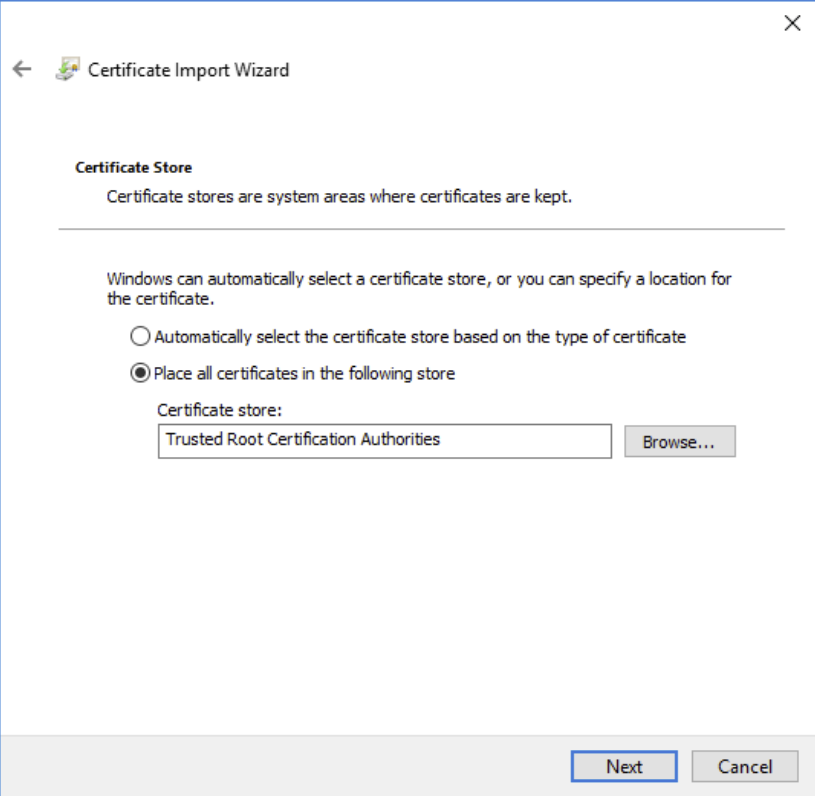
- Click Next
- Click Finish and then OK
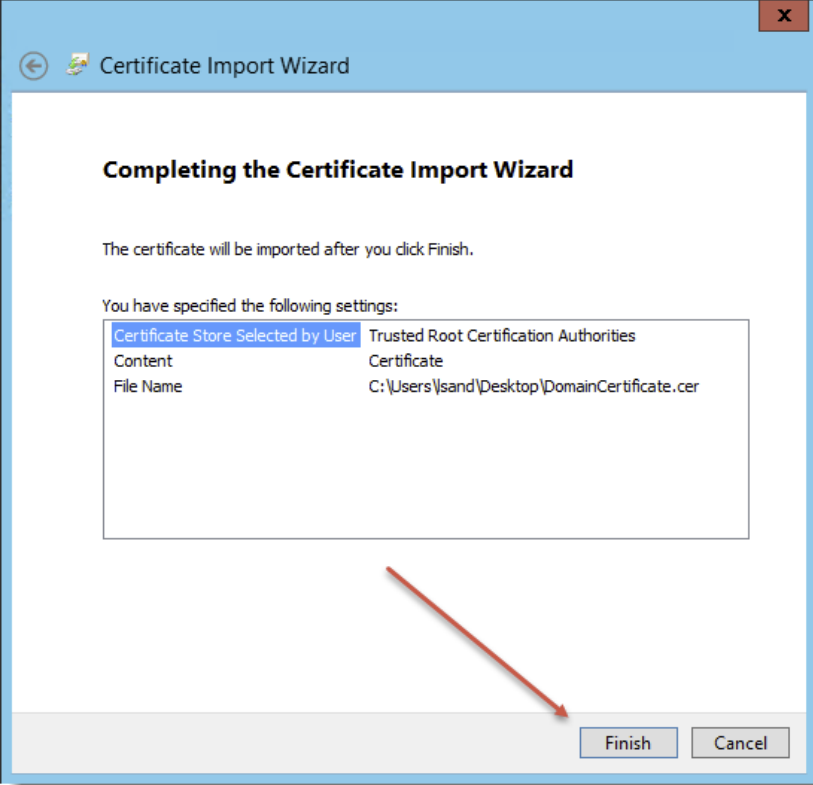
- This ends the import process, and your domains should now be able to securely communicate using LDAP over SSL