
KB: How to set up a internal Certificate Authority
If you do not intend on accessing Passwordstate from outside your network, the best type of free certificate you can use is one that is generated from an internal Certificate Authority. A Certificate Authority is easy to set up, and is just another "Role" that your Domain Controller provides. Below are some instructions on how to set up a Certificate Authority on your Domain, if you do not already have one:
All steps below are performed on your domain controller.
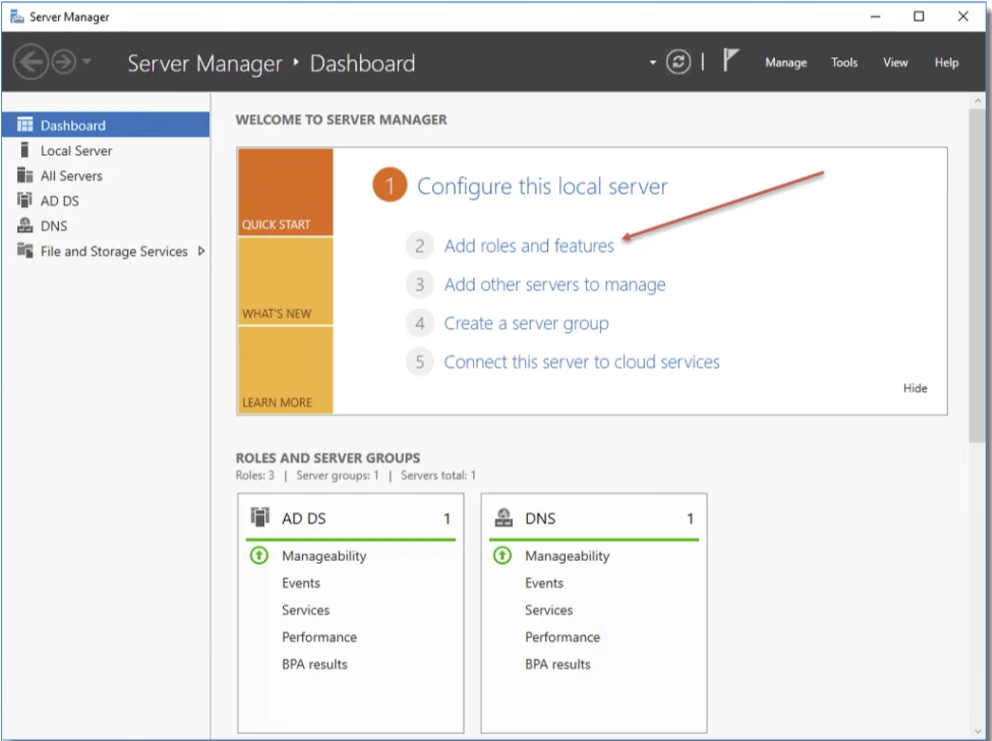
Open Server Manager, and Add a new Role:
Click Next
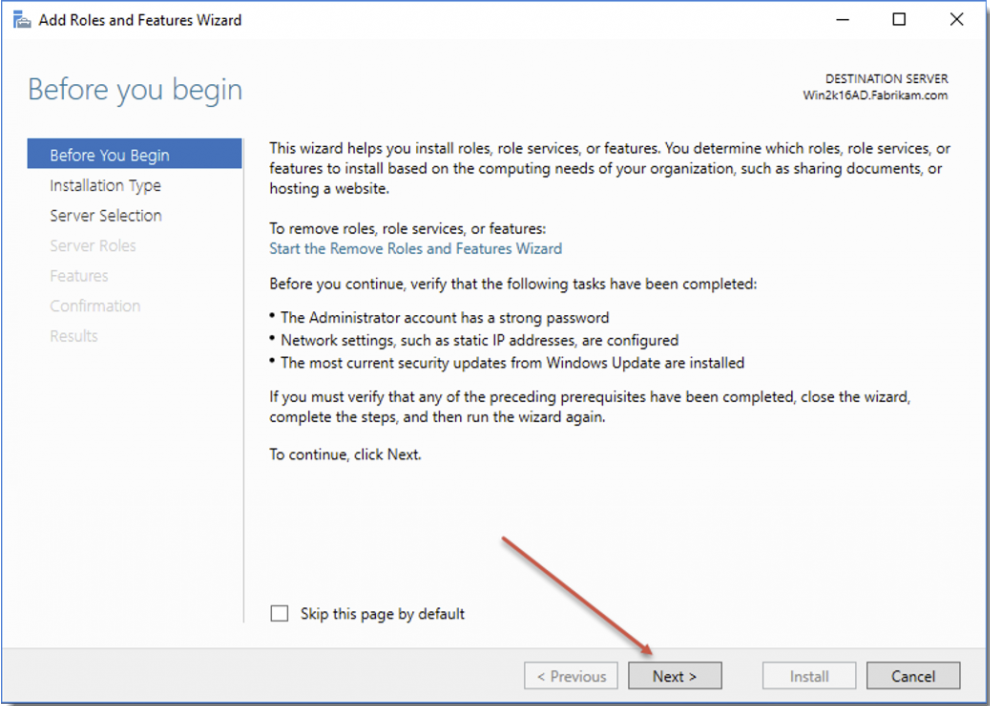
Click Next
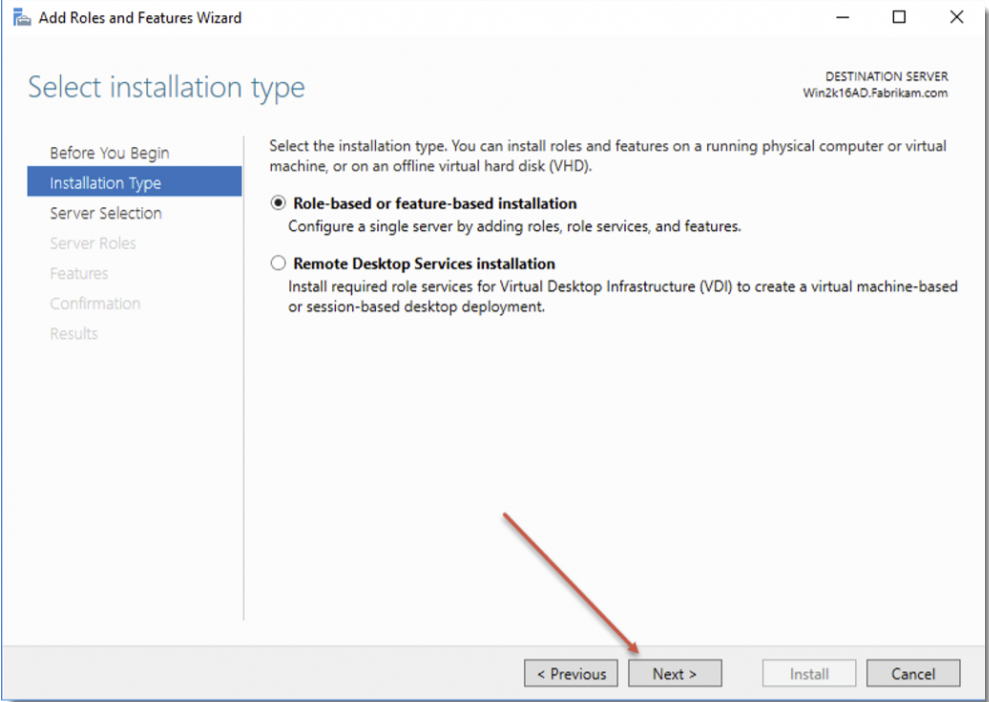
Click Next
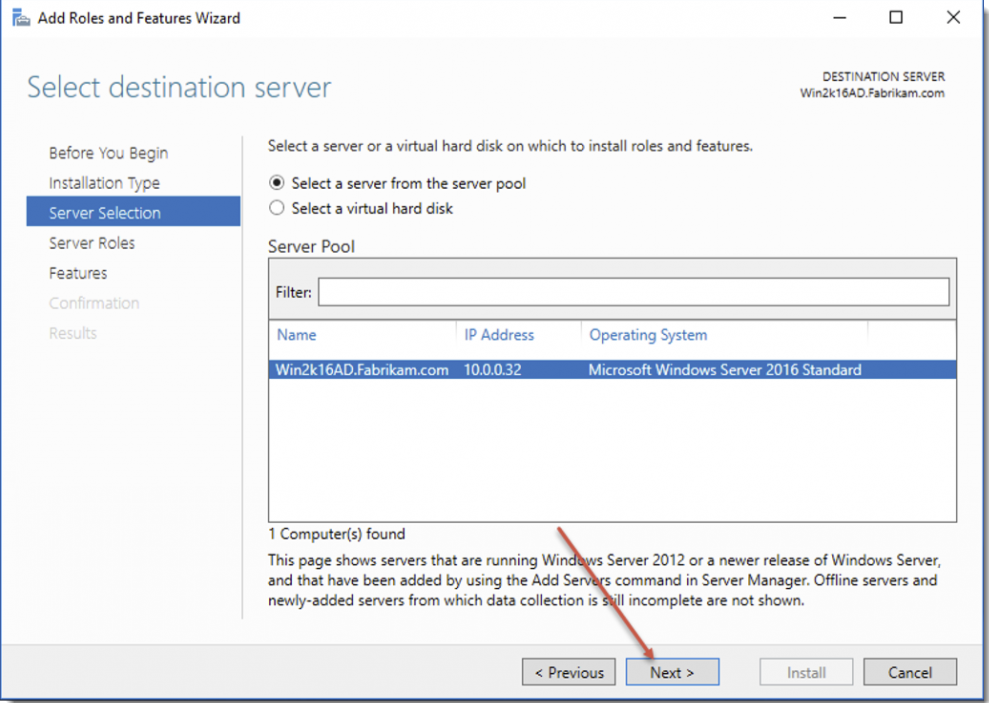
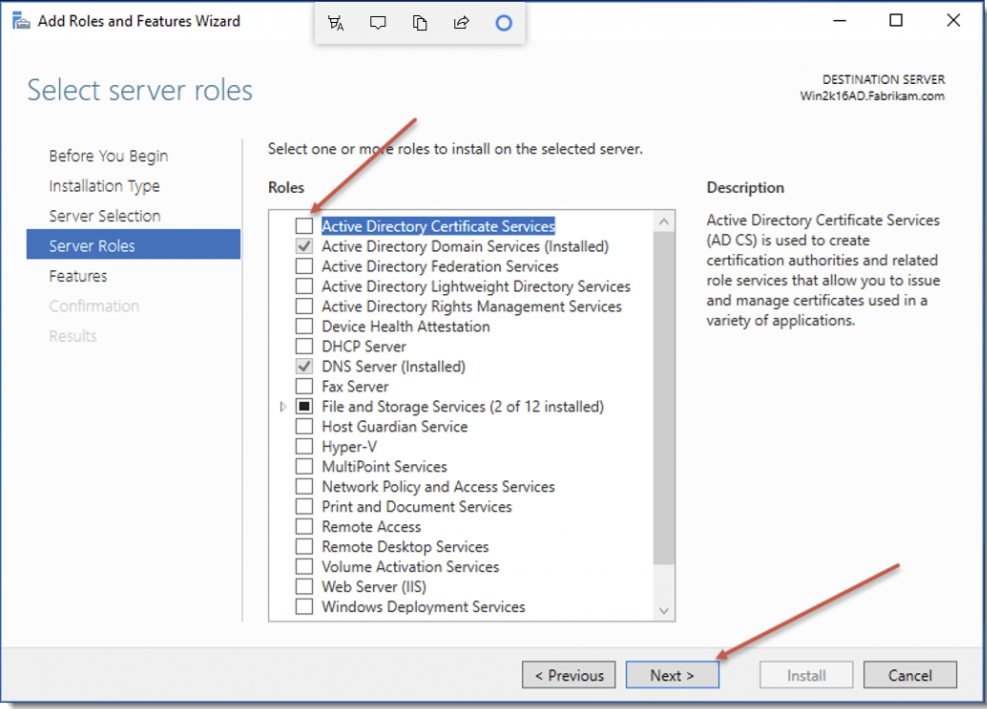
Select Active Directory Certificate Services
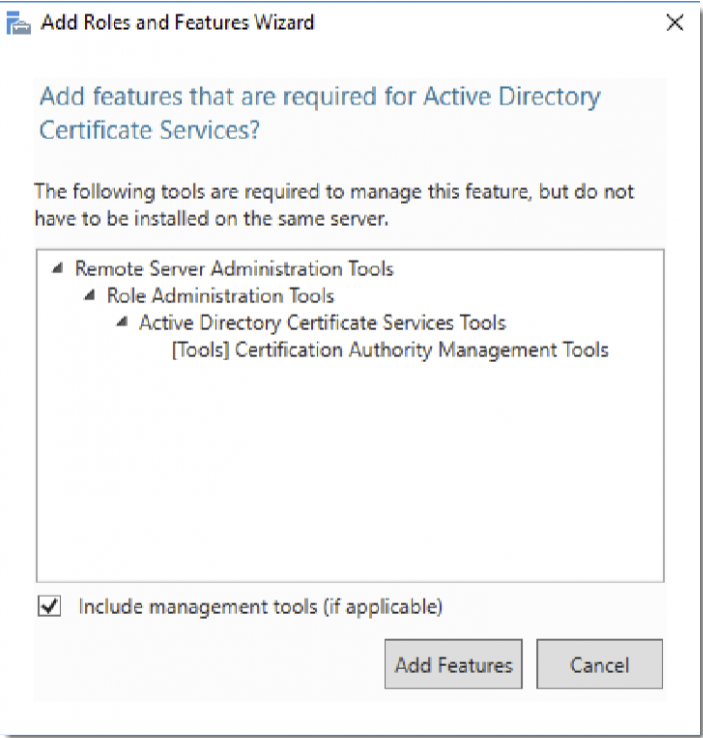
Click Add Features and then click Next
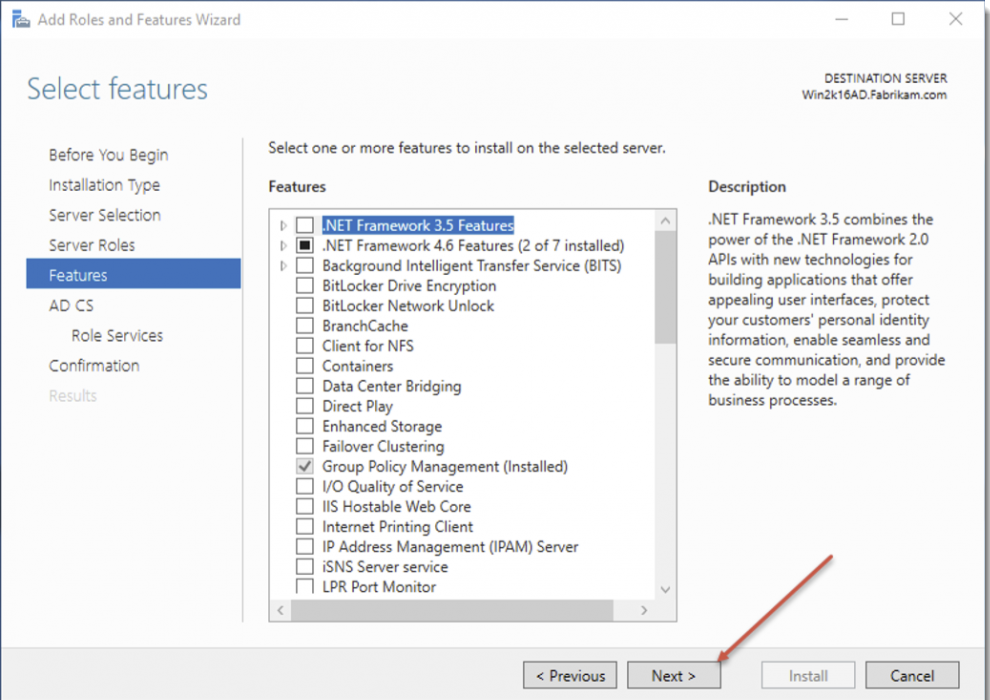
Click Next
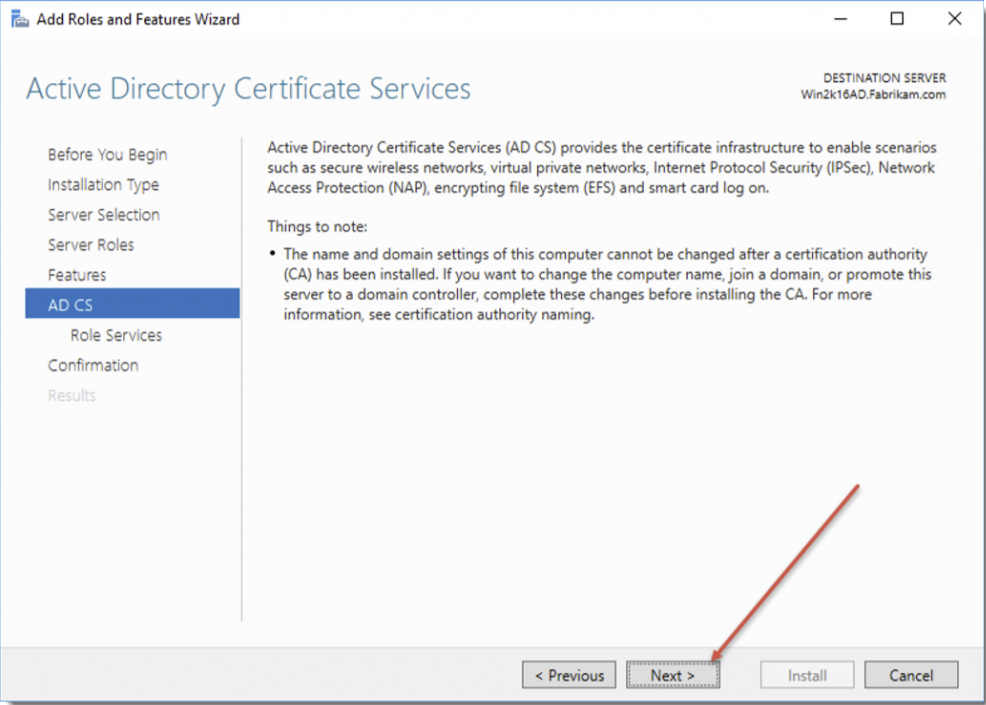
Click Next
Select Certificate Authority and click Next
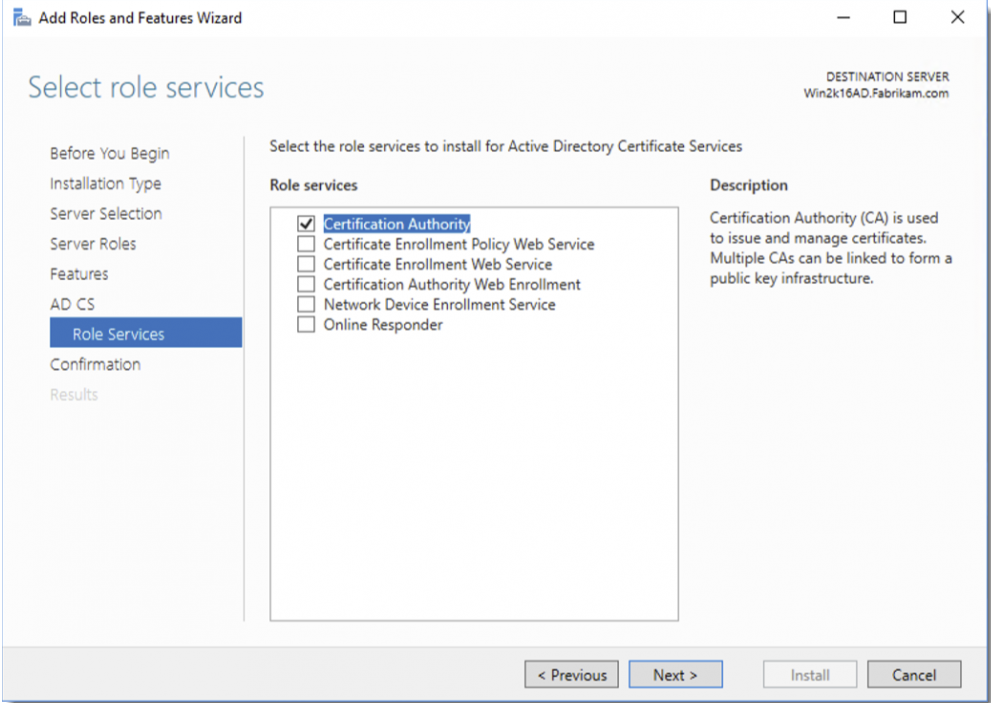
Click Install
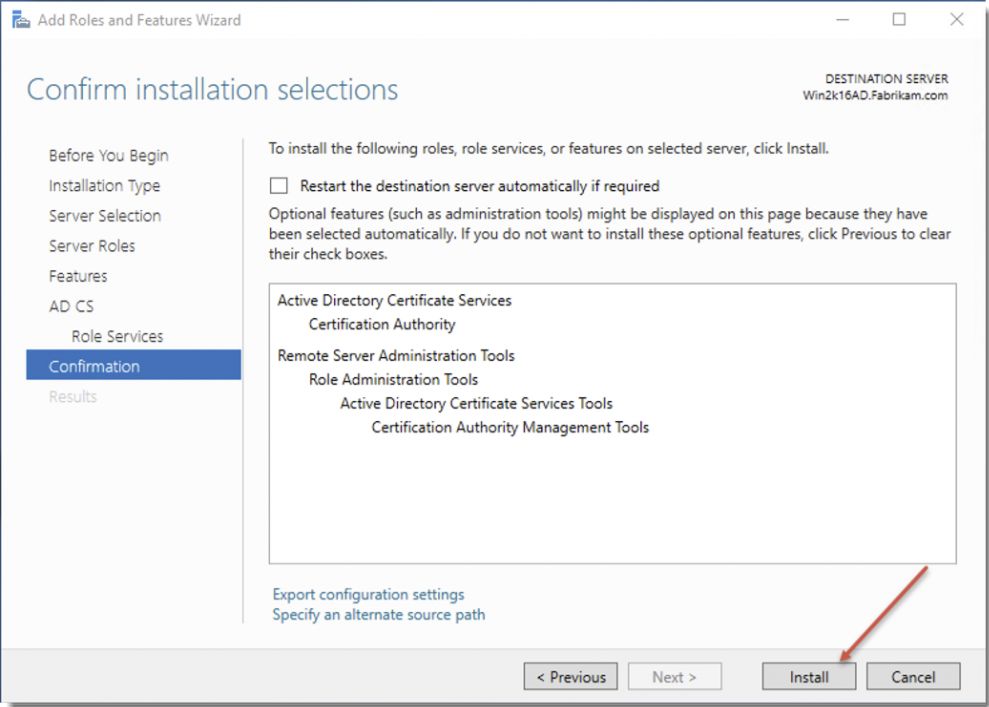
When Feature Installation finishes, click Close
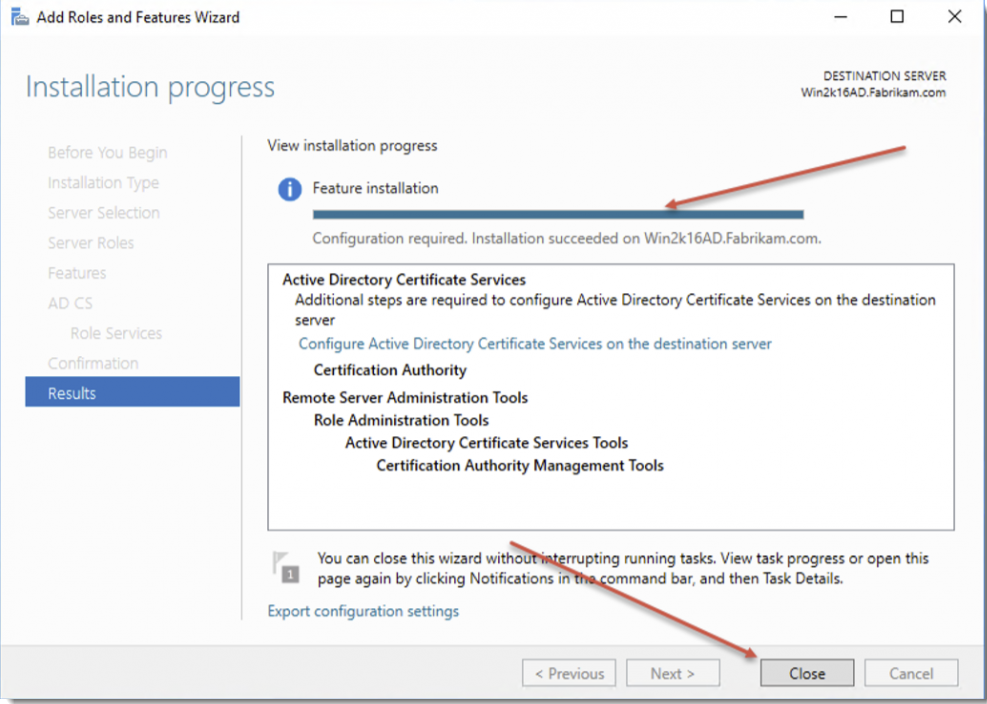
Click Notifications and select Click Configure Active Directory Certificate Services
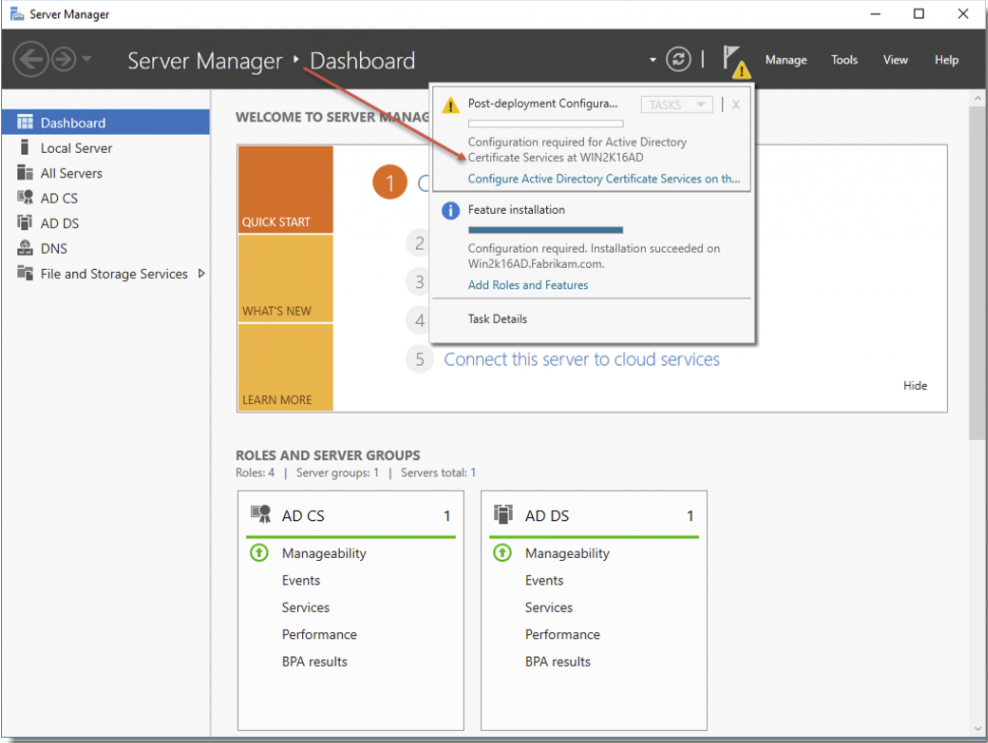
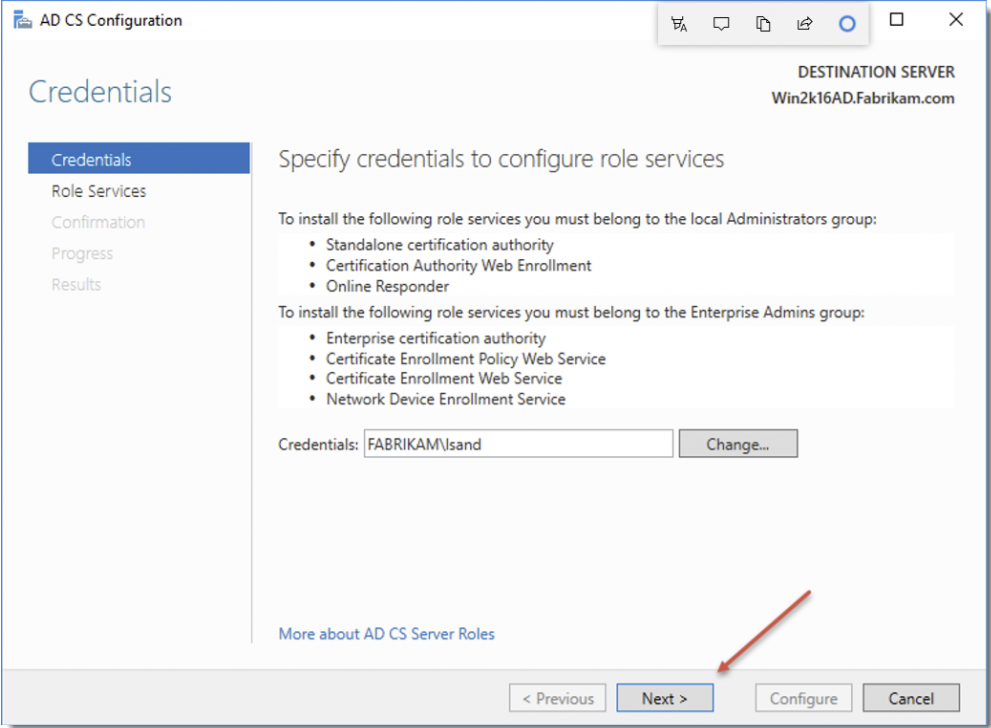
Ensure the user you are logged in with is an Enterprise Admin and click Next
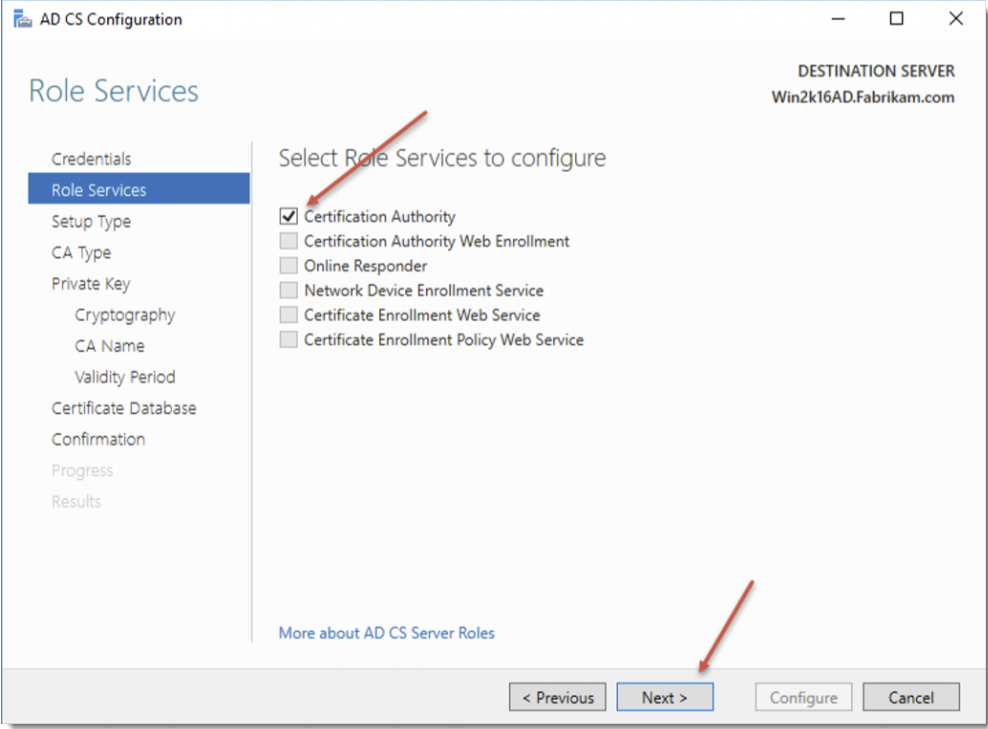
Select Certificate Authority and click Next
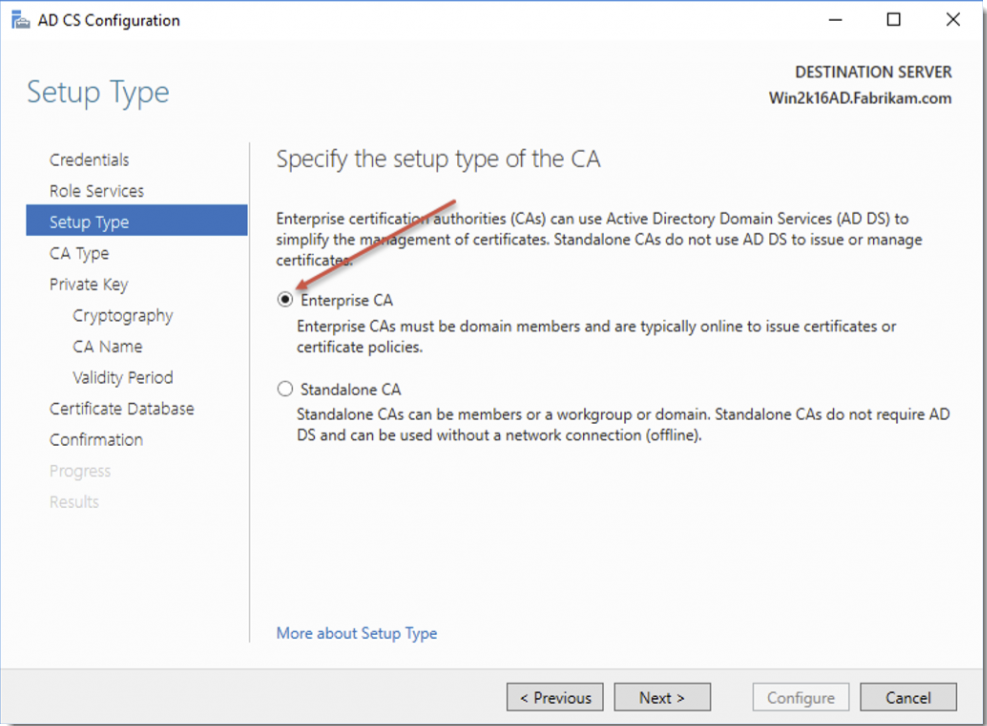
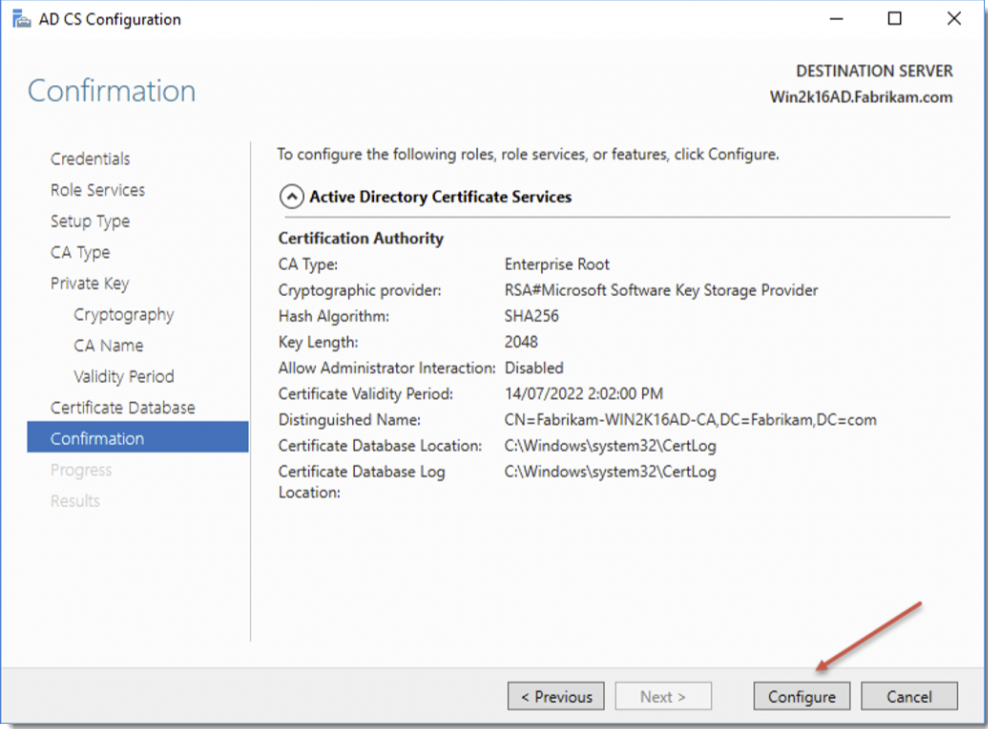
Select Enterprise CA and click Next
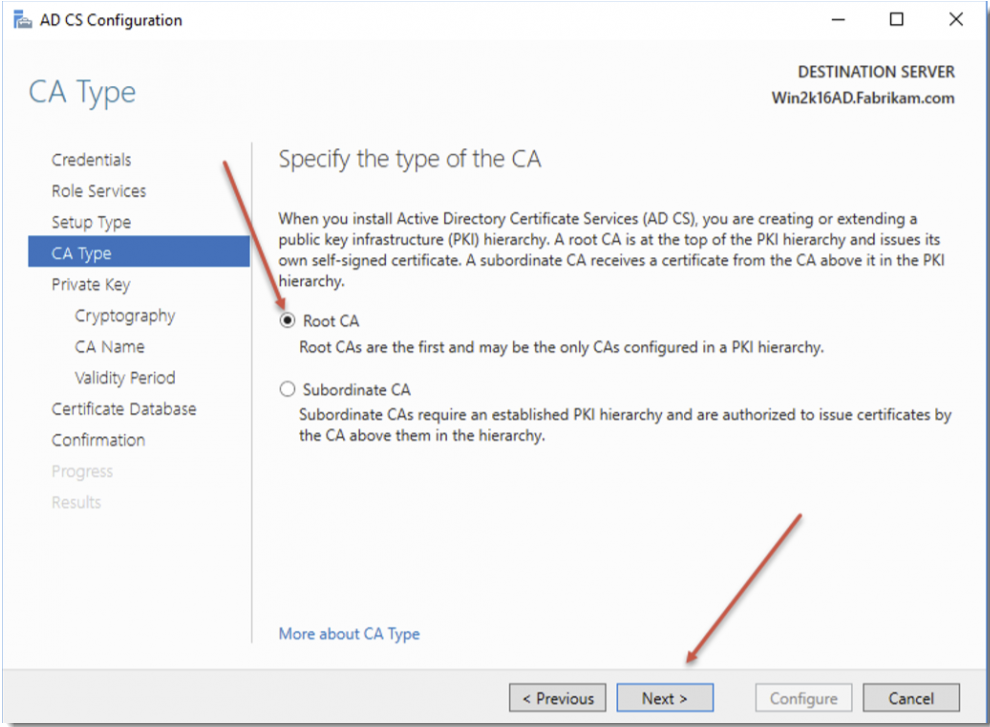
Select Root CA and click Next
Select Create New Private Key and click Next
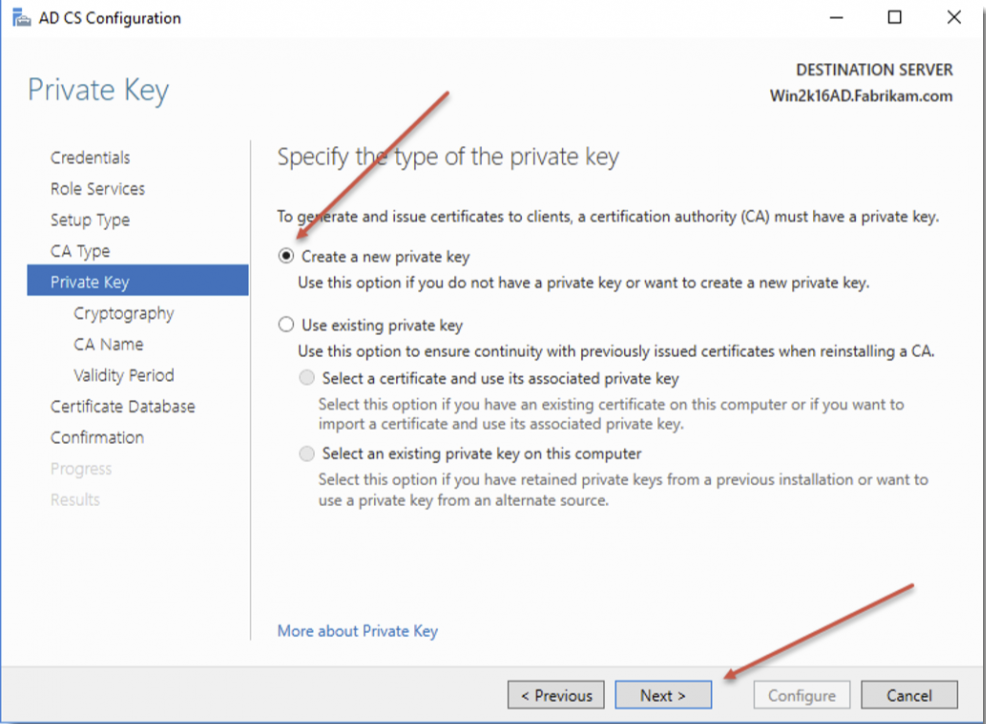
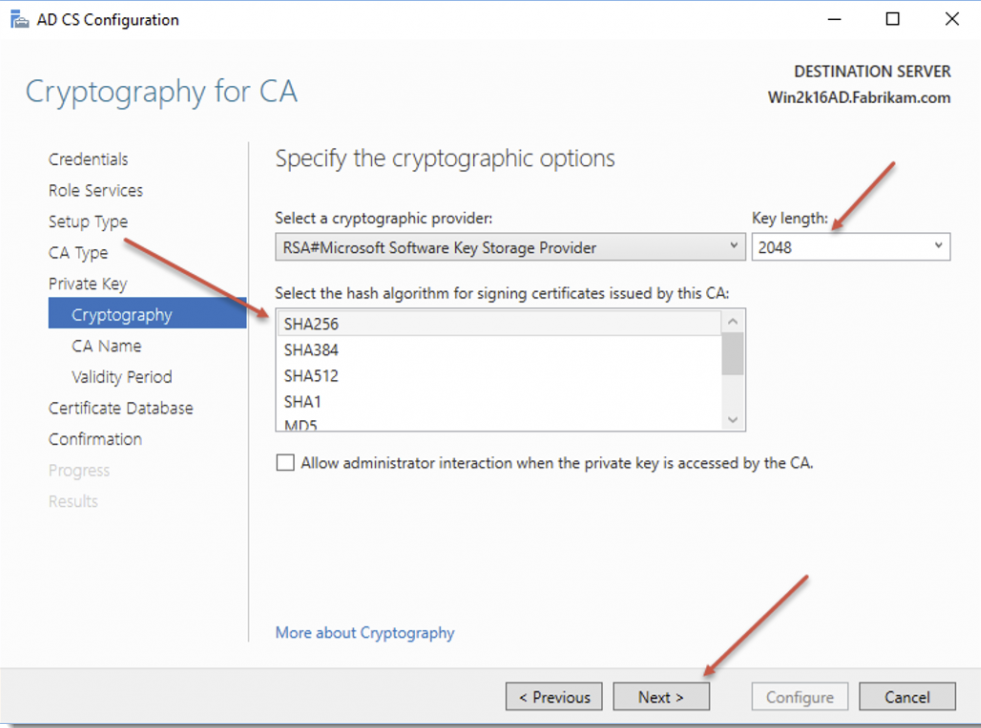
Select SHA256, Key Length of 2048 bits, and click Next
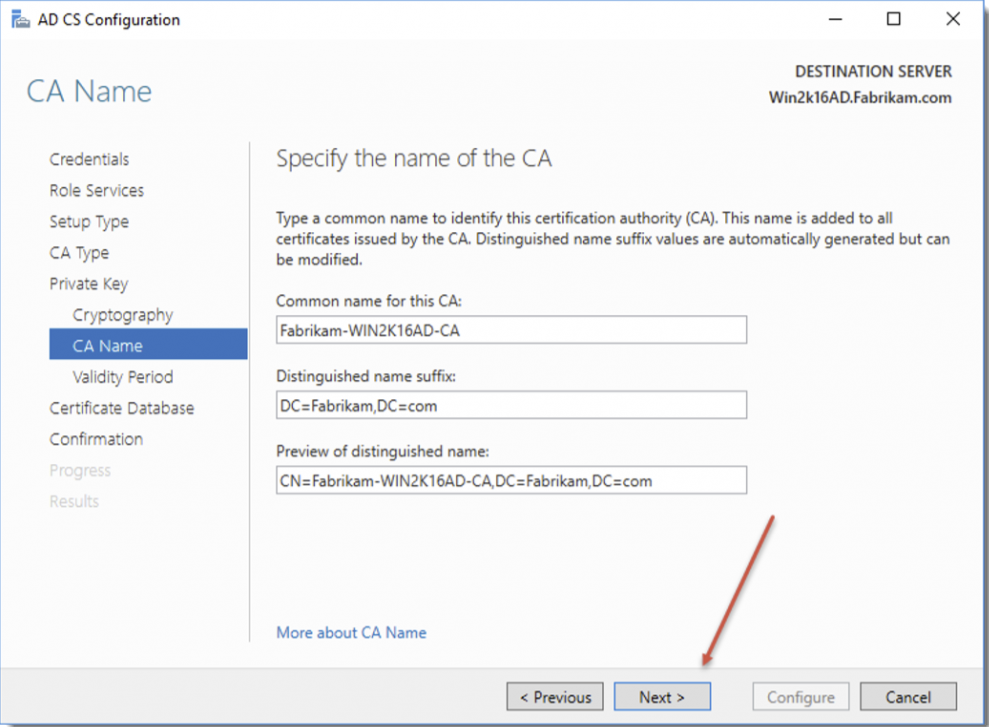
Leave all the fields as default, and click Next
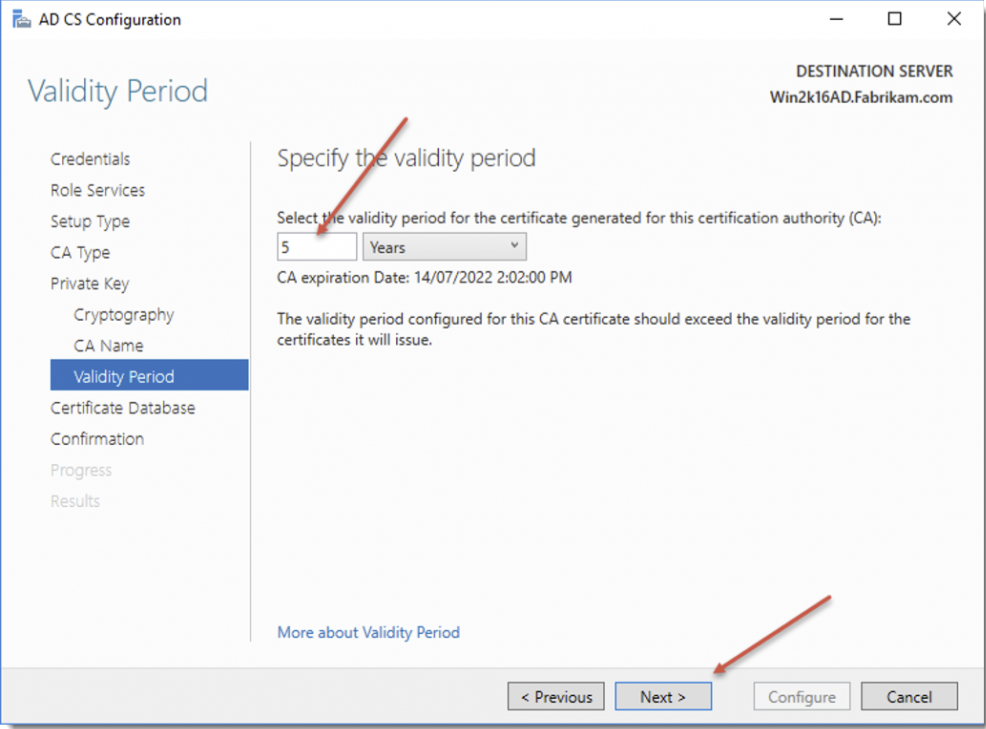
Choose 5 years for the validity period, or what’s relevant for your organization, and click Next
Leave defaults and click Next
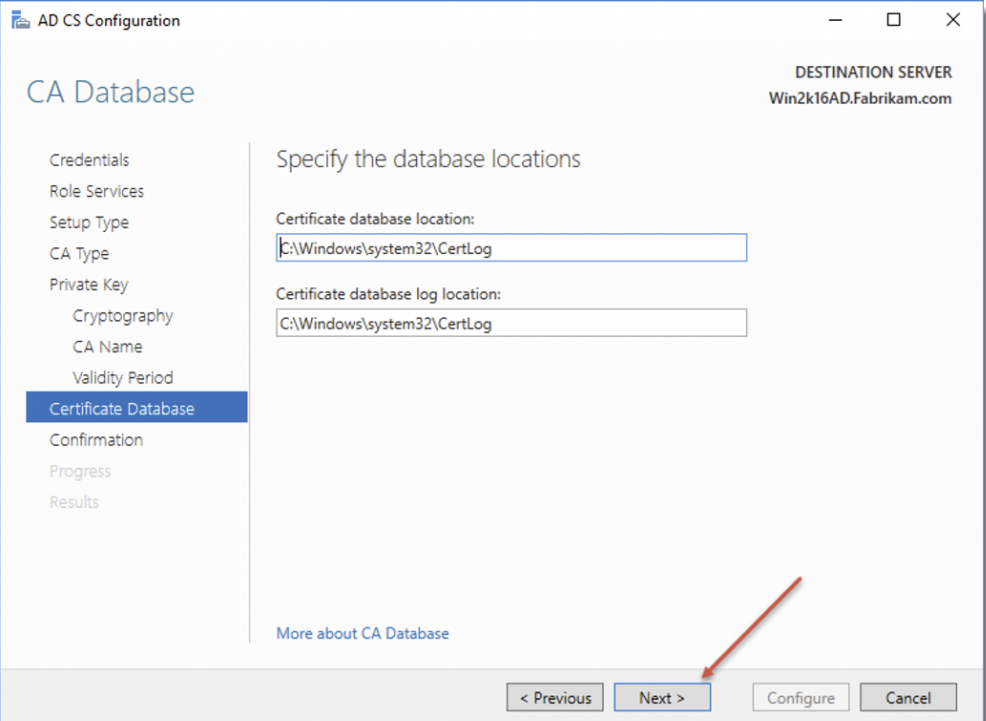
Click Configure
Click Close
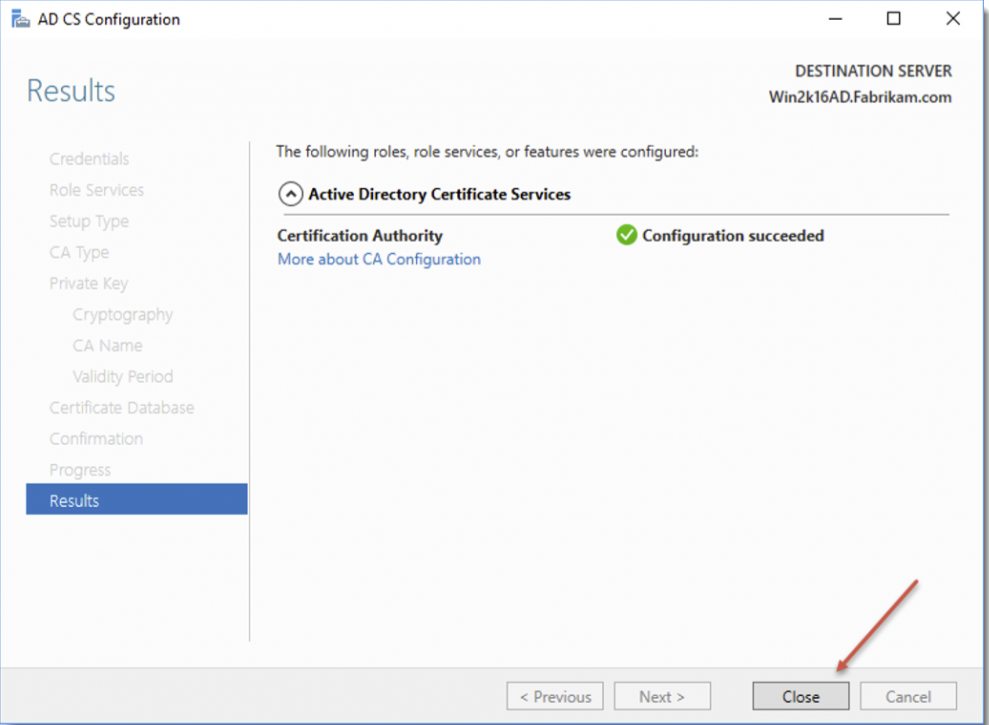
Now reboot your domain controller, and your Certificate Authority is now configured. You can now create a wildcard certificate that can be used for your Passwordstate website, which will mean any computer joined to your domain will automatically trust the certificate making for a nicer end user experience.
You can also use this certificate for your Browser Based Gateway, if you intend on using that feature inside Passwordstate.
For detailed instructions on how generate a certificate from your Certificate Authority, see this KB Article: Generate a New Certificate from Active Directory Certificate Authority
If you are changing the certificate, you may need to also change the URL of your Passwordstate website.
To be completely trusted, the certificate name needs to match the bindings in IIS, which also needs to match the DNS record you have for your site. This KB Article describes how to change your URL: Changing the Passwordstate URL