
Authentication
All API requests must contain some mechanism for authorizing requests to data, for which the Passwordstate API uses API keys for this purpose. Each Password List can have its own unique API key, and must be passed in each request for a valid response to be received. In addition to each Password List having its own API Key, you can set a 'System Wide' API Key on the System Settings screen within Passwordstate.
Creating Password List Specific API keys
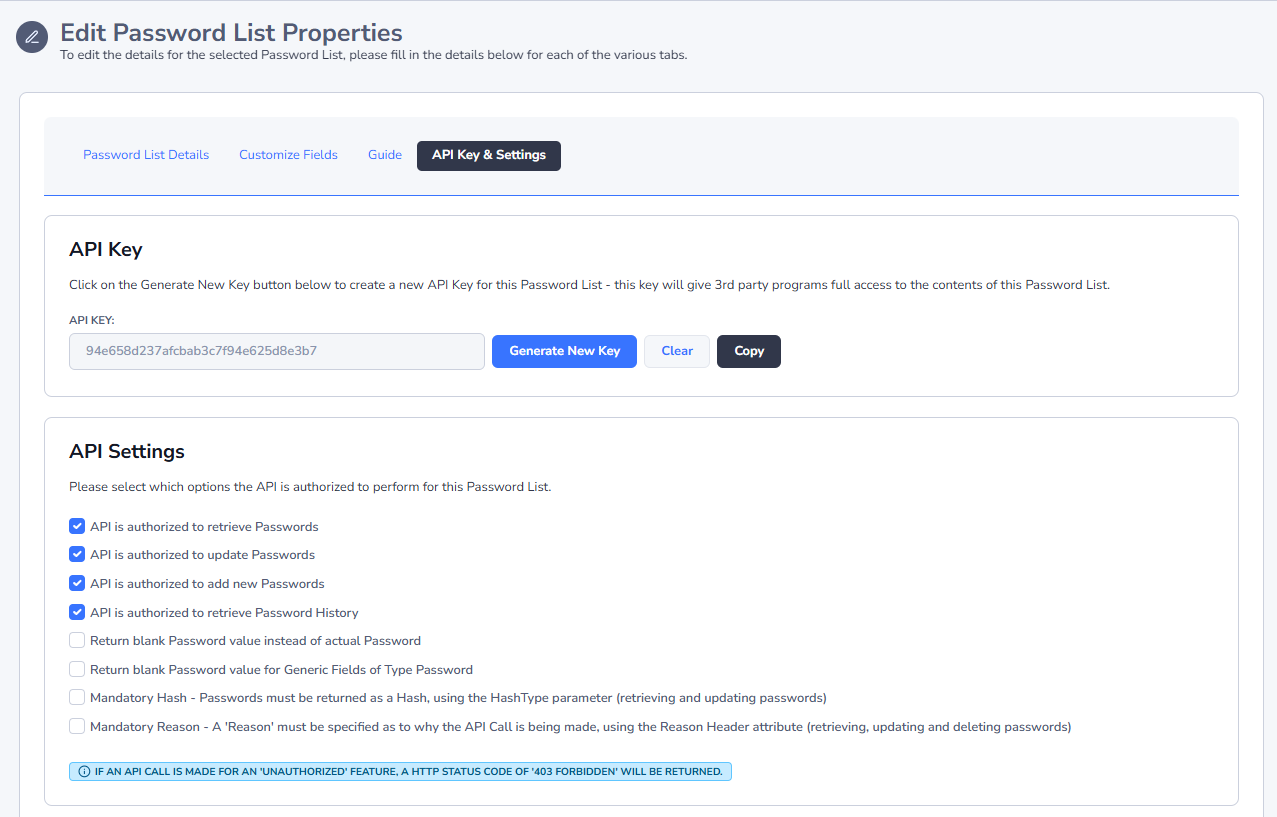
A unique API key can be created per Password List, by editing the settings for a Password List, and then clicking on the API Key tab.
Creating Other API key(s)
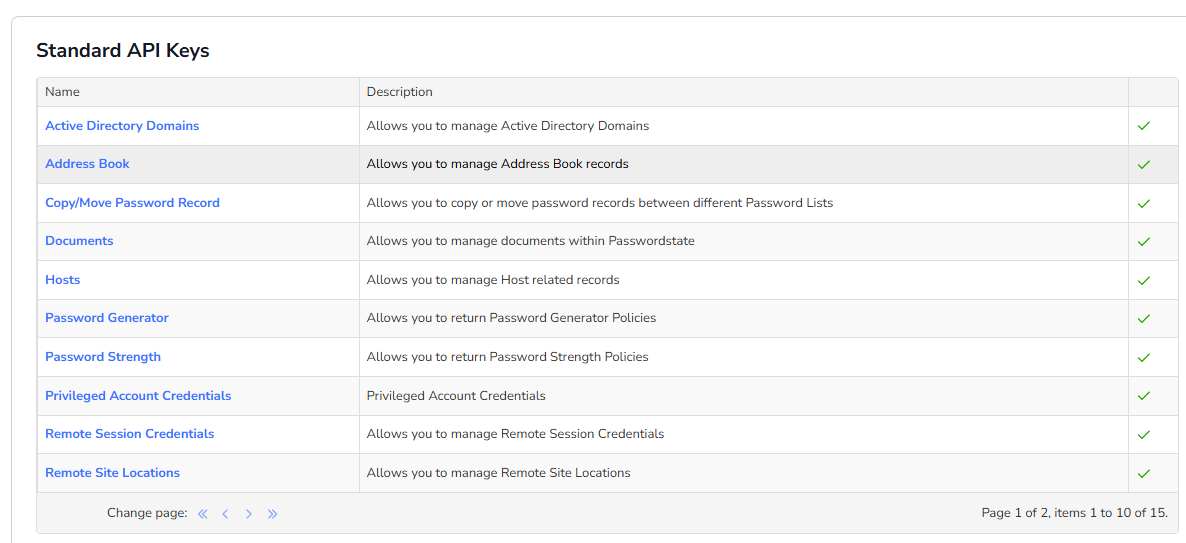
To support the various end points in the API, different API keys can be created in the 'System Settings' section of Passwordstate, and these keys can be used to:
- Active Directory Domains: To manage Active Directory Domains
- Address Book: To manage records in the global Address Book
- Copy/Move Password Record: To copy, and/or move, password records between Password Lists
- Documents: Manage all documents in Password Folders, Password Lists and Password records - shared Password Lists only
- Hosts: To manage Host records
- Password Generator: To generate random passwords, and to retrieve Password Generator Policies
- Password Strength: To retrieve Password Strength Policies
- Privileged Account Credentials: To manage Privileged Account Credentials
- Remote Site Locations: To manage Remote Site Location records
- Reporting: To generate any number of pre-defined reports
- Security Groups: To manage local and Active Directory Security Groups
- Self Destruct: To create and send Self Destruct messages
- System Wide: To manage all Shared Password Lists within the system, as well as Password Folders
- User Accounts: To manage local and Active Directory User Accounts
Note: Access to the main System Wide API Key should not be given out to unauthorized users due to the privilege level it has.
API Key in Request Header or HTTP Body
There are 2 methods in which you can pass the value of the API Key - either in the Request Header or the HTTP body. Request Header is recommended for consistency across all different API Calls.
Powershell
# PowerShell Request - API Key in Header
$PasswordstateUrl = 'https://passwordstate/api/passwordlists/<PasswordListID>'
Invoke-Restmethod -Method GET -Uri $PasswordstateUrl -Header @{ "APIKey" = "<apikey>" }
Json
# PowerShell Request - API Key in HTTP Body
$jsonData = '
{
"PasswordID":"46411",
"Password":"JENN-ZHn#3+A^yc",
"APIKey":"<apikey>"
}
'

$PasswordstateUrl = 'https://passwordstate/api/passwords/'
Invoke-Restmethod -Method Put -Uri $PasswordstateUrl -ContentType "application/json" -Body $jsonData