
Remote Site Administration
Welcome to the 'Remote Site Administration' area of Passwordstate.
The Remote Site Administration module allows you to manage account credentials on sites (networks) that are not part of your standard internal network, and are either separated via the Internet, or a firewalled environment.
Once licensed to use this module, an Agent can be deployed to each of your remote sites, allowing communication back to your Passwordstate instance securely over one single port. Below are some of the features available with the Remote Site Administration module.
- Discovery of accounts in Active Directory, Windows Desktop and Servers, Linux, databases and network devices
- Password Resets for many different account types
- Account Heartbeat Status for many different account types
- Free Licenses for "Clients' to log in and view their own password credentials
- Process for identifying which passwords need resetting after one of your technicians leaves your company
- In-Transit encryption of data between the Agent and Passwordstate API
- Optionally install a Browser Based Remote Session launcher, so you can RDP or SSH into machines over on that remote site
- Reporting for Privileged Account Management on that site. For example, what accounts have had their passwords reset in the last 30 days.
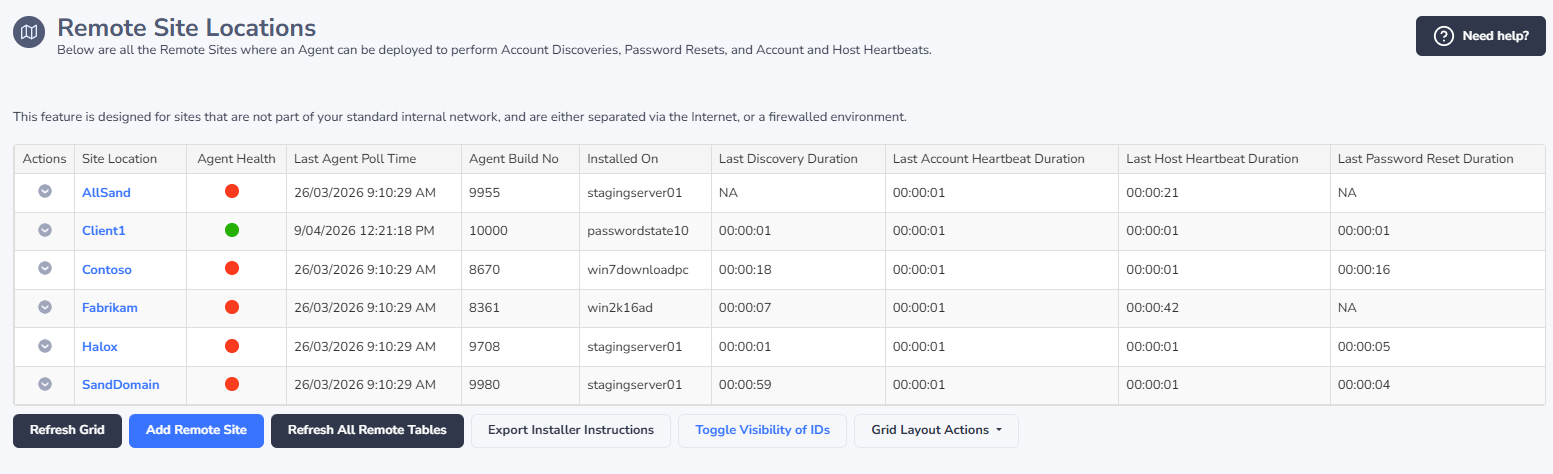
Remote Site Locations
Prior to tagging Folders, Passwords, Hosts, etc to belong to a Remote Site Location, you first need to add one or more Remote Site Locations on this screen.
Once you have added a Remote Site, then you can also deploy the agent to that site, allowing communication back to your Passwordstate API. Please refer to the section 'Installing Remote Site Agent' below for instructions for how to deploy the agent.
Note: Under the Help Menu in Passwordstate, some of the information below and more can be found in the 'Remote Site Agent Manual'.
Remote Site Locations Actions Menu
Below is a description for each of the Remote Site Locations Actions menus:
- Clear All Progress Indicators - this menu should rarely need to be used, but will clear any in progress indicators on the screen, if one of the relevant poll jobs where to fail for any reason
- Delete - This will delete your remote site and all data for that site out of Passwordstate.
- Refresh Remote Tables - all remote tables are refreshed during the maintenance window, but selecting this menu option means they will be refreshed again during the next agent poll. Below is a list of tables synchronized to the Remote Site Location on Agent Start-up and during the Maintenance Window:
- AccountTypes
- DiscoveryOUs (also synchronized just prior to any Host Discovery Jobs)
- DiscoveryScripts
- Hosts (also synchronized just prior to any Discovery Jobs)
- HostTypes
- OperatingSystems
- Scripts
- ValidationScripts
The majority of these tables should be fairly static, meaning the once a day synchronization should be enough. If however you add/modify any of your own PowerShell scripts for Password Resets and Account Heartbeats, then it is recommended you use the 'Refresh Remote Tables' menu option.
View Agent Installer Instructions
For instructions on how to add a New Remote Site Location and install it on your remote network, see this complete guide: Passwordstate Agent Manual
Logging
In addition to the standard audit records the Remote Site Agent can feed back to the API, there is also local logging for the Agent as well - to help identify any issues with the Agent if needed. The available local logs are (please note that no sensitive data is added to these log files):
- General - General logging not related to any of the other log files below
- Discovery - Logging related to Account and Host Discovery Jobs
- Heartbeat - Logging related to Account and Host heartbeats
- PasswordResets - Logging relating to Password Resets
Each of the log files can be found in the folder "C:\Program Files (x86)\Passwordstate Agent\logs"