
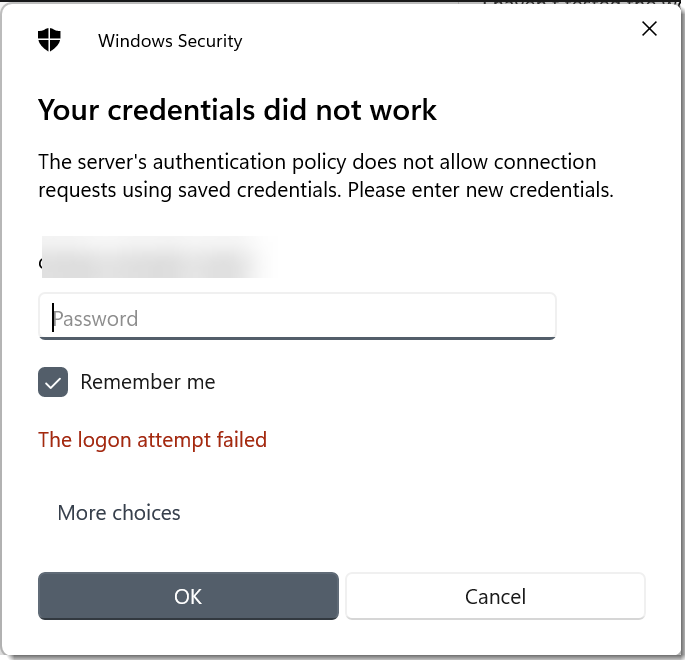
KB: Client Based Launcher failed connections - "The server's authentication policy does not allow requests using saved credentials. Please enter new credentials"
Issue:
When trying to make an RDP connection to a Windows machine, the connection fails with the following error:
Fix:
This group policy setting below located under Computer Configuration -> Administrative Templates -> Windows Components -> Remote Desktop Services -> Remote Desktop Session Host -> Security can prevent credentials from being passed through to the remote machine:
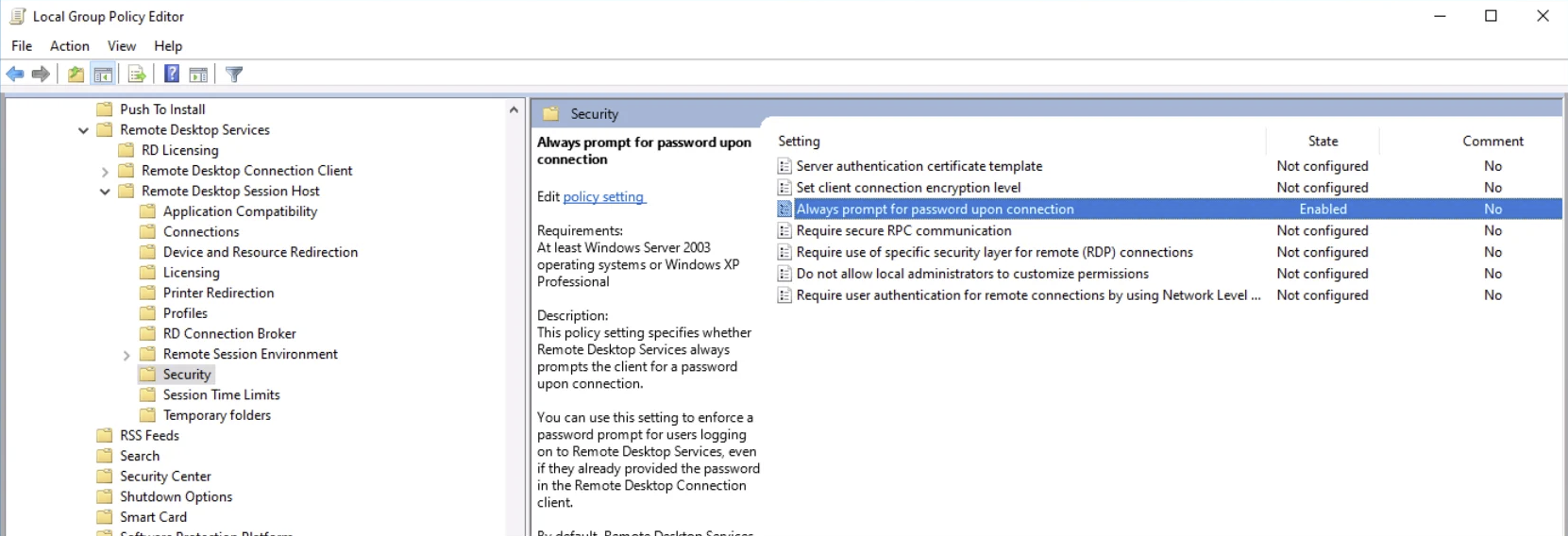
Potentially you could disable that setting on the remote machine you are connecting in to, or our Browser Based Launcher is able to bypass this group policy. If you are unfamiliar with the Browser based Launcher, please see these links below:
https://blog.clickstudios.com.au/browser-based-remote-session-settings