
KB: Test SQL Credentials are still valid
Issue:
You have an issue with your website loading, and one test you need to do is confirm the SQL credentials your website is using are still valid.
Instructions:
Step 1:
Log in to your Passwordstate webserver, and open the c:\inetpub\passwordstate\web.config file. At the top of the file you will see a connection string as per below screenshot.
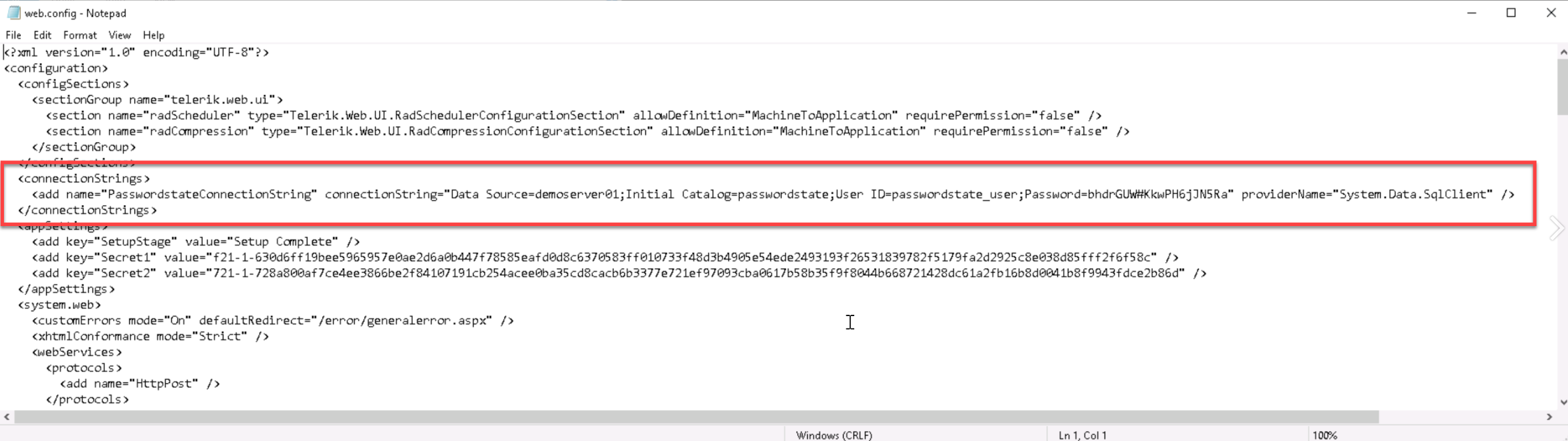
If you cannot see this connection string, this means you have encrypted your web.config file, and you will need to decrypt to reveal the connection string in clear text. You can do this by following this guide: Encrypting Configuration Files
Step 2:
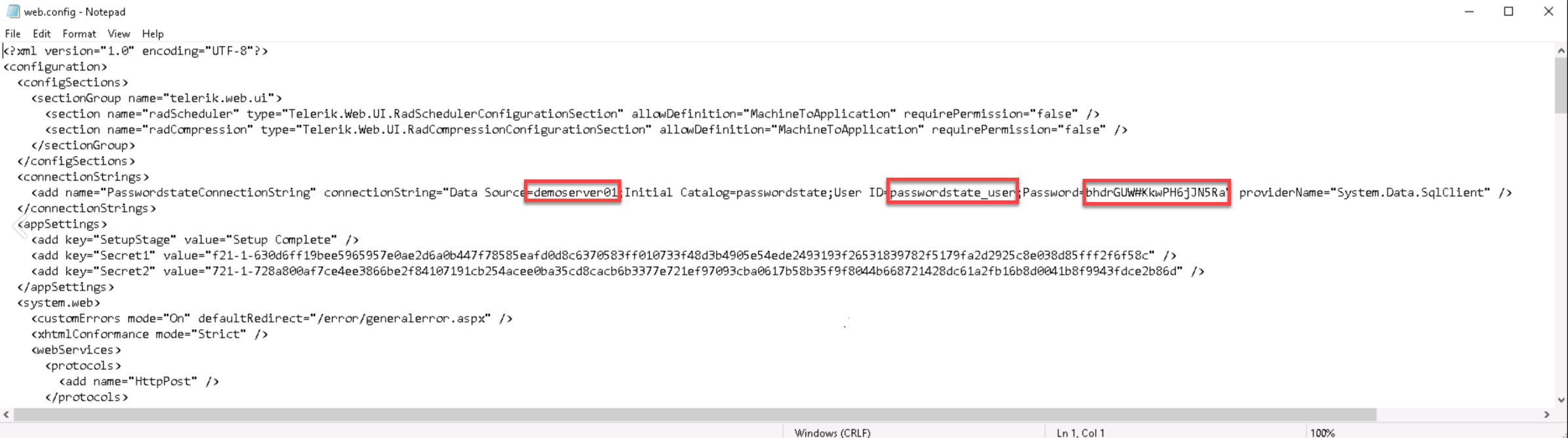
In the connection string, take note of the server name, username and password as this example screenshot below shows:
Step 3:
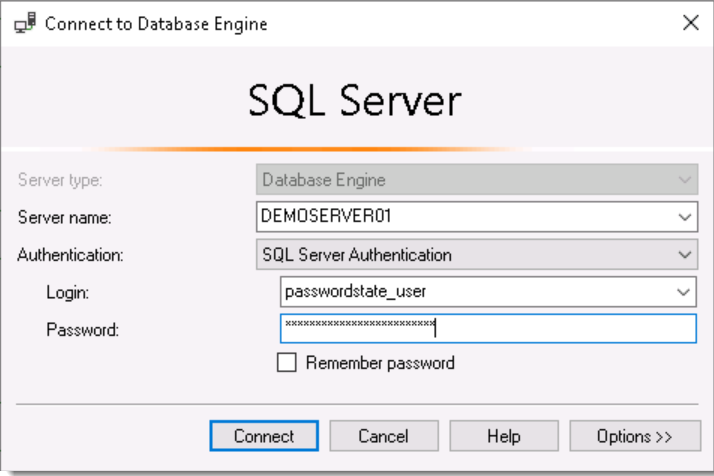
Open SQL Management Studio Tools, and connect to the appropriate Server name, with the username and password you found in the step above.
Results:
If you cannot establish a connection, then you will need to log in with a SQL account that has permissions to reset the password for the account you found in Step 2 above. You should then update this password in your web.config file, and then try logging back in to Passwordstate.
Unfortunately Click Studios cannot help reset the SQL password, and you will need to liaise with you Database Administrator to perform this action. If you do not have a Database Administrator, you will need to log in with the inbuilt SA (SuperAdministrator) account.
If you do not know the SA password to log in with, please Google "How to reset SQL SA password"