KB: Resetting the Passwordstate Setup Process
If you run into any issues during the install of Passwordstate, you can retry running through the initial set up wizard by following the instructions below.
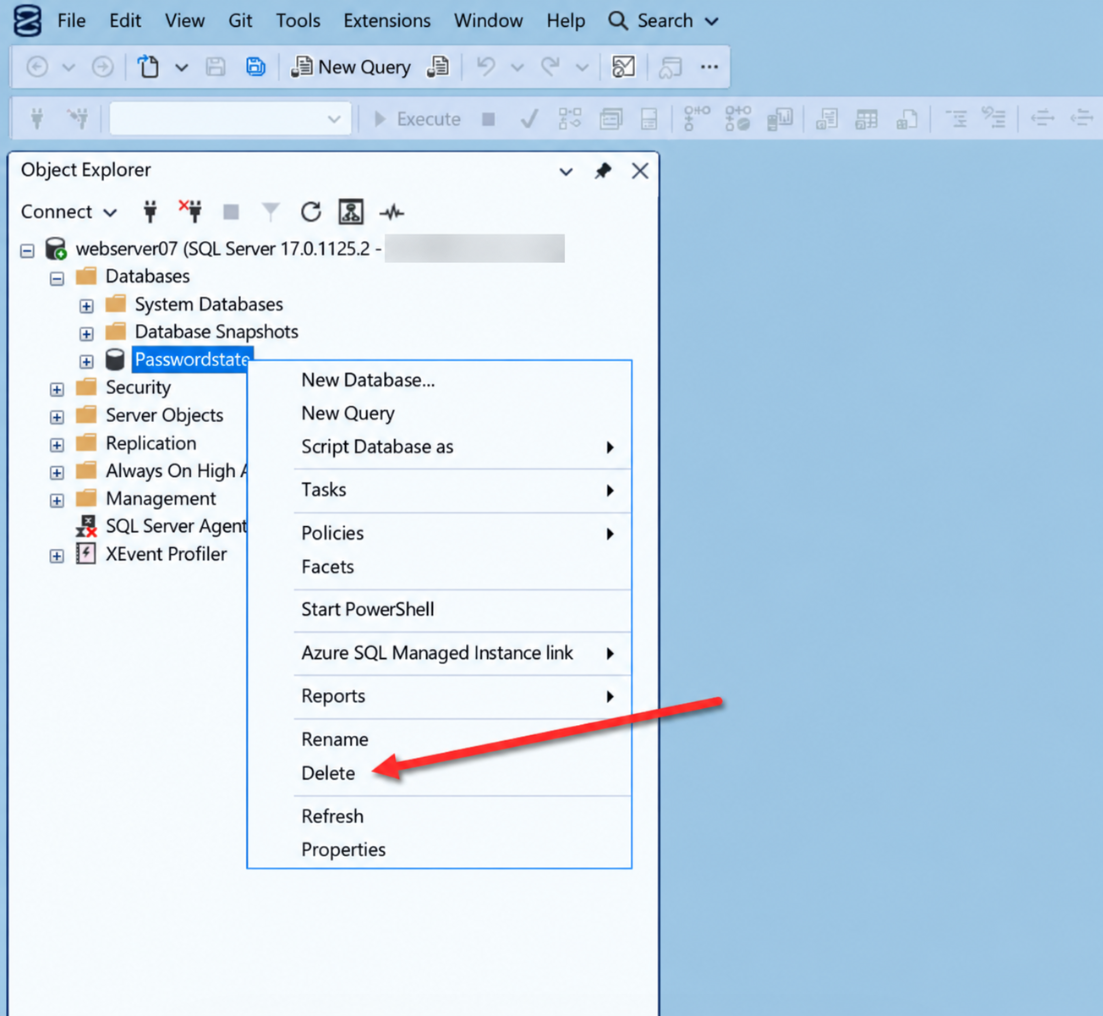
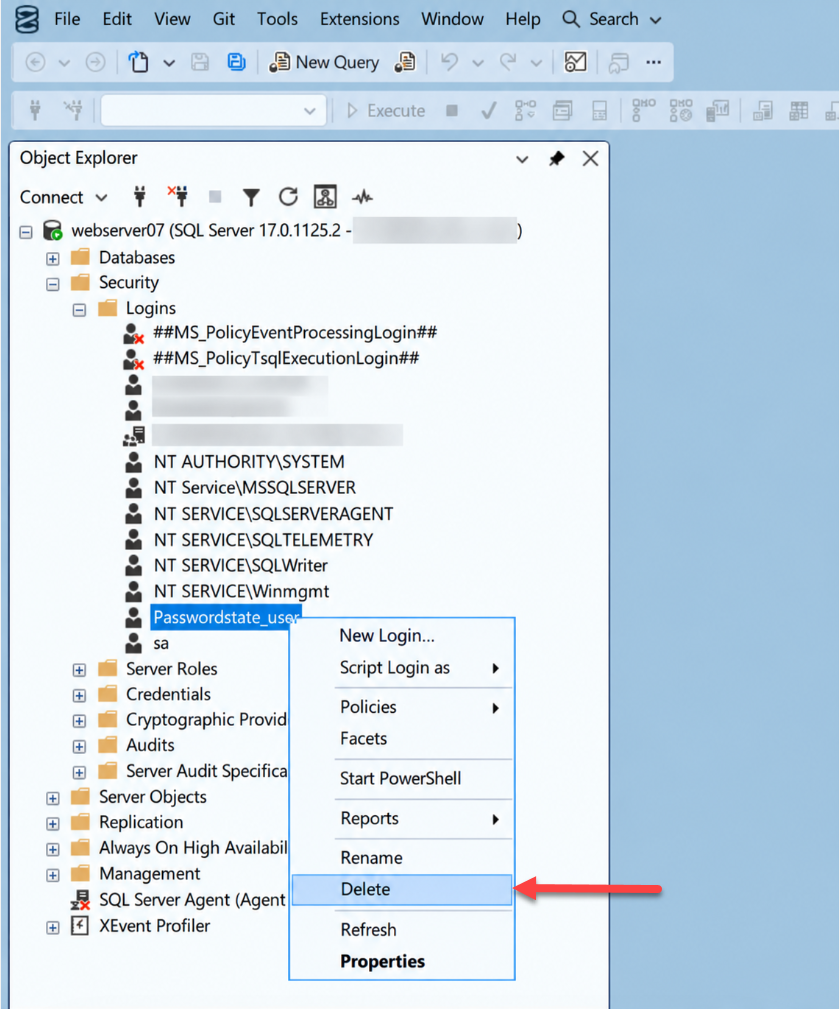
- Using SQL Server Management Studio, delete the passwordstate database, and passwordstate_user SQL Account as per the screenshots below
- Delete the c:\inetpub\passwordstate\web.config file
- Copy the file c:\inetpub\passwordstate\setup\scripts\master_files\web.config.install to the location c:\inetpub\passwordstate. Rename the file to web.config
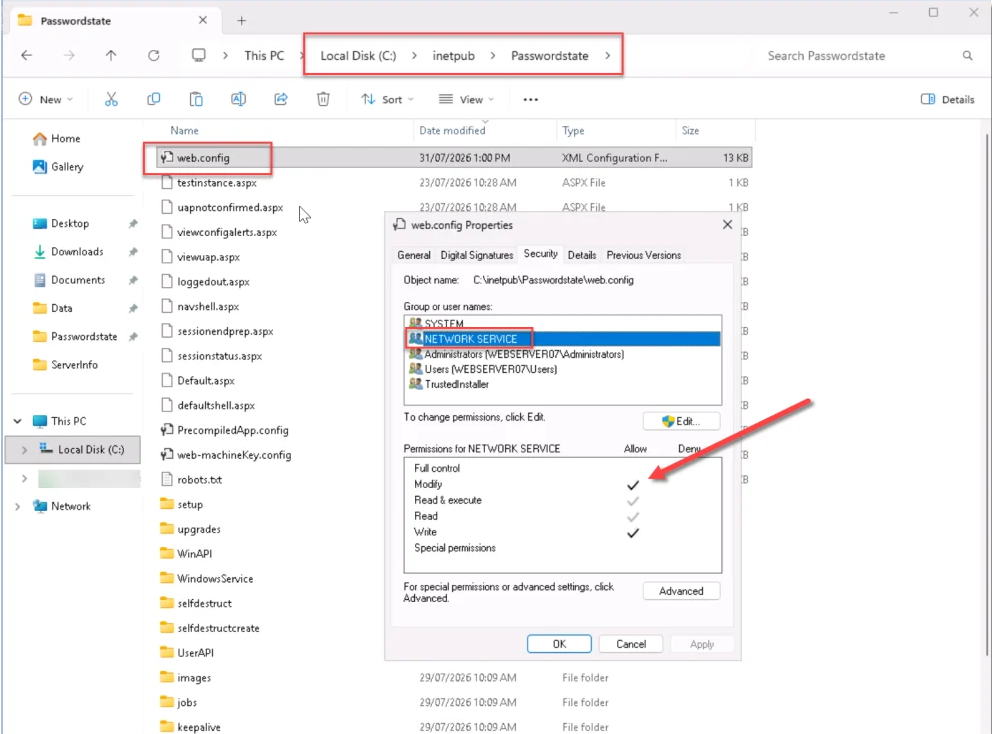
- Grant the "Network Service" account Modify permissions to the c:\inetpub\passwordstate\web.config file (screenshot below)
- If the file c:\inetpub\passwordstate\setup\Setup_Progress.txt exists, please delete it
- Now point your browser to the URL you specified during the initial install, and run through the initial set up process again