KB: Manual Backup using SQL Management Studio Tools
If you needed to backup Passwordstate quickly before performing a test, or if your automatic backups aren't working for some reason, please try the following:
Backup Install Files:
By default, the Passwordstate website is installed in c:\inetpub\Passwordstate. Take a copy of this entire folder and store it in a backup location
Backup SQL Database:
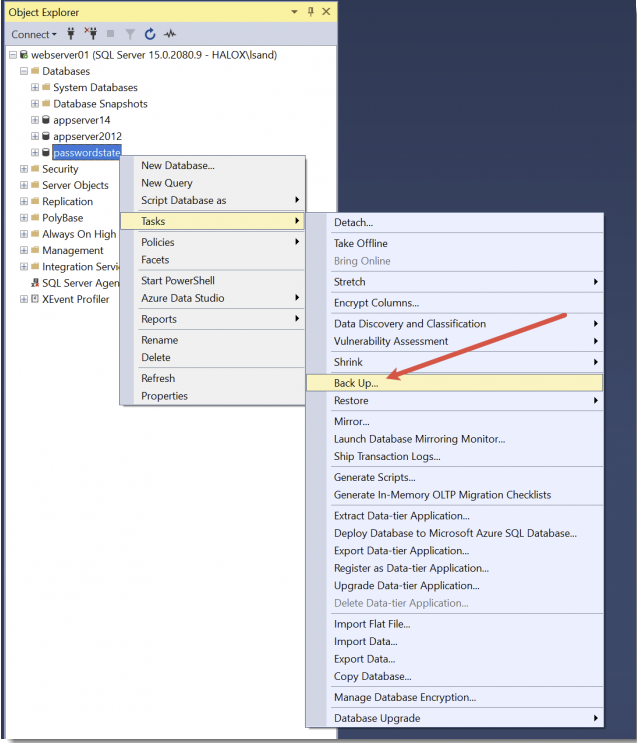
Using SQL Management Studio Tools, connect to your Passwordstate database server and select Tasks -> Back Up...
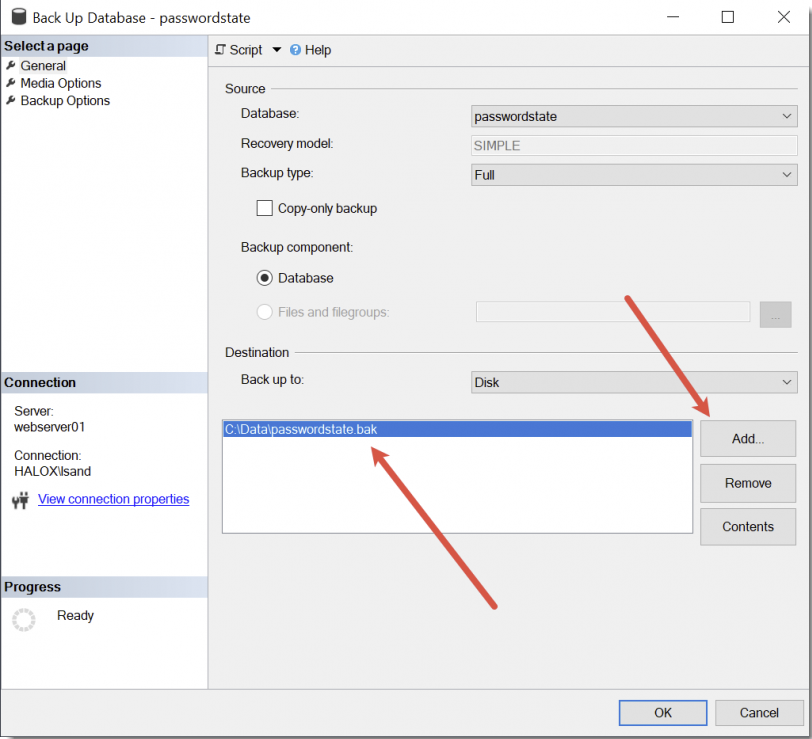
Now set a file path and ensure you name the file with a .bak extension. This will complete your backup process.