KB: How to find where Passwordstate is installed
Purpose: You need to find out where Passwordstate is installed for troubleshooting purposes
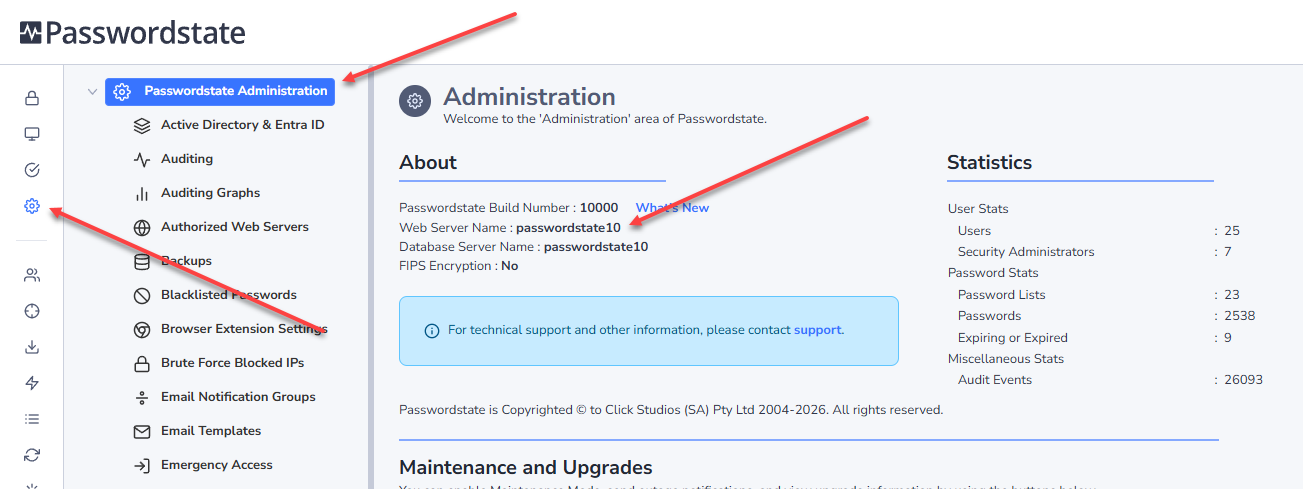
How do I do this? Log into Passwordstate as a Security Administrator, and click the Administration menu. The About screen will tell you your Web Server, which is where Passwordstate is installed:
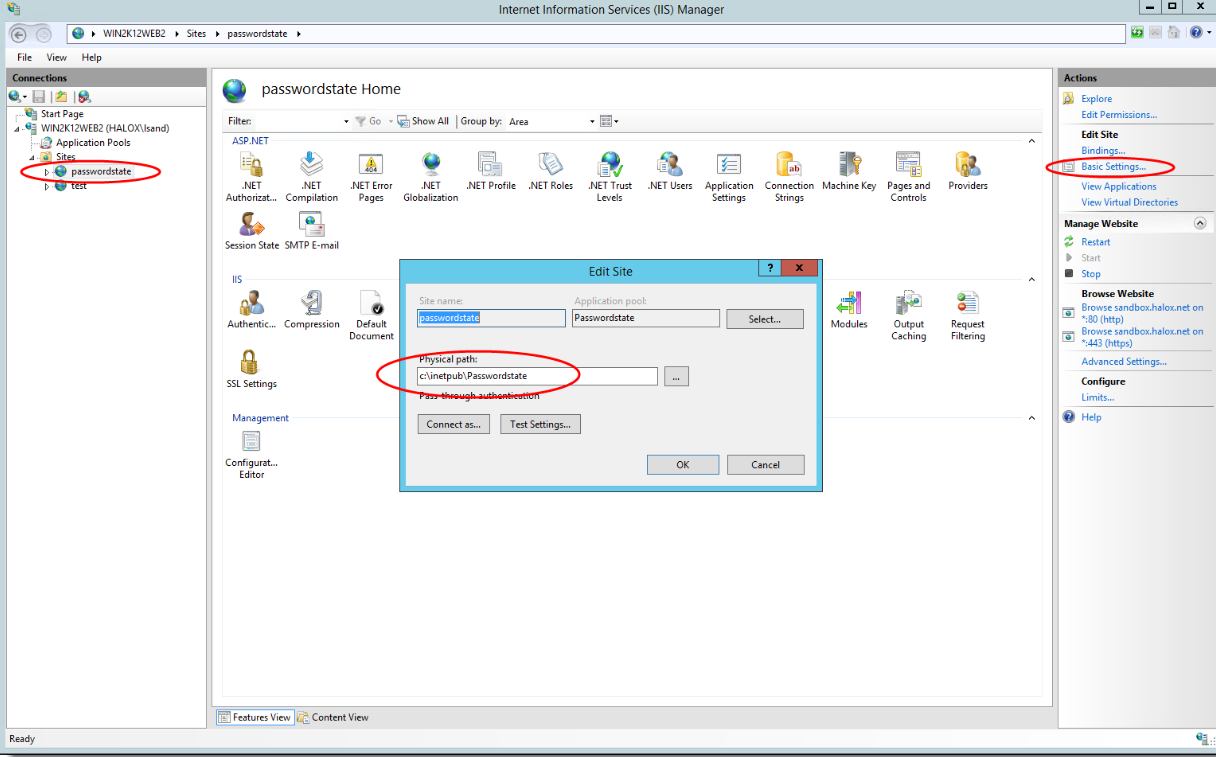
If you now log into your Web Server, open IIS and select your Passwordstate website. Click Basic Settings and this tells you the physical path to the install.
The default path for the Passwordstate installation is C:\inetpub\Passwordstate.