
KB: Create local URL for Performance testing purposes
Overview:
This forum post explains how you can set up a LocalHost binding on your Passwordstate webserver, so you can test performance when logged directly into your server.
Procedure:
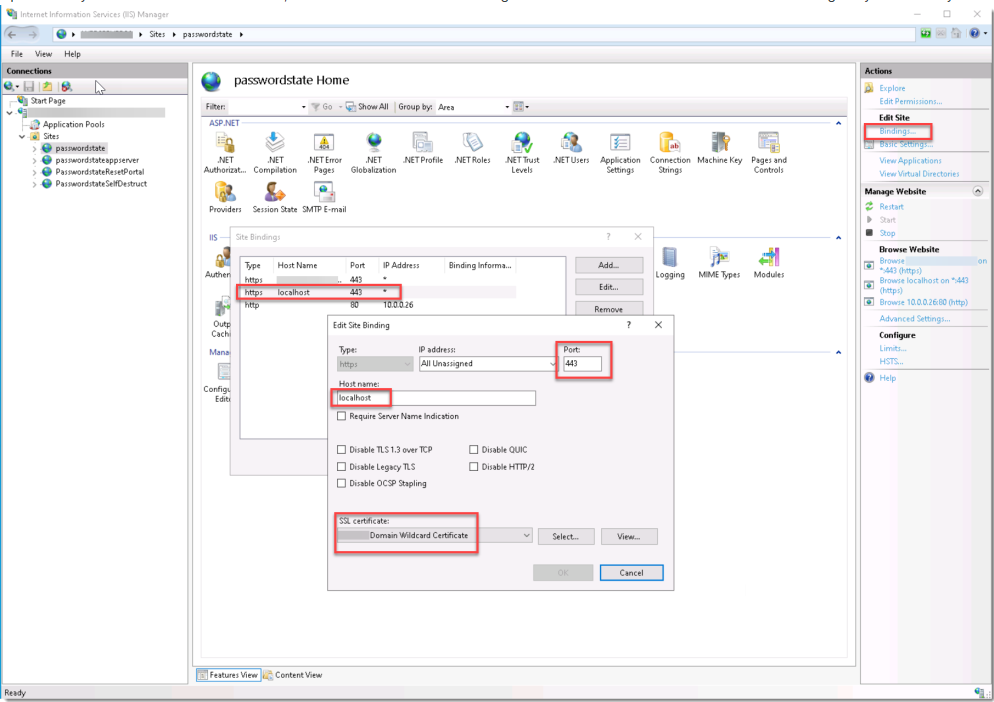
Open IIS on your Passwordstate webserver, and create a new HTTPS binding called "localhost". Set the Port to 443 and assign any certificate you have available to this new binding:
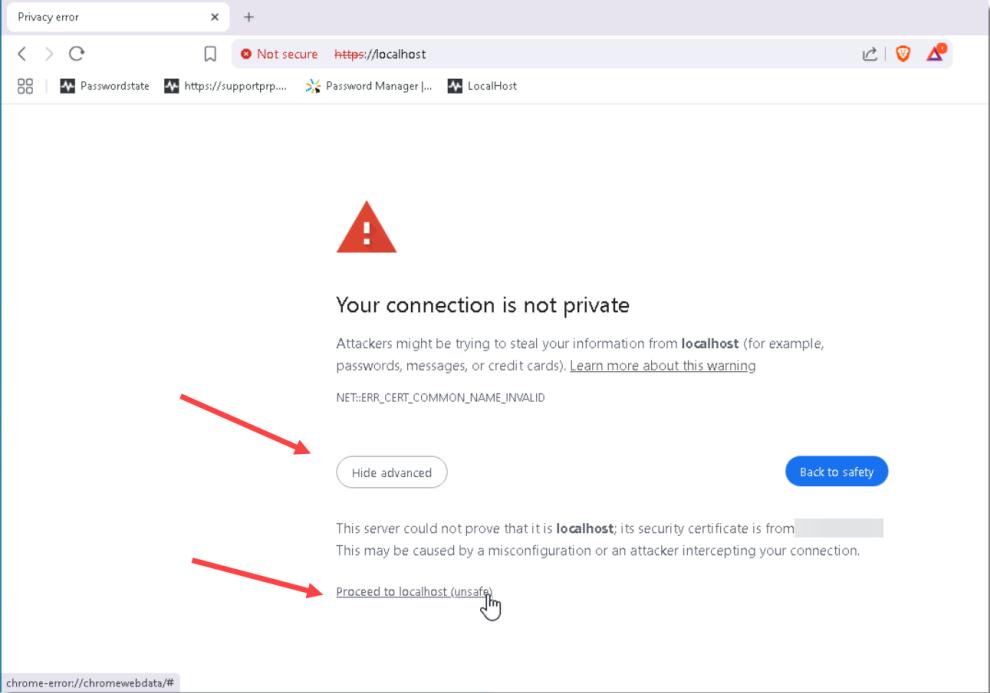
Whilst still logged into your web server, open your browser and brose to https://localhost. You may receive a warning from the browser that the certificate is not trusted. Click the Advanced button and then proceed to the website
Now try to replicate the issue you were having, and if this resolves the issue, this means the connection between your Passwordstate website and database is working well, but there is an issue with your desktop browsers connection to your web server.