
KB: Bypassing Application Proxy or Load Balancer for Testing Purposes
Issue:
You are seeing unusual behavior in Passwordstate such as a 403 Forbidden Access screen with Self Destruct Messages, or perhaps something like your reports are not running which rely on the API functioning correctly. This forum post describes how to go direct to your website, which will rule out a config issue on your network device.
Step 1:
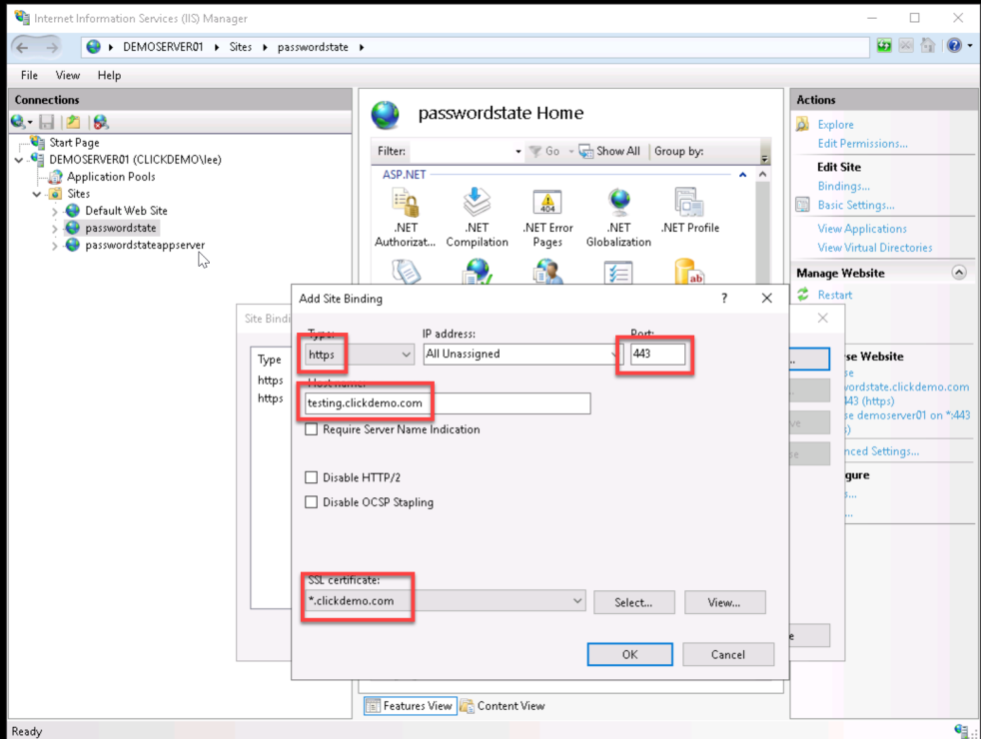
Log into your Passwordstate server and create a new HTTPS binding. An example can be testing.clickdemo.com. Ensure you assign a working certificate to this binding:
Step 2:
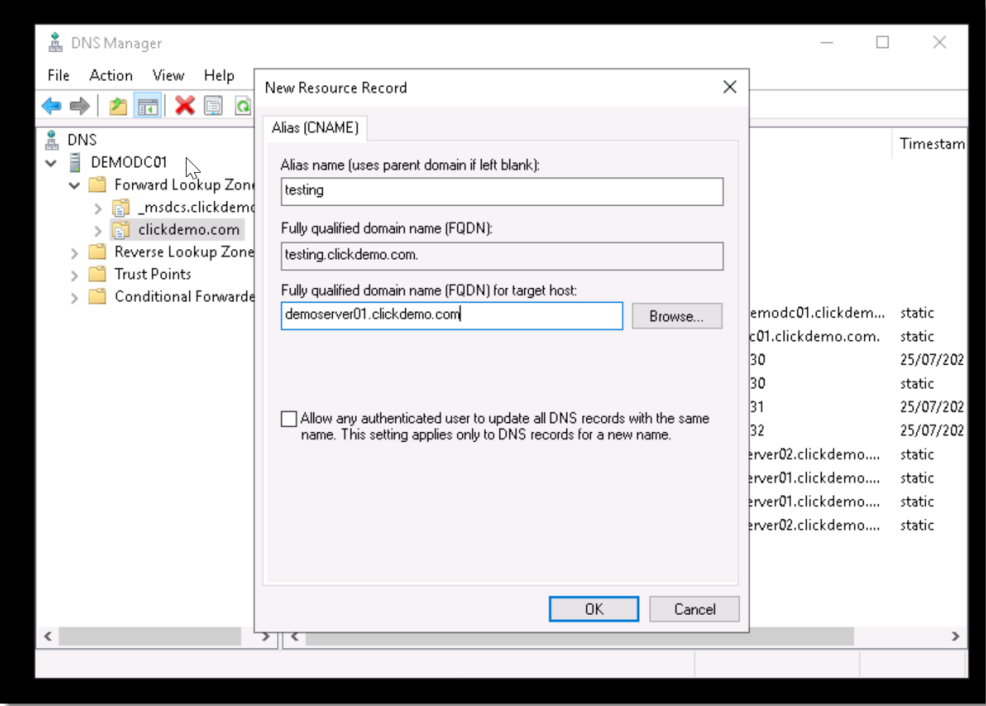
In DNS, create a New Alias (CNAME) record that matches the binding you just created. This should point to your Passwordstate webserver:
Step 3:
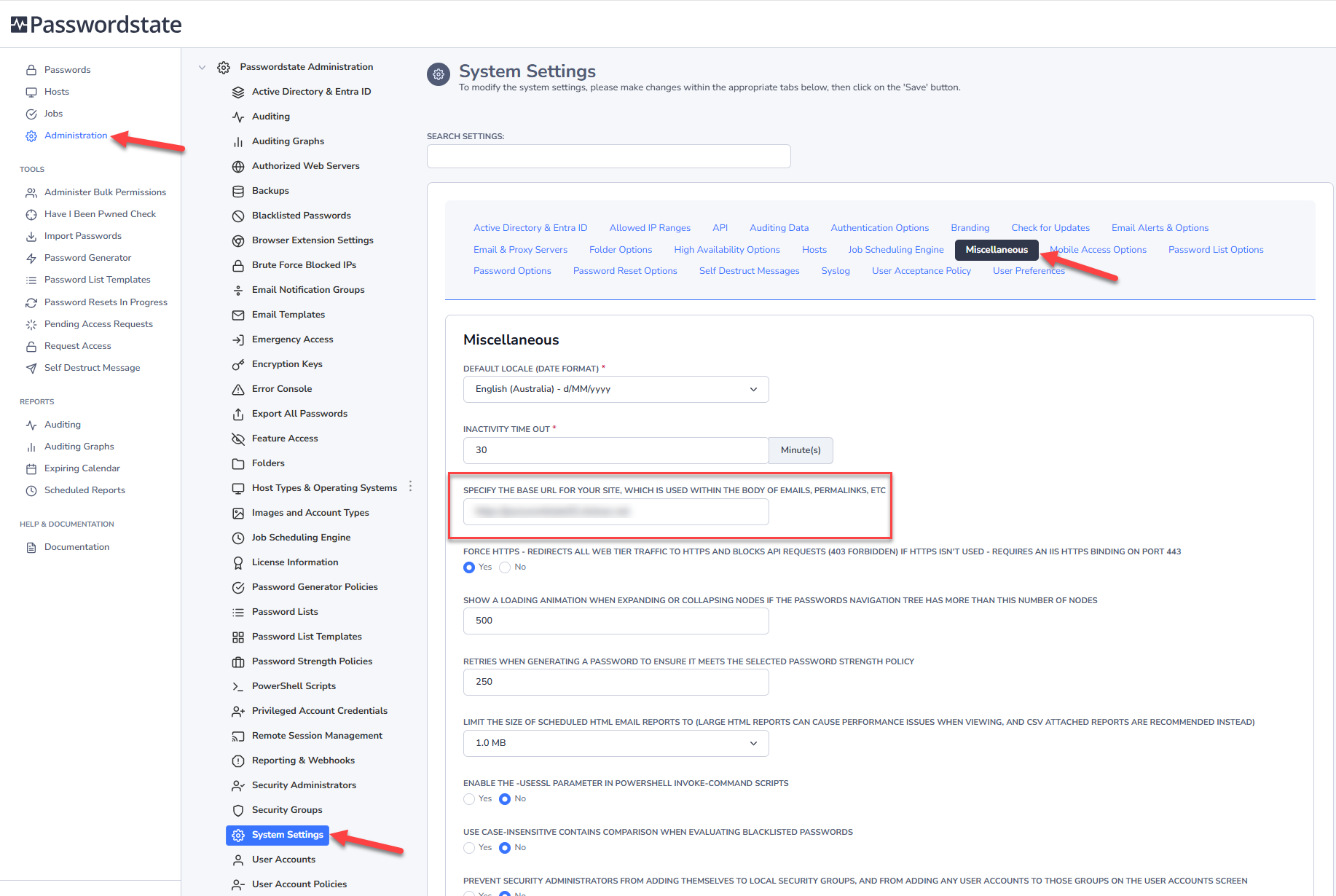
Now log into Passwordstate, and update the Base URL to this new test URL, and click Save.
Now try to reproduce the issue, but use the new testing URL you created. Does the issue persist? If it does, please log a support call with Click Studios and provide as much details as you can, including what you are doing to generate the error, and any screenshots that can help.
If it is a load balancer or proxy issue, please consider liaising with the vendor of that device and Click Studios can provide any information they need to help troubleshoot the issue.
Please note, when you have finished testing, you can revert back the base URL to your production URL.